About This Tool
How this schema generator assembles valid JSON-LD for eleven schema.org types
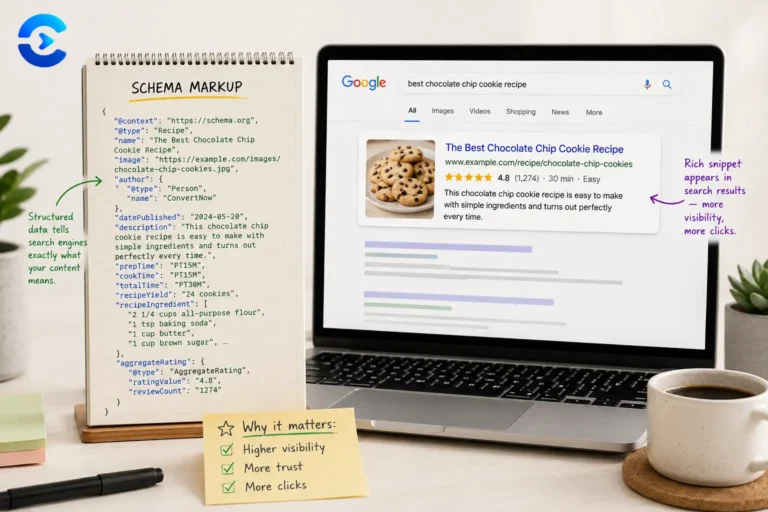
Structured data is a translation layer, it restates the content already on your page in a vocabulary search engines can parse with certainty rather than guess at. This tool is entirely client side, choosing a type builds a matching form, and every keystroke rebuilds a JSON object through a dedicated builder function for that type, strips out empty fields recursively, then serializes it with JSON.stringify(obj, null, 2) and wraps it in a ready to paste script tag.
The eleven supported types
| Type | Notable fields |
|---|
| Article | Switchable @type between Article, NewsArticle, BlogPosting, TechArticle, plus headline, author, publisher with a nested logo, and both datePublished and dateModified |
| FAQPage | An array of Question and nested acceptedAnswer objects, built from repeatable question and answer field pairs |
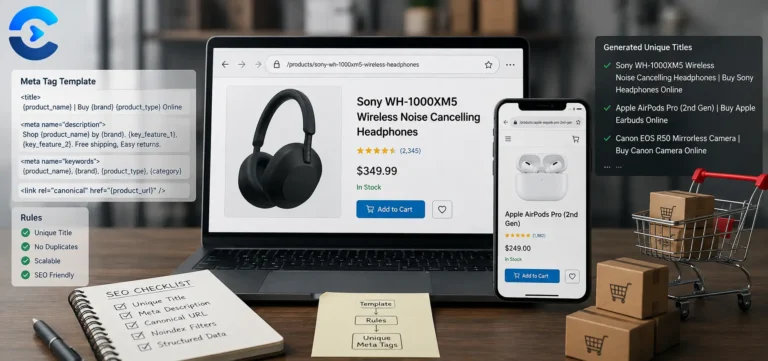
| Product | Brand, SKU, MPN, a nested Offer with price, currency and availability, and an optional AggregateRating block |
| LocalBusiness | Switchable @type across Restaurant, Store, MedicalBusiness and others, a full PostalAddress, GeoCoordinates, and opening hours |
| BreadcrumbList | A positioned itemListElement array built from repeatable name and URL pairs |
| Event | Start and end date, eventStatus and eventAttendanceMode as schema.org enumeration URLs, a nested Place and Offer |
| HowTo | totalTime in ISO 8601 duration format, an estimatedCost MonetaryAmount, and a positioned array of HowToStep objects |
| VideoObject | thumbnailUrl, uploadDate, duration, contentUrl, embedUrl and a nested publisher Organization |
| Review | A nested Rating with bestRating and worstRating bounds, and an itemReviewed object typed as Product, Service, Book, Movie or LocalBusiness |
| Recipe | prepTime, cookTime and totalTime in ISO 8601, recipeIngredient and recipeInstructions built by splitting textarea input on newlines |
| Organization | Switchable @type across Organization, Corporation, NGO and others, with logo, contact details and a sameAs list of social profiles |
The clean and validate pass
Step 1 Collect
Every field is read into a plain data object as you type. Repeatable sections like FAQ pairs and breadcrumb rows are kept as their own list, and multi line fields such as HowTo steps or ingredients are split on new lines.
Step 2 Build
The data object is passed into the builder function for the selected type, which is a literal JavaScript object matching schema.org's expected shape for that type.
Step 3 Clean recursively
A recursive clean function walks the whole tree and drops any key whose value is an empty string, null, an empty array or an object with nothing but its @type, so a Product with no rating never emits an empty aggregateRating block.
Step 4 Validate
Each field is marked as required or recommended the way Google's documentation lists it. Missing required fields block the rich result and show as errors, missing recommended fields show as warnings. Type rules then check things like the rating scale, currency codes, dates in the right order and a URL on every breadcrumb except the last.
// Product builder, adapted from source
s.name = val('name');
s.brand = { '@type': 'Brand', name: val('brand') };
if (val('price') !== '') {
s.offers = {
'@type': 'Offer',
price: Number(val('price')),
priceCurrency: val('priceCurrency'),
availability: 'https://schema.org/'
+ val('availability')
};
}
// then clean() drops every empty value
return clean(s);
Valid JSON-LD is not the same as an eligible rich result. This tool guarantees the output is syntactically correct schema.org markup, but Google applies its own additional eligibility rules on top of the spec for each rich result type, for example FAQPage rich results are now limited to well known, authoritative government and health sites rather than shown broadly. Always run the finished markup through
Google's Rich Results Test before assuming it will actually change how your page looks in search.
Three details worth knowing
Availability and status URLs
Fields like availability and eventStatus are not written as bare words, the tool prefixes them with https://schema.org/ automatically, since schema.org enumerations are formally URLs, not strings.
ISO 8601 durations
schema.org wants durations like PT30M or PT1H. You type plain minutes, or mm:ss for a video, and the tool writes the ISO 8601 form for you.
Two copy targets
The tool offers the raw JSON object separately from the full script tag wrapper, so you can paste either the data alone into a CMS custom field or the complete tag straight into a page head.
JSON-LD built in your browser
Eleven schema.org types
Empty fields removed
Structured data documentation
- schema.org is the shared vocabulary this entire tool is built on, jointly maintained by Google, Microsoft, Yahoo and Yandex.
- Google's structured data guidelines list which schema types are eligible for rich results and the specific required and recommended properties for each.
- Google's Rich Results Test is the tool to validate eligibility, not just syntax, before shipping this markup to production.
Rich results this enables
Adding Product schema to an online store's item pages so price and availability can appear directly in search results, marking up an FAQ section so it can display expandable answers, tagging a recipe with structured ingredients and timing, and building a BreadcrumbList so search results show your site's navigation path instead of a bare URL.