About This Tool
How this meta tag generator builds a full head block and grades it as you type
This tool runs entirely in your browser. There is no proxy and no server round trip. The only request it makes is loading your OG image, if you enter one, to read its real size. Every field you type updates a live output on the input and change events, and the output is three separate blocks of markup: the primary tags every page needs, an Open Graph block for Facebook and LinkedIn, and a Twitter Card block, each buildable and copyable on its own tab.
The length rules baked into the counters
The title and description fields are not just text boxes, they carry live character counters tied directly to Google's search snippet behavior. These are the exact thresholds the tool checks on every keystroke.
Title, under 20 characters
Flagged as too short. The hint tells you to aim for 40 to 60 characters, the range that fills a search result line without inviting truncation.
Title, over 60 characters
Flagged as too long, since Google may truncate the visible title around that point and append an ellipsis.
Description, under 70 characters
Flagged as too short, with guidance to aim for 120 to 160 characters.
Description, over 160 characters
Flagged as too long, since Google generally truncates snippets around 155 to 160 characters depending on pixel width, not a strict character count.
// the counter logic, adapted from source
tc.textContent = title.length + ' / 60';
tc.className = 'mt-counter' + (title.length > 60 ? ' warn' : (title.length >= 40 ? ' ok' : ''));
if (!title) tHint = 'Title is required';
else if (title.length < 20) tHint = 'Too short. Aim for 40 to 60 characters.';
else if (title.length > 60) tHint = 'Too long. Google may truncate at 60 chars.';
What gets generated in each block
| Block | Tags included |
|---|
| Primary | title, meta description, optional keywords and author, meta robots, optional viewport, optional canonical link |
| Open Graph | og:type, og:url, og:title, og:description, og:image with its real og:image:width and og:image:height, optional og:image:alt, og:site_name from the Site name field or the domain of your canonical URL |
| Twitter Card | twitter:card, twitter:title, twitter:description, twitter:image, optional twitter:image:alt, twitter:site |
Open Graph and Twitter title and description fall back to the primary title and description if you leave the social specific fields blank, so you never end up with an empty social tag as long as the primary fields are filled in.
The robots string is assembled, not typed. Clicking the index, follow, noarchive, nosnippet and noimageindex toggles does not just add a word, turning index or follow off swaps in noindex or nofollow instead, since those are the actual valid directive tokens. The other three only ever appear when switched on, they have no negated form in the robots meta spec.
The seven point checklist
Below the generated code sits a running checklist, evaluated fresh on every update: title length between 20 and 60, description length between 70 and 160, a canonical URL present, an OG image present, the page set to index, links set to follow, and a viewport tag present. Each renders as a pass or a warning icon so you can see at a glance what is missing before you copy the code out.
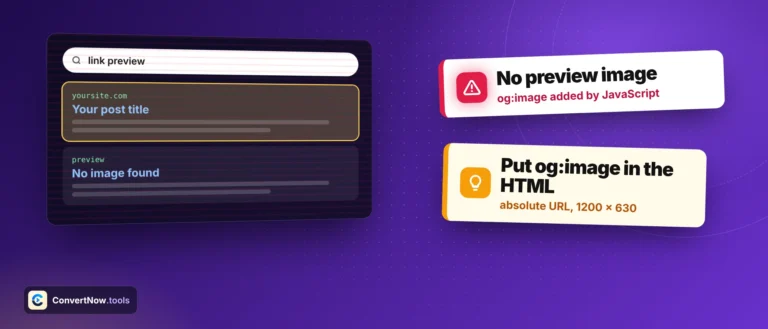
og:image dimensions
The 1200 by 630 pair is the widely recommended aspect ratio for link previews across Facebook, LinkedIn and Slack, roughly 1.91 to 1. The tool loads your image and writes its real width and height, and warns you when it is under 1200 by 630. If the image cannot be loaded, the two size tags are left out rather than guessed.
og:site_name
Type your brand in the Site name field. Leave it empty and the tool uses the domain of your canonical URL, without www.
Runs in your browser
Live SERP preview
Copy or download the tags
Meta tag documentation
Tags worth getting right
Drafting a new landing page's head block before a CMS template exists, quickly checking whether an existing title or description falls outside Google's comfortable length range, generating a consistent social preview across a batch of blog posts, and handing a developer a copy and paste ready snippet instead of a checklist of instructions.
Which meta tags actually matter
The title tag and meta description do most of the work. The title is the blue link people see in search results and it is also a ranking signal, so keep it under about 60 characters with the main topic near the start. The description does not change rankings directly, but it is the text people read before they click, so treat it as a short pitch of 150 to 160 characters.
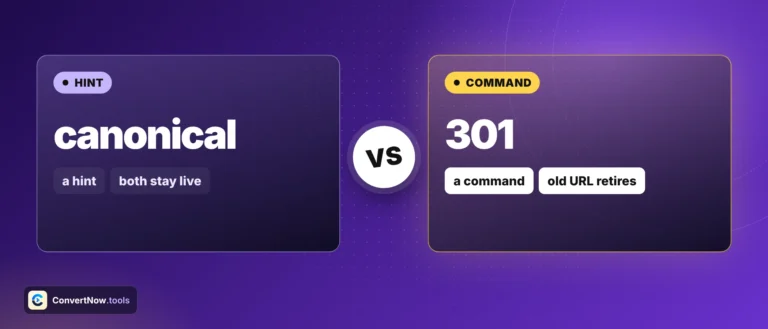
The canonical tag tells search engines which URL is the original when the same page loads at more than one address, for example with and without tracking parameters. Open Graph and Twitter tags control the preview card when a link is shared, including the image, so a page without them often shares as a bare URL.
The keywords meta tag is ignored by Google and Bing, which is why it is optional in this meta tag generator. Robots tags are only worth setting when you want to keep a page out of search results.