
Document conversion tools that run on your machine, not ours
PDF, Word, Excel, Markdown, HTML, images, audio and video. Fifteen converters, and the interesting question with all of them is what survives the trip.
File and document converters
Fifteen converters for documents, spreadsheets, audio and video.
What actually survives each conversion
Every format stores a different set of things. Converting means mapping one set onto another, and whatever has no equivalent is dropped silently.
| Conversion | Text | Layout | Images | What you lose |
|---|---|---|---|---|
| Word to PDF | Kept | Kept | Kept | Editability, and any tracked changes or comments |
| PDF to Word | Kept | Approximated | Kept | Exact positioning. PDF stores glyphs at coordinates, not paragraphs. |
| Excel to CSV | Kept | Lost | Lost | Formulas, formatting, multiple sheets, charts. CSV holds one grid of text. |
| Markdown to PDF | Kept | Kept | Kept | Nothing meaningful. Markdown is simple enough to map cleanly. |
| HTML to PDF | Kept | Mostly | Kept | Interactivity, and anything positioned by JavaScript after load |
| Video to audio | n/a | n/a | Lost | The entire visual track, which is the point |
PDF to Word is the hard one, and it is worth understanding why. A PDF does not contain paragraphs or tables. It contains instructions to draw specific glyphs at specific coordinates. Converting back means inferring structure that was thrown away when the PDF was created. Any converter promising perfect fidelity is overselling. Simple single column documents come back well; complex multi column layouts with floating figures do not.
A scanned PDF is a different problem again. It contains photographs of pages, not text at all, so extraction returns nothing until optical character recognition has run.
The libraries doing the actual work
These are not wrappers around a conversion API. They are real libraries running in your browser, which is why the first load of the heavier ones takes a moment.
The tradeoff is honest. A server with a real CPU converts a large video faster than your laptop will. What you get instead is that the video never left your laptop, there is no queue, no file size ceiling and no retention policy to read.
Six things that surprise people mid conversion
Small details that account for most of the confusion in this category.
| Situation | What is happening |
|---|---|
| CSV opens with mangled dates | Excel guesses at date formats on import. A column of 03/04 values becomes March or April depending on your regional settings, not the file. |
| Leading zeros vanish | Postcodes, phone numbers and product codes get read as numbers. The fix is importing as text rather than opening directly. |
| Semicolons instead of commas | Many European locales use semicolons because the comma is their decimal separator. Both are valid CSV. |
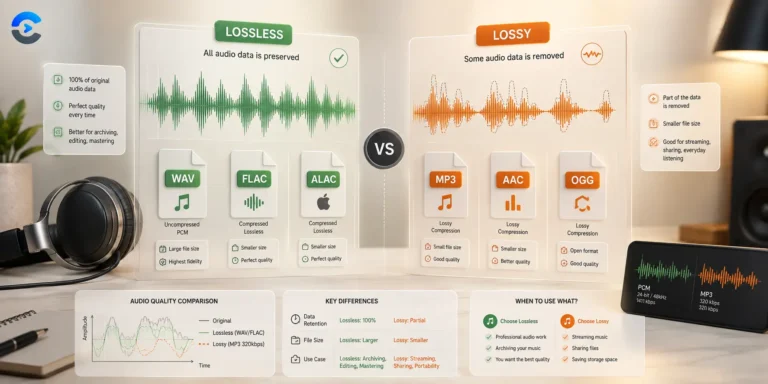
| Extracted MP3 sounds worse | Extracting audio from an already compressed video and re-encoding it compounds two lossy passes. Copying the stream without re-encoding avoids this where the format allows. |
| Word to PDF loses fonts | If a font is not embedded, the renderer substitutes a similar one and line breaks shift. Embedding fonts at export time prevents it. |
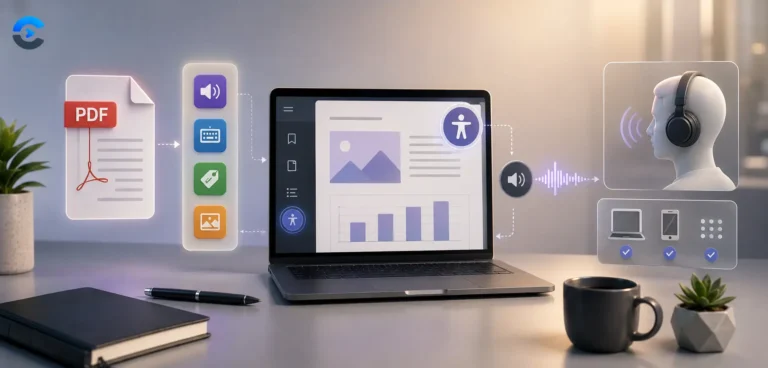
| PDF text will not copy | Either the PDF is a scan, or its font encoding has no mapping back to Unicode. Both need OCR rather than extraction. |
The wider toolbox
Every category on ConvertNow, free and growing.
Format guides and gotchas
What each format stores, and what quietly disappears in conversion.
Questions about document conversion tools
Fidelity, size limits and the conversions that lose things.
Are my files uploaded to a server?
Is there a maximum file size?
Why does PDF to Word lose my formatting?
Why does nothing extract from my PDF?
Why do my CSV dates look wrong when I open them in Excel?
Where did my leading zeros go?
Why is the first video conversion so slow?
Which formats are actually supported?
Conversion without the upload
Documents are the most sensitive thing people convert. Contracts, invoices, medical letters, financial statements.