
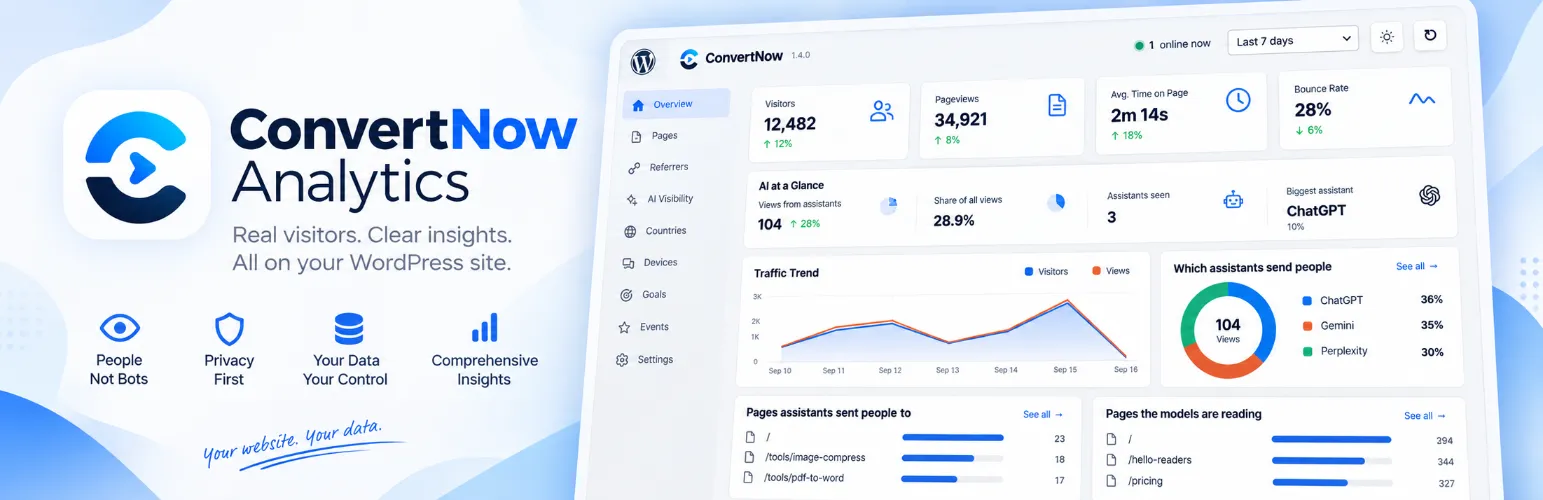

ConvertNow Analytics: A Free WordPress Analytics Plugin With No Cookies
ConvertNow Analytics counts real visitors inside your WordPress admin, sets no cookies and keeps every number in your own database. Here is what it does, how it works and who it suits.
ConvertNow Analytics is a free WordPress analytics plugin. You install it from the plugin directory, activate it, and the reports appear inside your WordPress admin within minutes. There is no account to create, no script to paste into your theme and no dashboard on somebody else's server.
That is the pitch. This guide covers what you get, how the counting works without cookies, where the plugin falls short and who should pick something else.
The short version. ConvertNow Analytics is free under the GPL, sets zero cookies, adds about 1.5 KB to a page and ships 60+ report screens. Everything stays in your own database. It cannot follow a visitor from one day to the next and it has no ad attribution. If you need either, run Google Analytics 4 next to it.
What this guide covers
- What ConvertNow Analytics is
- What ConvertNow Analytics tracks
- Who wrote what people read
- AI traffic and bots
- How ConvertNow Analytics counts without cookies
- See ConvertNow Analytics in action
- Install ConvertNow Analytics in two minutes
- ConvertNow Analytics vs Google Analytics 4
- Where ConvertNow Analytics falls short
- Who should use ConvertNow Analytics
What ConvertNow Analytics is
ConvertNow Analytics is a cookieless analytics plugin for WordPress. It lives on the WordPress.org plugin directory under GPLv2 or later. There is no licence key, no limit on sites and no limit on traffic. Install it on one blog or on fifty.
We built it for our own sites first. Most analytics tools send your numbers to a server you do not control and ask visitors to accept a banner before they count. This one does neither. It records visits on your own hosting and shows them where you already work.
The plugin never contacts our servers once it is installed. That means nothing we do later can switch it off. We may add paid tiers one day for features that cost us money to run, but the version you install today keeps working on the terms you got it under.
What ConvertNow Analytics tracks
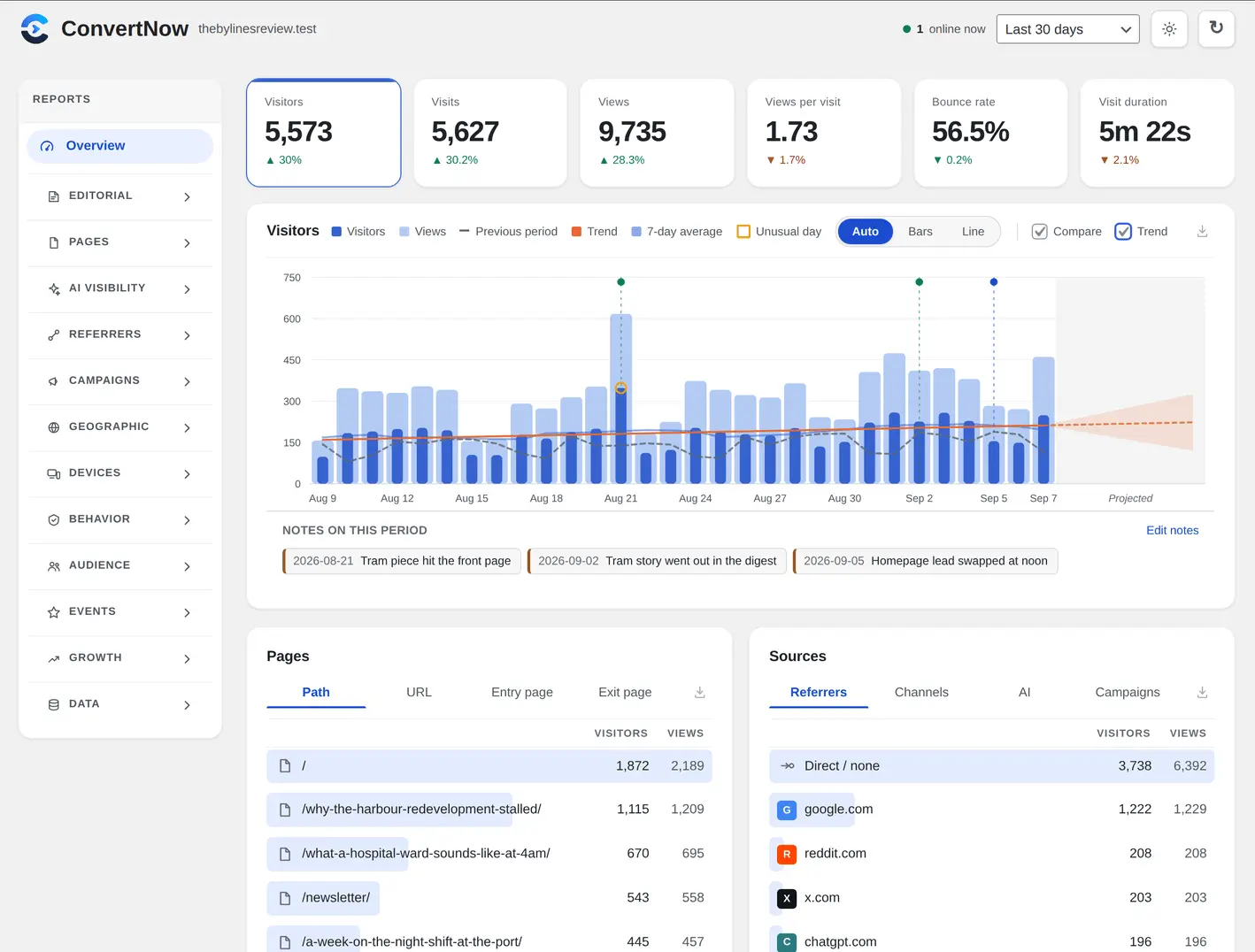
You get the questions a site owner asks on a Monday morning, answered the moment you activate the plugin. Visitors, visits, views, views per visit, bounce rate and time on page are all counted directly. Bounce rate means what everyone means by it: a visit that saw exactly one page. Time on page counts only while the tab is visible.
The reports sit in ten groups. Each group opens with an at a glance screen, then the detail underneath.
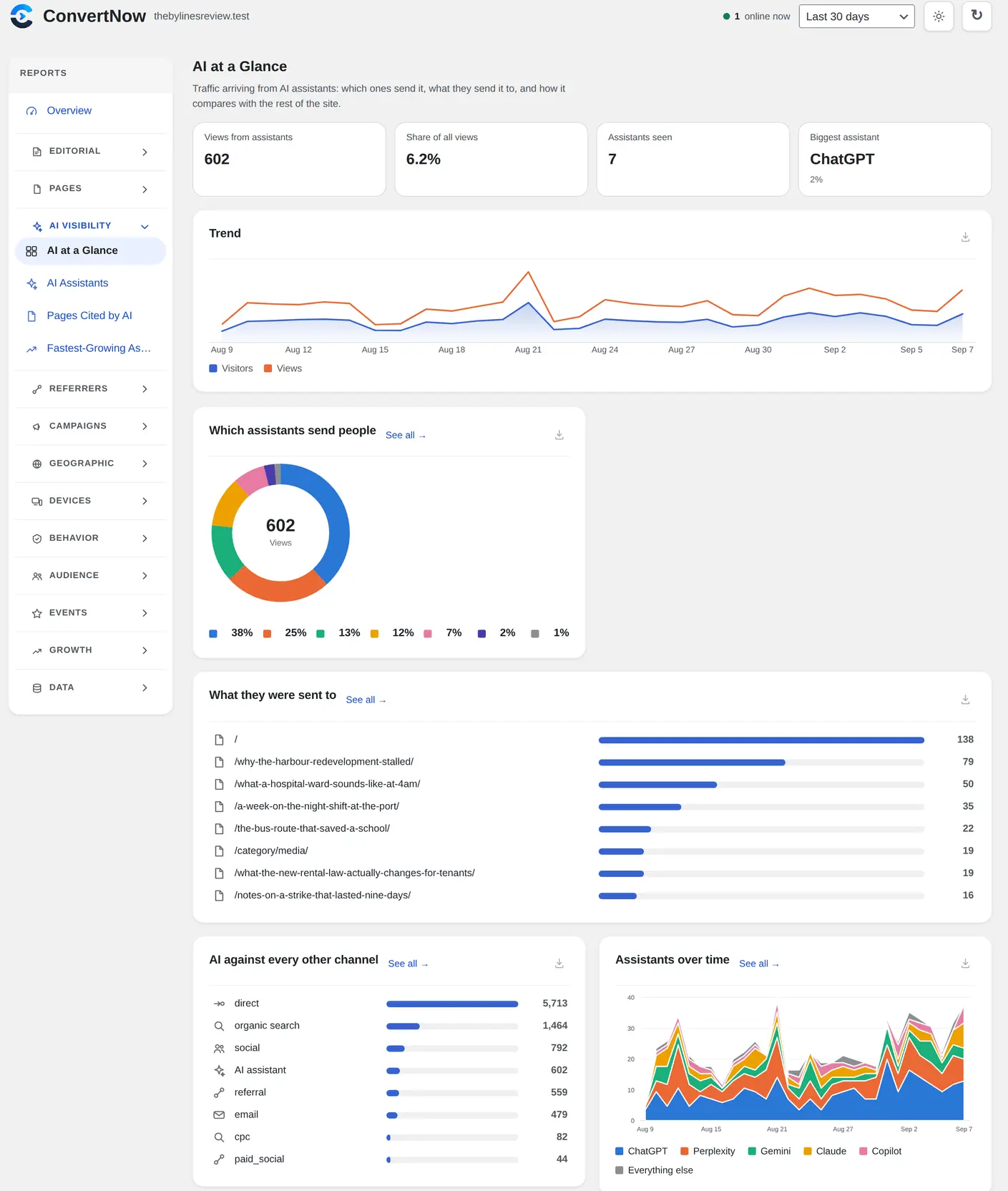
- AI: AI at a Glance, AI Traffic, AI Referrals, AI Crawlers and AI Visibility.
- Editorial: Authors, Fastest Growing Authors, Blog Posts and Content Types.
- Pages: Top Landing Pages, Fastest Growing Pages, Today and Exit Pages.
- Referrers: Search Engines, Social Media, Channels and Fastest Growing Referrers.
- Campaigns: UTM sources, mediums and campaigns.
- Geographic: countries on a world map, continents and languages.
- Devices: browsers, operating systems, device types and screen sizes.
- Behaviour: goals, funnels, journeys and retention.
- Audience: segments as saved filters, and cohorts compared on how deeply they read.
- Events (optional): outbound clicks, downloads, email and phone clicks, missing pages and site search.
Every chart exports as a PNG or JPG. Your data exports as CSV, TSV, JSON or NDJSON. The interface ships in German, French, Spanish, Dutch and Italian.
Finished days are summarised overnight, so a twelve month view loads as fast as a one day view.
Who wrote what people read
Most tools tell you how many people visited. If you run a magazine, a multi author blog or any site with a masthead, the better question is which bylines earn traffic.
ConvertNow Analytics records the author on every pageview. Authors, Fastest Growing Authors, Blog Posts and Content Types are there on day one. Fastest Growing Authors compares each writer with the previous period of the same length, which is how you spot a byline climbing before it peaks. Blog Posts sits on its own, so your home page and category archives stop drowning out the writing.
AI traffic and bots
People now find sites through assistants such as ChatGPT. ConvertNow Analytics has a group of AI screens for that: AI at a Glance, AI Traffic, AI Referrals, AI Crawlers and AI Visibility. They show visits that arrive from assistants, and they list the crawlers and bots the plugin leaves out of your visitor count.
The point is a visitor number you can trust. A bot that reads your site is not a reader, so it does not inflate your totals.
How ConvertNow Analytics counts without cookies
The plugin sets no cookie, uses no local storage and keeps no persistent identifier. A visitor is counted with a one way SHA256 hash of address, browser and a salt that rotates every UTC day. Yesterday's visitor cannot be matched to today's. Raw IP addresses are never written to your database.
Geography is the part most privacy tools get wrong, because the usual fix is a third party lookup. Two plain text country tables ship inside the plugin, one for IPv4 and one for IPv6. A lookup reads a single 512 byte block, takes about three microseconds and never leaves your server. Country data comes from DB-IP under CC BY 4.0.
The tracker is inlined into your footer and sent with the browser's own Beacon API. A measured pageview costs no extra request and about 1.5 KB. Raw hits are summarised hourly, and every chart is drawn as SVG, so there is no charting library to load.
See ConvertNow Analytics in action
This short walkthrough shows the plugin inside a live WordPress admin.
Install ConvertNow Analytics in two minutes
- In WordPress, go to Plugins, then Add New Plugin.
- Search for ConvertNow Analytics and press Install Now.
- Press Activate. WordPress opens the settings screen and there is nothing you have to change.
Visits appear within seconds, with no banner to accept first. Prefer a zip file? The ConvertNow Analytics page has a direct download.
Try ConvertNow Analytics on your site
It is free, it takes two minutes and you can remove it any time.
Get it on WordPress.orgSee every featureConvertNow Analytics vs Google Analytics 4
GA4 is a powerful tool and it is free to use. It is also harder to run lawfully in Europe, slower to read and less private. Here is the honest difference, including where we give something up.
| ConvertNow Analytics | Google Analytics 4 | |
|---|---|---|
| Cookies | None | First party cookies by default |
| Consent banner | Generally not needed | Normally required in the EU and UK |
| Where the data lives | Your own database | Google's infrastructure |
| Reporting by author | Built in | Custom dimension and tag work |
| Where you read it | Inside WordPress | A separate product |
| Data retention | You choose, forever if you like | 14 months by default for event data |
| Sampling | Never | Applied on large queries |
| Page weight added | About 1.5 KB | Tens of KB from an outside domain |
| Returning visitors across days | Not measured, by design | Measured |
| Ad and conversion integration | None | Native to Google Ads |
| Cost | Free | Free, with a paid 360 tier |
Where ConvertNow Analytics falls short
No tool fits everyone. Three limits matter most.
- No returning visitors across days. The visitor hash changes every day, so weekly retention is a question this data cannot answer. We would rather say so than print a number that looks right.
- No ad attribution. If you buy ads and need conversions fed back to Google Ads, use GA4 for that part.
- WordPress only. It is a plugin. For other platforms, look at ConvertDash, our cookieless web analytics service.
Who should use ConvertNow Analytics
It suits bloggers, publishers with several writers, agencies that want clients to read stats inside WordPress, and site owners in Europe who would like one less banner. It also suits anyone who wants real visitor numbers and does not need ad attribution.
On cookie banners, a banner is generally needed when a tool stores or reads information on a visitor's device for a non essential purpose. This plugin stores nothing, which removes that basis in most places. Your duties still depend on where you and your visitors are. We are not lawyers, so confirm it with someone qualified before you take a banner down.
Getting more from ConvertNow Analytics after install
Installing takes two minutes. Learning what ConvertNow Analytics can tell you takes a little longer, and most owners never open half the screens. Here is a practical routine for the first month.
Which ConvertNow Analytics reports should you open first?
Start with the three that answer the most questions. ConvertNow Analytics groups its 60+ report screens into ten sections, so a short tour helps.
| Question | Report in ConvertNow Analytics | How often |
|---|---|---|
| What did I publish that worked? | Blog Posts and Top Landing Pages | Weekly |
| Who on my team is growing? | Fastest Growing Authors | Monthly |
| Is AI sending me people? | AI Traffic and AI Referrals | Weekly |
| Which campaign paid off? | UTM sources, mediums and campaigns | After each send |
| Are people leaving at one page? | Exit Pages | Monthly |
| Did the missing page break something? | Events, once switched on | Monthly |
How do you set goals in ConvertNow Analytics?
A goal is one action you care about, such as a visit to a thank you page or a click on a download. ConvertNow Analytics lets you set goals and then build funnels from them. Keep it small. Two goals and one funnel are enough in month one. Add more only when you act on the first set.
- Pick one page that means success, like a contact confirmation.
- Add it as a goal in ConvertNow Analytics and visit it yourself to test.
- Build a funnel with three steps: landing page, product page, confirmation.
- Check the funnel after a week, not after a day.
- Export the data as CSV if your team reports in a sheet.
What should you know about ConvertNow Analytics and caching?
Page caches and optimisers can delay scripts. If numbers look low, clear your cache after you activate ConvertNow Analytics and open the site in a private window. The plugin adds about 1.5 KB to a page, so it is light, but any optimiser that defers or combines scripts can change when it runs. Test after every change to your caching setup.
A quick sum helps here. If your host log shows 1,200 human visits in a week and ConvertNow Analytics shows 1,150, the gap is about 4 percent. That is a healthy match. If it shows 600, something is blocking the script.
A tip for editors: open Blog Posts on Monday and note the top three. Do it for a month and patterns appear, such as which topics and days work for your readers.
What stays private in ConvertNow Analytics?
Everything stays on your hosting. The plugin keeps its numbers in your WordPress database and never contacts our servers after install, so no third party sees your visitors. There are no cookies to disclose, which keeps your privacy notice short. Finished days are summarised overnight, so old data stays quick to open.
Exports work in four formats: CSV, TSV, JSON and NDJSON. Charts save as PNG or JPG for a slide deck. The interface speaks German, French, Spanish, Dutch and Italian, which helps when an editor on your team prefers another language.
When should you run ConvertNow Analytics next to another tool?
Run it beside Google Analytics 4 when you buy ads, since ConvertNow Analytics has no ad attribution and cannot follow a visitor from one day to the next. For everything else, it gives you author, AI and bot reports that most tools skip. Our roundup of WordPress analytics plugins shows the alternatives, and ConvertNow Analytics stays free either way.
| In this guide |
|---|
| What ConvertNow Analytics is |
| Who wrote what people read |
| AI traffic and bots |
| How it counts without cookies |
Keep reading
ConvertDash guideCookieless analytics for any website.ConvertNow Analytics pageEvery feature in one place.ConvertDash pagePlans, pricing and self hosting.
ConvertNow Analytics counts real visitors inside your WordPress admin, sets no cookies and keeps every number in your own database. Here is what it does, how it works and who it suits.
Frequently asked questions
Is ConvertNow Analytics free?
Yes. It is free on WordPress.org under GPLv2 or later. There is no card, no trial that expires and no licence key. We may add paid tiers later for features that cost us money to run, and the version you install today keeps working.
Does ConvertNow Analytics use cookies?
No. It sets no cookie, uses no local storage and keeps no persistent identifier. Visitors are counted with a one way hash that changes every day.
Do I need a cookie banner for it?
A banner is generally needed when a tool stores or reads information on a visitor device for a non essential purpose. This plugin stores nothing, which removes that basis in most places. Your duties depend on where you and your visitors are, so ask a legal adviser if you are unsure.
Where is my data stored?
In your own WordPress database, on your own hosting. No pageview, visitor or page title is sent to us. The only outbound requests come from optional helpers, and only when you switch them on.
Will it slow my site down?
No measurable slowdown is expected. The tracker is about 1.5 KB, inlined in your footer, so a measured pageview costs no extra request. On the server each pageview is a single insert, and finished days are summarised overnight.
Does it work with caching and block themes?
Yes to both. The tracker runs in the browser, so a page served from cache is still counted. It also follows client side navigation, so block theme page changes are not lost.
How many sites can I install it on?
As many as you like. Nothing counts installs, nothing is tied to a domain and there is no traffic limit.
What happens to my statistics if I deactivate it?
Deactivating stops collection and keeps everything already recorded. Deleting the plugin removes its tables and the statistics with them, so take a backup first if the history matters.
Can it replace Google Analytics?
For simple traffic reports, often yes. If you need ad attribution or audiences, GA4 still goes further. The comparison above shows the differences.