
Network Tools Online for when something on the web is not answering
Ping a host, check a port, resolve DNS, read response headers, inspect a certificate, look up WHOIS and find broken links. The tools you reach for between it works and it does not.
Network diagnostics
Tools for resolving, probing and inspecting what is out there.
Five things that happen between a click and a page
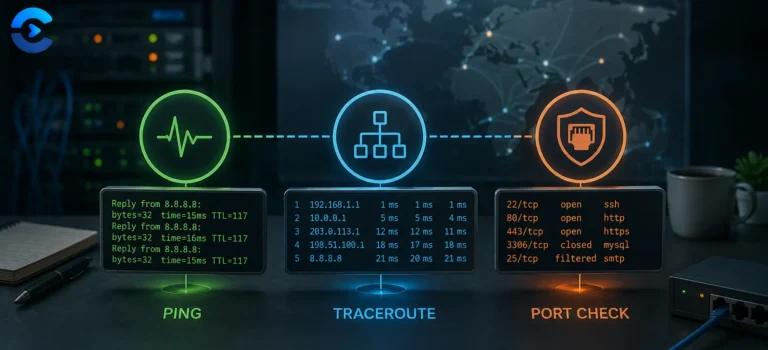
When a site fails to load, it failed at one of these. Knowing which one narrows the problem immediately, and each tool here probes a different step.
Work through them in order. It sounds obvious and it saves an enormous amount of time, because a certificate error and a DNS error produce similar looking browser messages while requiring completely different fixes.
The status codes worth recognising on sight
The first digit tells you who has the problem. Two hundred is success, three hundred is redirection, four hundred is your request, five hundred is their server.
The full registry lives in RFC 9110, which replaced the older 7231. Worth knowing that a 200 with an error message in the body is a real and common antipattern, so checking the code alone is not always enough.
The record types you will actually meet
DNS holds far more than addresses. These are the ones that come up when something is broken.
| Type | Holds | Breaks when |
|---|---|---|
| A | An IPv4 address for a name | Missing or pointing at an old server after a migration |
| AAAA | An IPv6 address | Present but pointing somewhere dead, so IPv6 clients fail while IPv4 works |
| CNAME | An alias to another name | Set on a root domain, which the spec does not allow. Providers offer ALIAS or ANAME instead. |
| MX | Mail servers and their priority | Missing, so mail bounces while the website works perfectly |
| TXT | Arbitrary text, used for SPF, DKIM and domain verification | Two SPF records exist, which is invalid and fails the check silently |
| NS | Which nameservers are authoritative | Registrar and DNS host disagree, so changes appear to do nothing |
| CAA | Which certificate authorities may issue for the domain | Set too narrowly, blocking your own certificate renewal |
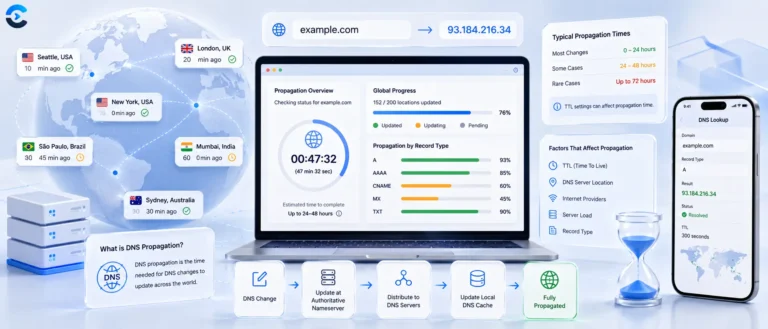
TTL is the value that explains most propagation confusion. It tells resolvers how long to cache an answer, so a change to a record with a 24 hour TTL can take a day to appear even though the authoritative server updated instantly. Lower the TTL a day before a planned migration and the cutover becomes far less painful.
Other categories
Every category on ConvertNow, free and growing.
How the web actually moves
DNS, TLS, headers and the hops between a click and a page.

Questions about these network tools
What gets queried, what is public, and how to read the results.
Do these tools actually contact the sites I enter?
Why does DNS show one address while my browser goes somewhere else?
What is TTL and why do changes take so long?
Why does ping fail on a site that clearly works?
What does a 502 bad gateway actually mean?
Can I check a page that sits behind a login?
Do you keep a history of my lookups?
Why does my certificate show as invalid on mobile but fine on desktop?
What we look up, and where
Unlike most of this site, these tools genuinely have to talk to the network. Here is exactly what that means.