Open Graph Tag Tester, Free Social Preview Checker

📈 SEO & Marketing Free Forever

Open Graph Tag Tester, Preview Social Media Shares Free

This Open Graph tag tester checks any URL’s og: and Twitter card meta tags, then shows you exactly how the link will look when shared on Facebook, LinkedIn, and X. Spot missing or broken tags before you publish, no sign up needed.

Try:

Enter a page URL to see how it will look when shared on Facebook, X, WhatsApp, Discord and LinkedIn.

What Open Graph tags do. When someone pastes your link into a social app, that platform sends a scraper to read your page and build a preview card. Open Graph tags tell it exactly what title, description and image to use. Leave them out and the platform guesses, usually badly.

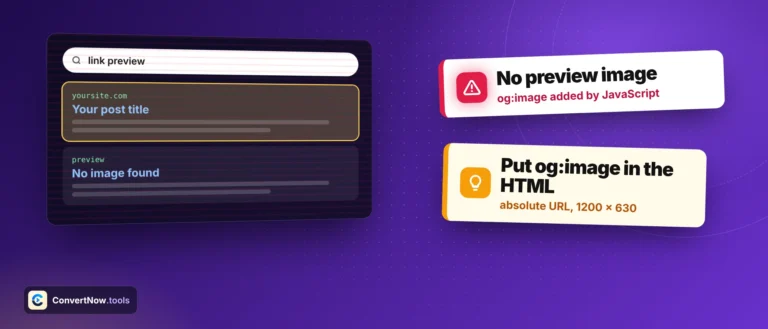
The image is the part that matters most. Aim for 1200 x 630 pixels. Below that you get a small square thumbnail instead of the full-width card, and below 200 x 200 most platforms show no image at all. This tool loads your image and reports its real dimensions rather than trusting what the tags claim, because the two disagree more often than you would think.

About This Tool

How this tool fetches a live page and simulates its social share previews

Reading another site’s meta tags from inside a browser page runs straight into the same cross origin wall every checker like this has to solve. This tool solves it the same way our canonical checker does, by sending your URL through the AllOrigins public proxy, which fetches the page on its own infrastructure and returns the HTML with headers that let your browser actually read the response. From there, tag extraction and every preview card are built client side in JavaScript, nothing is rendered or stored on a server we operate.

The fetch and parse sequence

Step 1 Normalize and request The URL gets an https:// prefix if missing, then the tool calls fetch('https://api.allorigins.win/raw?url=' + encodeURIComponent(pageUrl)) and reads the response as text.
Step 2 Parse with DOMParser The raw HTML string becomes a real document via new DOMParser().parseFromString(html, 'text/html'), which is then queried for every relevant meta tag by attribute and value.
Step 3 Apply fallbacks og:title falls back to the page’s plain title tag if missing. og:description falls back to the standard meta description. Twitter Card fields fall back to their Open Graph equivalents, which mirrors how platforms actually behave when a dedicated tag is absent.
Step 4 Render three preview cards The extracted data is dropped into markup styled to resemble a Facebook or LinkedIn card, an X card, and a Discord or Slack embed, side by side with a full table of every tag found.
// simplified from parseTags() in source function getMeta(doc, attr, key) { var el = doc.querySelector(‘meta[‘ + attr + ‘=”‘ + key + ‘”]’); return el ? el.getAttribute(‘content’) : null; } ogTitle: getMeta(doc,‘property’,‘og:title’) || (title ? title.textContent.trim() : null), ogDesc: getMeta(doc,‘property’,‘og:description’) || getMeta(doc,‘name’,‘description’),

Every tag checked against the Open Graph and Twitter Cards specs

ProtocolTags read
Open Graph (ogp.me)og:title, og:description, og:image, og:image:width, og:image:height, og:url, og:type, og:site_name, og:locale
Twitter Cardstwitter:card, twitter:site, twitter:title, twitter:description, twitter:image

Six specific warnings can fire: a missing og:title, a missing og:description, a missing og:image, an og:image present without matching width and height, a missing twitter:card, and a missing og:url. Each one names the actual downstream consequence, for instance a missing twitter:card means X falls back to a smaller default layout instead of the large summary_large_image format, rather than just saying a tag is absent.

A green result here does not guarantee a fresh preview everywhere. Facebook, LinkedIn, and other platforms cache the Open Graph data for a link the first time it is shared, sometimes for days. If you update your tags after a link has already circulated, you need each platform’s own re-scrape tool, the Facebook Sharing Debugger or LinkedIn Post Inspector, to force a refresh. Discord and Slack generally re-fetch on each new share and do not expose a separate debugger.

The three preview styles

Facebook / LinkedIn card

Domain, title and description stacked under a full width image, matching the large card format both platforms use for most link shares.

X card

Uses the Twitter specific fields when present, otherwise silently reuses the Open Graph values, exactly like X’s own crawler does.

Discord / Slack embed

A left accent bar with site name, title and description, since both apps render Open Graph data as a compact embed rather than a full card.

Backend: AllOrigins public CORS proxy Client-side DOMParser extraction No login or API key required

Open Graph documentation

Where link previews break

Checking a blog post’s share appearance before publishing, diagnosing why a link posted to Slack shows no image, confirming an e-commerce product page carries the right og:image after a template change, and auditing a client site’s social tags as part of a broader technical SEO review.

Common Questions

FAQ: Open Graph Tag Tester

Social platforms cache a link’s preview data after the first time it’s shared, sometimes for days or weeks, to avoid re-fetching your page every time someone posts the link. This tool always fetches your page fresh, so it will show your current tags correctly, but Facebook, LinkedIn, or X may still show an outdated cached version to other users until you force a re-scrape using that platform’s own debugging tool.

The widely recommended size is 1200 by 630 pixels, an aspect ratio of roughly 1.91:1, which displays sharply across Facebook, LinkedIn, X, and most messaging apps without awkward cropping. Keep the file size reasonable, under 5MB, and use JPG or PNG format for the broadest compatibility. Avoid putting critical text near the edges, since some platforms crop the image slightly differently.

Not strictly, X will fall back to your Open Graph tags if dedicated twitter: tags are missing, and this tool reflects that same fallback behavior in its preview. However, adding the twitter:card, twitter:title, twitter:description, and twitter:image tags explicitly gives you more precise control over how the card looks specifically on X, since it doesn’t always interpret Open Graph tags identically to Facebook.

The most common causes are the tag missing entirely, the image URL being a relative path instead of a full absolute URL starting with https://, the image server blocking automated or cross origin requests, or the image simply no longer existing at that URL. Check the tag table in the results to confirm the exact URL detected, then open that URL directly in a new browser tab to verify it loads correctly.

Open Graph tags are not a direct Google ranking factor, but they meaningfully influence how often your content gets shared and clicked on social media, since a compelling preview card increases click-through rate compared to a generic or broken looking link. More shares and clicks can indirectly support SEO through increased traffic, backlinks, and brand signals, even though the tags themselves aren’t read by Google’s ranking algorithm the way title tags are.

The page needs to be publicly reachable on the internet for this tool, or any social platform, to fetch and read its tags, password protected pages, localhost URLs, or staging environments behind a login won’t work. Most website builders and CMS platforms offer a staging or preview URL that’s publicly reachable but not linked anywhere, which works fine for testing purposes.

og:type tells the consuming platform what kind of content the page represents, common values include “website” for general pages, “article” for blog posts and news content, and “product” for e-commerce items. Some platforms use this to display additional structured metadata, like an article’s publish date or a product’s price, when the corresponding more specific Open Graph fields are also present.

No, this site does not log or store the URLs you check. The page fetch is routed through a public proxy service to bypass browser cross origin restrictions, and parsing happens entirely in your browser.

Privacy Overview

Cookies let this site remember your preferences and show us which tools people actually use. Full detail sits in our Privacy Policy.