
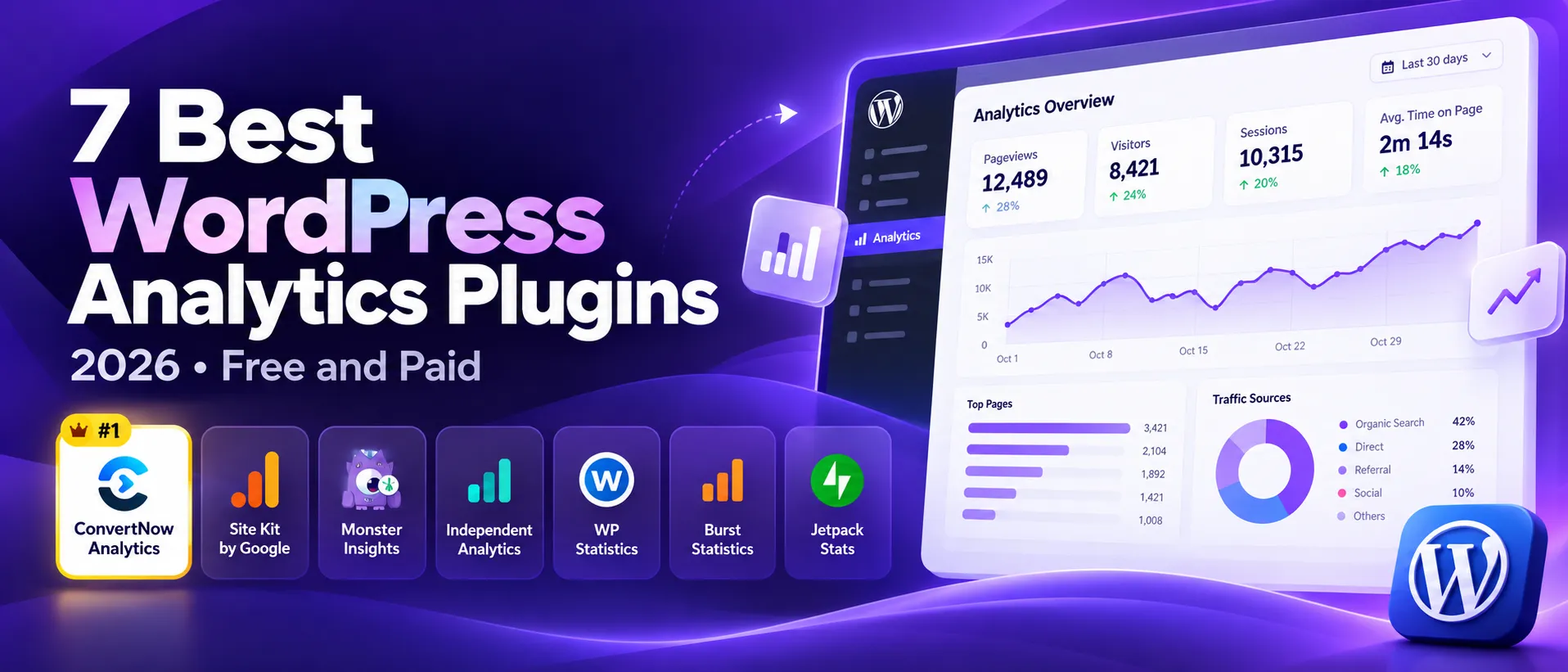

7 Best WordPress Analytics Plugins in 2026 (Free and Paid)
Seven plugins that show you who visits your site. What each does well, where it falls short, and which one fits your setup.
The best WordPress analytics plugins in 2026 split into two camps. Some pipe Google Analytics 4 into your WordPress dashboard. Others count visits on your own server and never touch Google. Pick the camp first, then the plugin.
This guide compares seven plugins on price, cookies, where your data lives and who each one suits. It also says plainly where each one falls short.
Disclosure. We make ConvertNow Analytics, plugin number one on this list, and we placed it first. That is a bias you should discount. Treat the order as a starting point and use the comparison table to decide. Facts come from each plugin's WordPress.org listing and the vendor's pricing page, checked on 12 October 2026. Prices and install counts change.
Seven plugins that show you who visits your site. What each does well, where it falls short, and which one fits your setup.
Frequently asked questions
What is the best free WordPress analytics plugin?
It depends on what you need. Site Kit is the best free GA4 connector. ConvertNow Analytics, Independent Analytics and WP Statistics are strong free options that keep data on your own server. Burst Statistics has a clean dashboard.
Do WordPress analytics plugins slow down your site?
Some do. Plugins that count in your database add a small insert per pageview. Google based plugins load a script from an outside domain. Check each plugin tracker size and test on your own site.
Do I need a cookie banner for a WordPress analytics plugin?
Plugins that use GA4 set cookies, so a banner is normally required in the EU and UK. Cookieless plugins generally avoid that for the analytics itself. Other scripts on your site may still need consent. Ask a legal adviser if you are unsure.
Site Kit or MonsterInsights: which is better?
Site Kit is free and covers several Google tools. MonsterInsights has a free Lite version, and its paid plans add ecommerce, form and user journey reports. Both send data to Google.
Can I run two analytics plugins at the same time?
Usually yes. Many sites run a cookieless plugin for daily numbers and keep GA4 for ads. Independent Analytics and WP Statistics both say they run alongside Google Analytics.
Is Jetpack Stats free?
Jetpack core features, including stats, are free for non commercial sites. It needs a WordPress.com account. Commercial sites should check Jetpack plans.
The short answer
- You want GA4 reports inside WordPress: Site Kit for free, MonsterInsights if you want ecommerce and form reports.
- You want stats on your own server with no cookies: ConvertNow Analytics, Independent Analytics or WP Statistics.
- You want the simplest dashboard: Burst Statistics or Independent Analytics.
- You already run Jetpack: Jetpack Stats, if your site is non commercial.
How we compared the best WordPress analytics plugins
We looked at five things. Price and free options. Cookies and consent. Where the data lives and whether you need an outside account. Setup effort. And what each plugin shows you once it is running.
We did not run lab tests for this guide. We used the WordPress.org listing for each plugin, the vendor pricing page and the plugin's own documentation. Where a plugin can be set up two ways, we say which one we describe.
WordPress analytics plugins comparison table
| Plugin | Price | Cookies | Data lives | Outside account |
|---|---|---|---|---|
| ConvertNow Analytics | Free | None | Your database | No |
| Site Kit by Google | Free | GA4 sets cookies | Google account | |
| MonsterInsights | Free Lite, paid from $99.50 for the first year | GA4 sets cookies | Google account | |
| Independent Analytics | Free, with a paid Pro | None | Your database | No |
| WP Statistics | Free, with paid add ons | None | Your database | No |
| Burst Statistics | Free, with paid Pro plans | Cookies by default, cookieless option | Your database | No |
| Jetpack Stats | Free for non commercial sites | See Jetpack's privacy notes | WordPress.com | WordPress.com account |
The seven best WordPress analytics plugins
Best for private, simple stats
1. ConvertNow Analytics
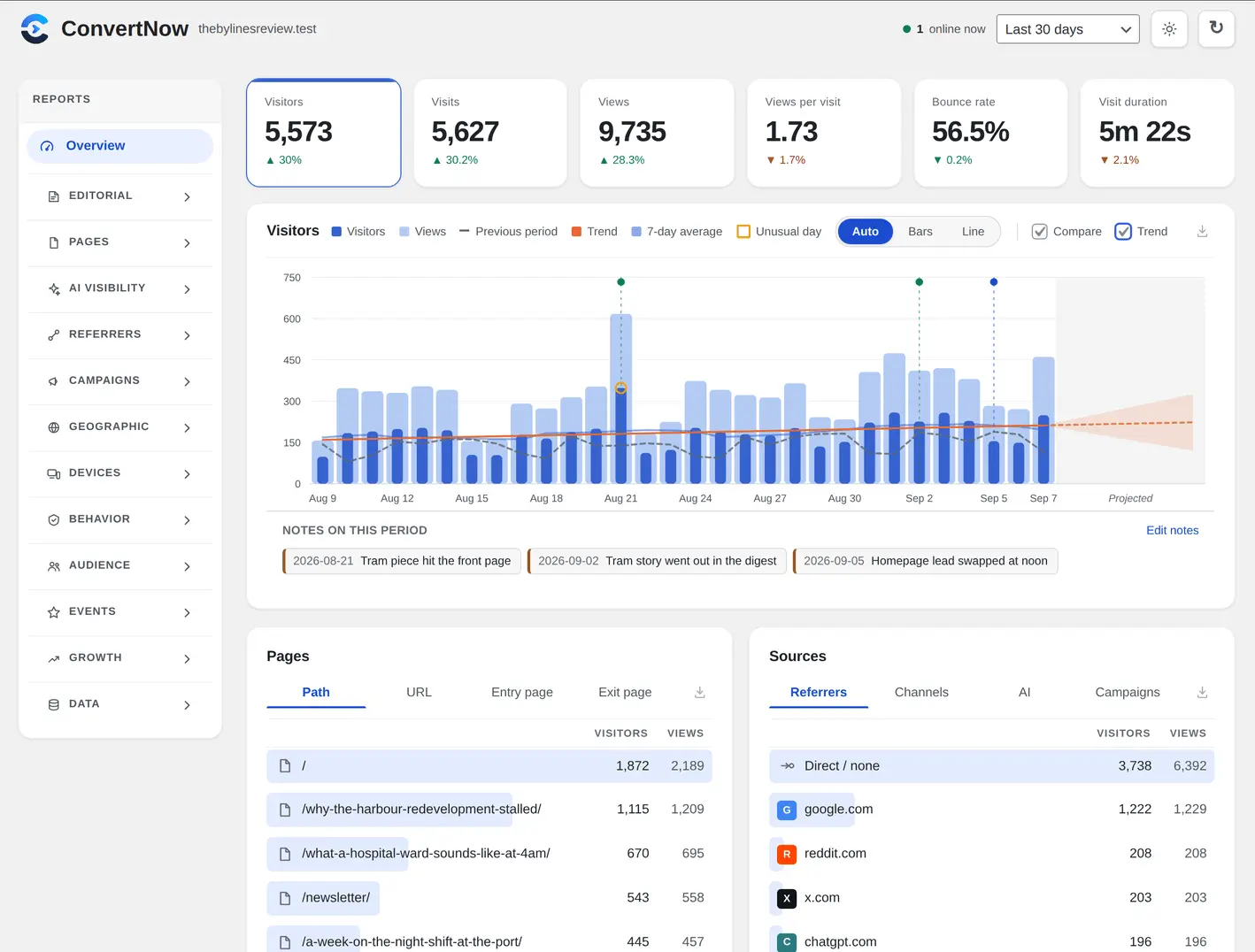
ConvertNow Analytics is our free plugin. It counts visitors without cookies, keeps every number in your own database and ships 60+ report screens, including author and AI traffic reports. Read the full ConvertNow Analytics guide.
Where it wins
Free under the GPL, no account, no site limit.
Reports by author, AI traffic and bots, plus goals and funnels.
About 1.5 KB added to a page.
Where it falls short
A new plugin with a shorter track record than the rest.
Cannot follow a visitor from one day to the next, by design.
No Google Ads or ad attribution integration.
Best free GA4 connector
2. Site Kit by Google
Site Kit is Google's official plugin. It puts Search Console, Analytics, AdSense and PageSpeed Insights into one WordPress dashboard. It has over 5 million active installs and a 4.2 star rating from about 1,000 reviews.
Where it wins
Free and open source.
Official stats from several Google tools in one place.
Quick setup without editing your theme.
Where it falls short
Needs a Google account, and each admin connects their own.
You are responsible for consent under GDPR, since GA4 sets cookies.
Some reviewers report reliability and speed problems.
Best for GA4 with ecommerce
3. MonsterInsights
MonsterInsights shows Google Analytics reports inside WordPress. A free Lite version exists, and it has over 2 million active installs. Paid plans add ecommerce, forms and user journeys.
Where it wins
Deep GA4 setup without code, including WooCommerce and forms.
Paid plans: Plus for 1 site, Pro for 5, Agency for 25.
14 day refund.
Where it falls short
Plus costs $99.50 for the first year, then renews at full price. Pro starts at $199.50 and Agency at $399.50 for the first year.
Your data still goes to Google, so cookies and consent still apply.
Many of the best reports need a paid plan.
Best for clean reports
4. Independent Analytics
Independent Analytics is built only for WordPress. The free plugin sets no cookies, stores no personal data and talks to no outside server. It has over 100,000 active installs and a 4.8 star rating.
Where it wins
No account needed, and all data stays in your database.
Pro adds campaigns, real time, click tracking, ecommerce, user journeys and form tracking.
Posts menu shows view counts as you work.
Where it falls short
Several useful reports sit behind Pro.
Needs PHP 8.0.30 or newer.
Cannot import data from Google Analytics or Jetpack.
Best for a wide feature set
5. WP Statistics
WP Statistics is an established plugin with over 500,000 active installs. It uses no cookies, stores no personal data by default and keeps everything in your database.
Where it wins
Wide coverage: content, author, referral, geographic and device reports.
Works with consent plugins such as CookieYes and Complianz.
Added bounce rate in August 2026 and an AI assistants channel in October 2026.
Where it falls short
More menus to learn than the simpler tools.
Premium add ons cover campaigns, Search Console, goals and real time stats.
Rated 4.1 stars from about 760 reviews, lower than some peers.
Best for a simple dashboard
6. Burst Statistics
Burst Statistics is a self hosted plugin with a clean dashboard and a tracking script under 4 KB. It has over 200,000 active installs and a 4.9 star rating from about 186 reviews.
Where it wins
Free, with no limit on tracked visitors.
Optional Search Console integration.
Goals, real time view and email reports.
Where it falls short
Uses cookies by default. Cookieless tracking is an option you switch on.
UTM campaigns and geographic data need a paid plan.
WooCommerce revenue needs the Business plan.
Best if you already use Jetpack
7. Jetpack Stats
Jetpack Stats is one feature inside the Jetpack suite, which has over 3 million active installs. It shows top posts, referrers, countries, author metrics and real time visits.
Where it wins
Free for non commercial sites.
Works inside the WordPress mobile app.
Comes with backups, security and other tools if you want them.
Where it falls short
Needs a WordPress.com account and a connection to WordPress.com.
A large suite for one feature. The plugin rates 3.7 stars from about 2,400 reviews.
Commercial sites need to check which plan they need.
How to choose the best WordPress analytics plugin
- Decide where data lives. If you want it on your own server, pick a plugin that counts in your database. If you want Google tools, pick Site Kit or MonsterInsights.
- Think about consent. A banner is generally needed when a tool stores or reads information on a visitor's device for a non essential purpose. Cookieless plugins avoid that for analytics. Your duties depend on your country, so ask a legal adviser. This is not legal advice.
- Check the paywall. Several free plugins keep campaigns, ecommerce or real time reports in a paid tier.
- Run two if you need ads. You can run a cookieless plugin for daily numbers and Site Kit for Google Ads.
See ConvertNow Analytics in action
Choosing among the best WordPress analytics plugins by site type
The seven picks above are a starting point for choosing the best WordPress analytics plugins. Your hosting, your traffic and your privacy duties decide which one you should install. Here is how to narrow it down without trial and error.
| Your situation | Pick from the best WordPress analytics plugins |
|---|---|
| Need GA4 reports and Search Console in one place | Site Kit by Google, one of the best WordPress analytics plugins for free GA4 |
| Run an online shop and want revenue reports | MonsterInsights, a paid entry among the best WordPress analytics plugins |
| Want no cookies and no outside account | ConvertNow Analytics or WP Statistics from the best WordPress analytics plugins |
| Want the plainest possible dashboard | Burst Statistics or Independent Analytics, two of the best WordPress analytics plugins |
| Run a non commercial blog on Jetpack | Jetpack Stats, the easy route among the best WordPress analytics plugins |
How do the best WordPress analytics plugins affect site speed?
Every plugin adds work. Cookieless plugins that count on your own server add a small script and a database write. GA4 connectors add Google script weight and a remote call. Good ones keep that cost low, but the only honest test is your own site. Install one of the best WordPress analytics plugins, run a page speed test before and after, and compare.
| Check | What to look for | Why it matters |
|---|---|---|
| Script size of best WordPress analytics plugins | Under a few KB is ideal | Even the best WordPress analytics plugins should not slow your first paint |
| Database growth in best WordPress analytics plugins | Summaries instead of raw logs | Some of the best WordPress analytics plugins summarise old days overnight |
| Outside requests from best WordPress analytics plugins | Fewer is better | Plugins that call Google add a request to every page |
| Admin load time | Dashboard opens in a few seconds | A heavy report screen is a real cost for the best WordPress analytics plugins |
| Uninstall behaviour | Option to delete tables | Clean removal is a sign of care in the best WordPress analytics plugins |
Do the best WordPress analytics plugins need a cookie banner?
It depends on the plugin and the law where your visitors live. Plugins that connect GA4 set cookies, so you normally need consent in the EU and UK. Cookieless options avoid that on the analytics side. Your theme, ads or embeds may still need a banner, so check the whole site and not just one plugin. If you need a notice, a free cookie consent generator can draft one in minutes.
What is a sensible setup path for the best WordPress analytics plugins?
- Decide whether you need ad attribution. If yes, a GA4 connector belongs on your shortlist of the best WordPress analytics plugins.
- If no, pick one cookieless plugin that stores data in your own database.
- Install on a staging copy first, then move to the live site.
- Wait a week before judging the best WordPress analytics plugins, since a single day tells you very little.
- Compare totals with your host server logs once, and accept a gap of some percent for bots.
What do the best WordPress analytics plugins cost over a year?
Free does not always mean free of work with the best WordPress analytics plugins. A GA4 connector is free but needs consent handling. Paid tiers from the best WordPress analytics plugins start around the price of a monthly coffee for a small site and climb with features. Add up licence fee, setup hours and any consent tool. Then compare it with a free plugin.
Should you ever install two of the best WordPress analytics plugins?
Sometimes. A common pair is a GA4 connector for ads and a cookieless plugin for daily reading. The cost is two scripts instead of one, plus two sets of numbers that will not match. If you do this, name one of the best WordPress analytics plugins as your source of truth. Do not stack three of the best WordPress analytics plugins. Each extra plugin is another thing to update and another attack surface.
A small worked example. A blog gets 4,000 visits a month and your cookieless plugin shows 4,000 while GA4 shows 3,100 because 900 visitors declined consent. The gap is 900 divided by 4,000, which is 22.5 percent. Neither plugin is wrong. They measure different groups of people.
Update habits count
Whichever plugin you pick, keep it updated and delete it if the author stops maintaining it. An abandoned plugin is a risk even when the dashboard looks fine.
Want the story of one pick? Read the full ConvertNow Analytics guide, then compare it with the rest of the best WordPress analytics plugins using your own traffic.
| In this guide |
|---|
| The short answer |
| How we compared the best WordPress analytics plugins |
| Comparison table |
| 1. ConvertNow Analytics |
Keep reading
7 best web analytics toolsFor any platform, not just WordPress.ConvertNow Analytics guideThe free WordPress analytics plugin.ConvertNow Analytics pageEvery feature in one place.
Try ConvertNow Analytics
It is free, it takes two minutes and you can remove it any time.
Get it on WordPress.orgSee every feature