
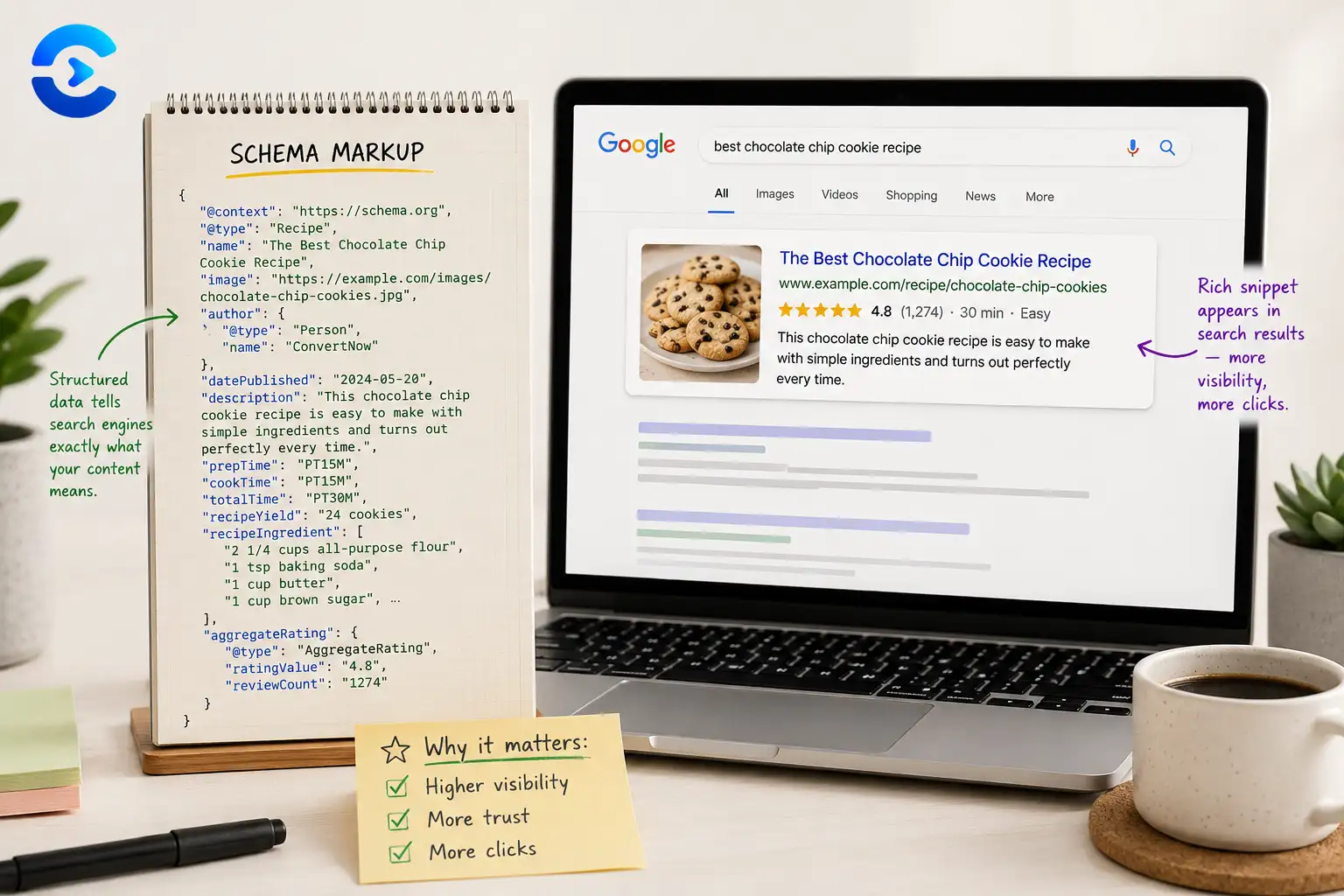

Why Isn't My Schema Showing Rich Snippets? Explained
Your schema might not show rich snippets because valid structured data only makes you eligible, it never guarantees display. Google decides case by case whether a rich result adds value for a given query, and it can ignore perfectly valid markup. The most common blockers are minor syntax errors, missing required fields, or content on the page that does not match what the schema claims. Fix those first, then accept that the rest is up to Google's own judgment.
Valid schema is a suggestion, not a promise
Structured data tells search engines what a page is about in a format they can parse reliably. It does not instruct Google to display anything in a specific way. Google treats every rich result as optional, choosing to show it only when the markup is trustworthy and the result seems genuinely useful to searchers. This single fact answers most of why isn't my schema showing rich snippets questions before you even open a validator.
Reasons tied to the markup itself
Small errors carry a big cost. A missing required property, a typo in a property name, or a mismatch between the schema type and the page content can quietly disqualify you. Nested schema that references the wrong object, or dates formatted incorrectly, are also frequent culprits.
Reasons tied to Google's own decisions
Even flawless markup can be skipped if Google decides the query does not benefit from a rich result, if the site lacks enough trust signals, or if a similar result already appears for that search. Rollout can also simply take time, sometimes weeks after a page is indexed.
Common validation errors that block eligibility
| Error type | What usually causes it |
|---|---|
| Missing required field | Review schema without a rating value, or FAQ schema without an answer |
| Type mismatch | Product schema used on a page that is actually a category listing |
| Content mismatch | Schema claims a price or review count that does not appear visibly on the page |
| Duplicate or conflicting schema | Two plugins or scripts both inserting JSON LD for the same entity |
A short checklist before you troubleshoot further
- Run the page through a structured data testing tool and fix every flagged error.
- Confirm the visible page content matches every claim made in the schema.
- Check that only one schema block defines each entity, with no duplicates.
- Give it several weeks after fixing errors before assuming it failed for good.
Other technical SEO checks
Schema is only one piece of how search engines read your site. Pair it with an XML Sitemap Generator so new pages get discovered faster, and check social previews with the Open Graph Tag Tester before you share a link. If you run similar content across multiple pages, the Canonical Tag Checker helps avoid duplicate content confusion that can also suppress rich results. More SEO tools live on the SEO and marketing tools page.
Build clean, error free structured data
The Schema Markup Generator builds valid JSON LD for common page types so you can rule out syntax errors as the reason your rich snippets are not appearing.
Open the Schema Markup GeneratorIf your schema still is not showing
Valid schema earns eligibility, not a guaranteed rich snippet. Fix the errors you can control, then use the Schema Markup Generator to keep your JSON LD clean going forward.
Why isn't My Schema Showing Rich Snippets? A Type by Type Diagnosis
The main post explains eligibility and common errors. One more cause deserves its own section, because it catches careful people: the markup type itself may no longer produce a visible result. When you ask why isn't my schema showing rich snippets, check the type before you debug a single line of code.
Why isn't my schema showing rich snippets for FAQ and HowTo markup?
Google has scaled back both of these. In 2023 it limited FAQ rich results to well known government and health sites, and it cut back HowTo rich results the same year. Its documentation has changed since, so check the current page. The markup does no harm on a page, but it may not create the expanded questions under your listing. So if the answer to why isn't my schema showing rich snippets is a page full of FAQPage markup, the validator can show zero errors and you still get nothing.
| Markup type | Status in Google | What to do |
|---|---|---|
| FAQPage, a common answer to why isn't my schema showing rich snippets | Limited since 2023, check current documentation | Do not expect a visual result |
| HowTo | Cut back in 2023, so why isn't my schema showing rich snippets has a clear answer | Do not expect a visual result |
| Product, Recipe, Event, Job posting, Video | Listed in the gallery, so why isn't my schema showing rich snippets is about quality | Check required fields and visible content |
| Review snippet | Listed, with strict rules | Show real reviews on the page, a frequent reason for why isn't my schema showing rich snippets |
| Article, Breadcrumb, Organization | Listed | Useful, but not every one gives a flashy result |
Google keeps a gallery of the types it supports, which helps with why isn't my schema showing rich snippets. Open it before you write any markup and confirm your type is on it. That single check settles many cases of why isn't my schema showing rich snippets.
A five step order for why isn't my schema showing rich snippets
- For why isn't my schema showing rich snippets, confirm the type is still supported in the Google gallery.
- Run the live URL through the Rich Results Test and fix every error.
- Inspect the URL in Search Console and confirm the page is indexed.
- Read the enhancement reports for your type and look at the warnings, not only the errors.
- Last, compare the visible page with the markup, field by field, until nothing differs.
Work in this order and why isn't my schema showing rich snippets rarely stays a mystery. Each step answers a question that the next step assumes, so skipping ahead wastes time when you diagnose why isn't my schema showing rich snippets.
Does the speed of change explain why isn't my schema showing rich snippets?
Often it does. Display rules move faster than most blog posts. A tutorial written two years ago may tell you to add a type that Google has since dropped. So when you search why isn't my schema showing rich snippets, read the date on every answer and trust the current Google documentation over any copied advice, including this page.
Is the markup still worth keeping after why isn't my schema showing rich snippets?
Usually yes. Structured data still describes your page to machines, and removing it gains nothing. Just stop measuring success by a visual result that may no longer exist.
More questions on why isn't my schema showing rich snippets
Should I delete FAQPage markup when I ask why isn't my schema showing rich snippets? You do not have to. It is harmless, though it may not give you extra space in results.
Can I fix why isn't my schema showing rich snippets with a different type? Yes. Build clean Product or Article markup with the schema markup generator and rerun the checks above.
How long should I wait? Give a fixed page a few weeks before you ask why isn't my schema showing rich snippets again.
| # | Key takeaway |
|---|---|
| 1 | Run the page through a structured data testing tool and fix every flagged error. |
| 2 | Confirm the visible page content matches every claim made in the schema. |
| 3 | Check that only one schema block defines each entity, with no duplicates. |
| 4 | Give it several weeks after fixing errors before assuming it failed for good. |
FAQ: Why Isn't My Schema Showing Rich Snippets?
Why isn't my schema showing rich snippets?
Usually because valid schema only makes you eligible, and Google still decides case by case whether to show a rich result for that query.
Does valid schema guarantee a rich snippet?
No. Google can ignore even perfectly valid structured data if it decides the rich result does not add value for that search.
How long does it take for schema to show in search results?
It can take anywhere from a few days to several weeks after a page is indexed, so patience matters before assuming something is broken.
What are the most common schema errors that block rich results?
Missing required fields, type mismatches between the schema and the page, and content that does not match what the schema claims are the most common blockers.
Why are my star ratings not showing in search results?
Review schema needs a visible rating value on the page itself, and Google has also tightened eligibility rules for review snippets in recent years.
Can having two schema scripts on one page cause problems?
Yes, duplicate or conflicting JSON LD blocks describing the same entity can confuse parsers and reduce the chance of a rich result appearing.
How do I check if my schema markup is valid?
Run the page through a structured data testing tool, review every warning and error, and confirm the schema matches the content visible on the page.
Sources and further reading
- Google: Intro to structured data: eligibility rules for rich results.
- Rich Results Test: check any URL against Google directly.