About This Tool
How the canonical tag checker fetches, parses and audits a live page
A browser page cannot read the raw HTML of another domain on its own. That is a security boundary, not a bug, and every canonical checker on the web has to work around it somehow. This tool works around it with a small fetch service on this site, which loads the page server side and hands the raw markup back to your browser as plain text. From that point on, everything is parsed and evaluated locally in JavaScript using the native DOMParser. Nothing about the page you check is stored on any server we control.
What actually happens when you click Check
Step 1 Normalize the URL
If you paste a bare domain without a scheme, the tool prepends https:// before doing anything else, since a fetch call needs a fully qualified address.
Step 2 Proxy fetch
The tool calls this site's fetch service with your URL. The service follows redirects, then returns the final URL, the HTTP status and the page HTML, which is what lets the browser read it.
Step 3 Parse the DOM
The returned HTML text is fed into new DOMParser().parseFromString(html, 'text/html'), producing a real, queryable document object without ever attaching it to the visible page.
Step 4 Extract and cross check
The tool queries link[rel="canonical"], meta[name="robots"], the page title, and every link[rel="alternate"][hreflang] tag, then resolves the canonical href against the page URL with the URL constructor so relative paths become absolute.
// simplified from the actual source
var links = doc.querySelectorAll('link[rel~="canonical"]');
var raw = links.length ? links[0].getAttribute('href') : null;
var canon = raw ? new URL(raw, pageUrl).href : null;
// exact match only: http vs https, www,
// a trailing slash or a query string all
// make it a different URL
if (sameUrl(canon, pageUrl)) {
status = 'Self referencing';
} else if (nearUrl(canon, pageUrl)) {
status = 'Almost matches, check it';
} else {
status = 'Points to a different URL';
}
>
Checks it actually runs
Beyond just reading the tag, the tool flags the misconfigurations that most commonly break canonicalization in the wild. Each one maps to a real condition in the parsed document, not a guess.
| Check | What triggers it |
|---|
| Multiple canonicals | More than one link[rel=canonical] element is present. Search engines may ignore all of them. |
| Protocol mismatch | The page was fetched over one protocol but the canonical href points to the other, http versus https. |
| WWW mismatch | Canonical and page share a hostname but disagree on the www prefix, which can split ranking signals. |
| Relative URL | The raw href attribute is not fully qualified, against Google's stated recommendation for canonical tags. |
| Noindex plus canonical | Meta robots contains noindex while the page also declares a canonical, a contradictory pair of signals. |
| Canonical outside the head | The tag sits in the body, or after an element that closes the head early. Google ignores it there. |
| Broken target | The canonical URL returns an error, redirects, is noindex, or points on to yet another URL. |
| Error page | The page itself returns a 4xx or 5xx status, so its canonical is never read. |
Why results can lag reality. The fetch service does not use a Googlebot user agent, and it cannot see canonicals sent as an HTTP Link header. If a site serves different HTML to crawlers than to normal browsers, cloaking, A/B testing frameworks, or aggressive edge caching, what this tool sees may not exactly match what Google indexed. Treat it as a fast first pass, then confirm anything critical in Google Search Console's URL Inspection tool, which shows the canonical Google actually chose.
Reading the hreflang table
If the page declares international variants, the tool lists every hreflang and href pair it finds. The checker confirms this page lists itself and flags hreflang on a page that canonicalises elsewhere, but it does not load each alternate to confirm the set is reciprocal, which Google requires: if page A points to page B as an alternate, page B should point back to page A.
Self-canonical
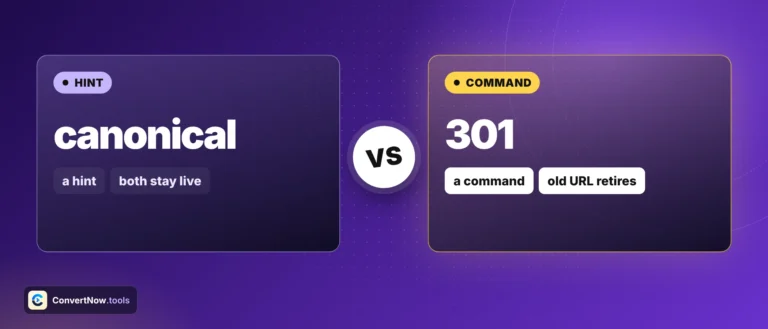
The most common and generally correct setup. The page names itself as the canonical version, telling search engines there is nothing else competing for its ranking signals.
Canonical to elsewhere
Deliberate for paginated series, tracked URL variants, or duplicate content, but worth a second look if you did not expect it, since it tells search engines to index a different URL instead.
Fetch: this site's own service
Parsing: browser DOMParser
No server side storage
Canonicalisation documentation
Duplicate content problems this catches
Auditing a migrated site for canonicals still pointing at the old domain, checking that paginated category pages canonicalize correctly instead of all pointing to page one, verifying an e-commerce filter URL does not accidentally self canonicalize when it should defer to its parent listing, and spot checking a client's site before a technical SEO handoff.