About This Tool
How this binary to decimal converter reads bits the way a processor does
Every number you type into a computer eventually becomes a string of electrical states, on or off, high or low. Binary is just the written form of that reality: base 2, using only the digits 0 and 1. This tool converts between binary, decimal, octal and hexadecimal live as you type, and it also shows you the positional math behind the conversion instead of hiding it behind a black box.
Everything happens in your browser with plain JavaScript arithmetic. No value you type is sent anywhere, logged, or stored. Refresh the page and it is gone.
The positional math, digit by digit
Decimal works in powers of ten: the digit 3 in 300 means 3 times 10 squared. Binary works the same way but with powers of two. Each bit position is worth double the one to its right, so reading a binary string is really just summing up the positions where a 1 appears.
Step 1 Assign exponents
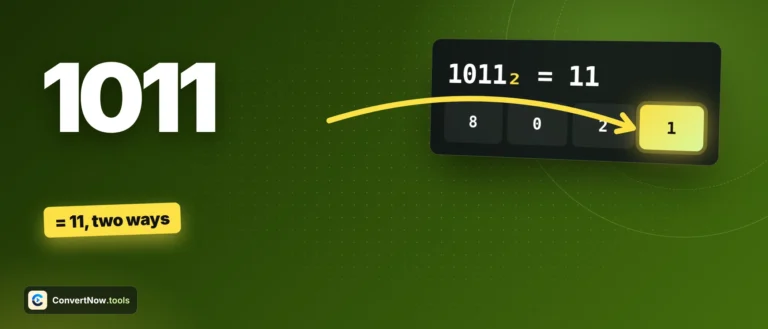
Number the bits from the rightmost, starting at exponent 0. The string 1011 has four bits, so from left to right the exponents are 3, 2, 1, 0.
Step 2 Weight each bit
Multiply each bit by 2 raised to its exponent. A 0 contributes nothing regardless of position, a 1 contributes the full power of two.
Step 3 Sum the weighted values
Add up every non-zero contribution. That total is the decimal value. For 1011 that is 8 + 0 + 2 + 1 = 11.
Step 4 Reuse the decimal for other bases
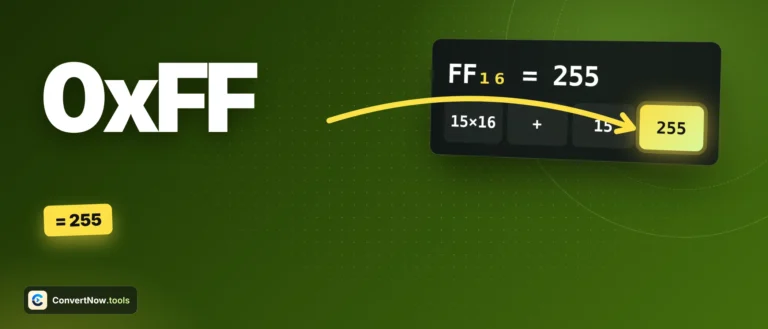
Once the tool has the decimal value, it hands it to JavaScript's native toString(8) and toString(16) to produce octal and hex, rather than converting binary directly to those bases.
This is exactly the breakdown the tool renders on screen under Positional Value Breakdown, one cell per bit showing the digit, its power of two, and its decimal contribution, so you can see the sum happening rather than just trust the answer.
// converting a decimal number back into a binary string
function decToBinaryString(dec) {
if (dec < 0) return '-' + Math.abs(dec).toString(2);
return dec.toString(2);
}
// building the positional breakdown for the last 16 bits
var exp = len - 1 - i;
var val = bit === '1' ? Math.pow(2, exp) : 0;
Negative numbers get special handling. Rather than silently expanding a negative value into a 32-bit two's complement string, the converter keeps the sign separate and shows the magnitude with a minus sign in front, so the positional breakdown always lines up with what you actually typed.
| Binary | Positional sum | Decimal |
|---|
| 1011 | 8 + 0 + 2 + 1 | 11 |
| 11111111 | 128+64+32+16+8+4+2+1 | 255 |
| 100000 | 32 + 0 + 0 + 0 + 0 + 0 | 32 |
| 10101 | 16 + 0 + 4 + 0 + 1 | 21 |
Worked example: two's complement changes everything. Type 11111111 with two's complement off and you get 255, the plain positional sum. Tick "Two's complement (signed)" with the size set to 8 bit and the same 8 bits become -1, because the leading 1 is now read as a sign bit rather than a place value. The tool flips every bit, adds 1, and negates the result, exactly how a processor's arithmetic logic unit interprets signed binary. Getting this toggle wrong is the single most common source of "why is my binary math wrong" confusion in low level programming.
Why computers use base 2 at all
Transistors are reliable at distinguishing two states, current flowing or not, but far less reliable at distinguishing ten different voltage levels the way a base 10 system would require. Binary gives digital circuits a wide error margin between 0 and 1, which is why every modern processor, from a calculator chip to a data center server, ultimately operates in base 2 no matter what language or number system the programmer works in on top of it.
Live four-way sync
Typing in any of the four fields, binary, decimal, octal, hex, immediately recalculates the other three. There is no submit button because there is nothing to submit anywhere. Values of any length stay exact, and fractions such as 101.11 convert too.
Grouped output
Binary results are grouped into clusters of four digits, the same nibble grouping used in datasheets and debuggers, which makes long bit strings far easier to read at a glance.
Where this comes up in real debugging
Bitmask flags in permission systems
Network subnet masks
Reading register values in embedded work
Color channel math
File permission bits in Unix, IP subnet masks, and hardware register flags are all binary under the hood even though tools usually display them in octal or hex for brevity. Converting between the forms by hand is slow and error prone, which is the whole reason a fast bidirectional converter earns a permanent spot in a developer's bookmarks.
- Two's complement is the standard method processors use to represent negative integers in binary.
- Positional notation explains the general place-value system that both decimal and binary share.
- Bash arithmetic expansion lets you check binary conversions from a terminal with base prefixes like
0x and 0b.
Where base conversion matters
Setting Unix file permissions from an octal value, decoding a subnet mask into its binary form to check host ranges, reading raw register values off a microcontroller datasheet, verifying a bitmask used for feature flags in application code, and teaching students the place value system before they meet hexadecimal in a computer science course. Any task where you need to move between how a number looks and how a machine actually stores it lands here.