About This Tool
How this hex to decimal converter works, and why hexadecimal exists in the first place
Hexadecimal is base 16, using the digits 0 through 9 and then the letters A through F to stand in for 10 through 15. Programmers reach for it constantly not because computers think in base 16, they think in binary, but because hex is a near perfect shorthand for binary. Every single hex digit maps exactly onto four binary digits, so a byte, eight bits, always fits in exactly two hex characters. That clean alignment is the entire reason hex exists as a human facing notation.
This converter runs in your browser with exact whole number arithmetic (JavaScript BigInt), so a 64 bit value or a long hash converts without rounding. Nothing you type is sent to a server, and the calculation updates on every keystroke across all four connected fields: hex, decimal, binary, and octal.
Reading a hex digit's value
Step 1 Map letters to values
A equals 10, B equals 11, up through F equals 15. Every digit, letter or number, has a value between 0 and 15.
Step 2 Weight by powers of 16
Just like decimal uses powers of 10, hex assigns each position a power of 16 counting from the right, starting at 16 to the power 0.
Step 3 Multiply and sum
Multiply each digit's value by its positional weight and add everything together. The tool hands this to JavaScript's BigInt type, which does exactly this arithmetic with no rounding at any length.
Step 4 Derive binary and octal from the decimal result
Once the decimal value is known, toString(2) and toString(8) produce the binary and octal forms directly, rather than converting hex to those bases digit by digit.
// parsing hex input and syncing the other three bases
function fromHex() {
var p = parseIn(hexEl.value, 16); // exact BigInt, reads 0x, # and fractions
decEl.value = plainOut(p, 10);
binEl.value = plainOut(p, 2);
octEl.value = plainOut(p, 8);
updateColorPreview(p.intStr);
}
| Hex digit | Decimal value | 4-bit binary |
|---|
| A | 10 | 1010 |
| F | 15 | 1111 |
| FF | 255 | 11111111 |
| 2A | 42 | 00101010 |
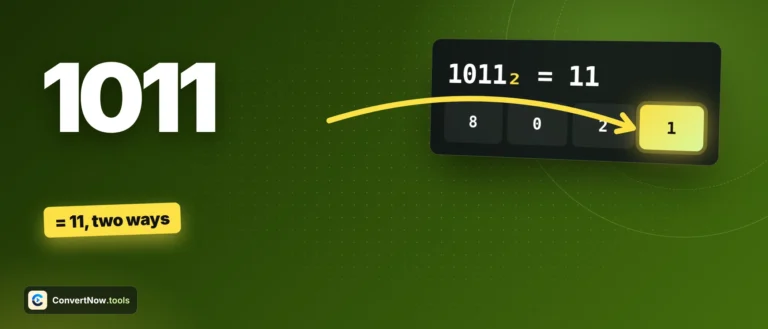
Worked example: 2A in hex. The digit 2 sits in the 16s place, the digit A, worth 10, sits in the 1s place. So 2A = (2 × 16) + (10 × 1) = 32 + 10 = 42. In binary that is 00101010, and you can see the hex digits map cleanly onto nibbles: 0010 is 2, 1010 is A. That nibble alignment is why a single typo in hex is much easier to spot than the equivalent error buried in a 32-character binary string.
The built-in color preview
Type exactly 3 or 6 hex digits and the tool renders a live color swatch, since 6-digit hex is the standard CSS color format used across the web, and 3-digit hex is its shorthand where each digit doubles, so F0A expands to FF00AA. The tool deliberately refuses to guess at any other digit length. Padding a 2-digit value like FF into a color would silently invent a color you never actually specified, so the preview only appears at exactly 3 or 6 digits. It also computes perceived brightness using the standard luminance formula, 0.299R + 0.587G + 0.114B, to decide whether to label the swatch light or dark and to pick readable text color against it.
Byte pair grouping
Longer hex values are grouped into pairs of two characters in the detail view, matching how memory is actually addressed and displayed byte by byte in debuggers and hex editors.
Bit length and byte count
The result panel reports the binary bit length and the number of bytes required to hold the value, useful when you are reasoning about data sizes or storage formats.
CSS color detection at 3 or 6 digits
Luminance-based contrast label
Byte pair grouping
- CSS hex color notation defines the 3-digit and 6-digit conventions this tool's color preview follows.
- Hexadecimal covers the history and the reason base 16 became the standard shorthand for binary.
- Relative luminance explains the brightness formula used to label a swatch light or dark.
Where hex turns up
Reading a memory address or crash dump offset in a debugger, decoding a color value pulled from a design file or screenshot, converting a MAC address segment, checking a hardware error code reported in hex by a driver or BIOS, and translating a hex encoded byte from a network packet capture into a readable decimal count. Hex shows up anywhere raw binary data needs a compact, typo resistant, human readable form, and converting it back to decimal is usually the first step in actually understanding what the value means.