
Blog · SEO & Marketing
SEO and Marketing Blog: Traffic and Ranking Tips
-
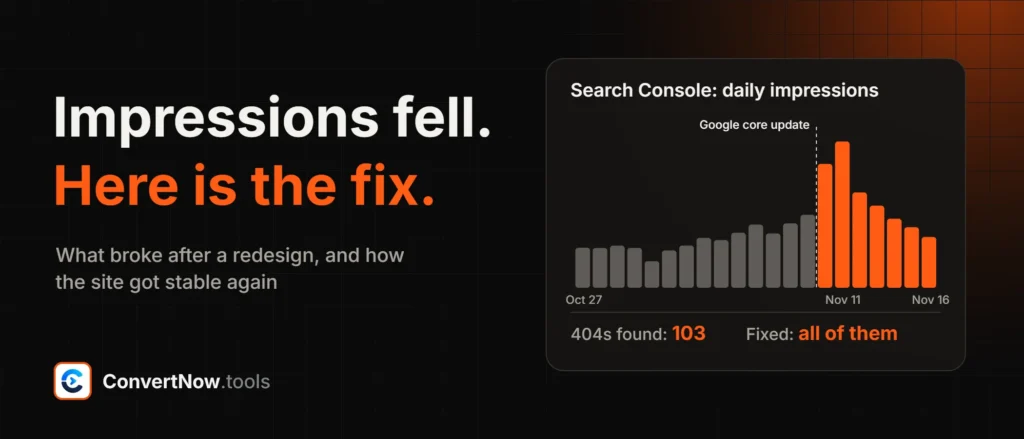
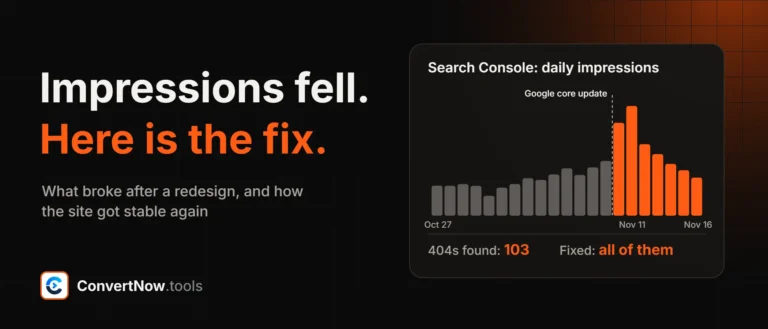
Traffic Drop After Website Redesign: 5 Proven Fixes
My impressions fell 65 percent in five days after a redesign. Here are the 5 real causes, from 103 broken URLs to a hidden title override, and how I fixed each one.
Latest articles
-
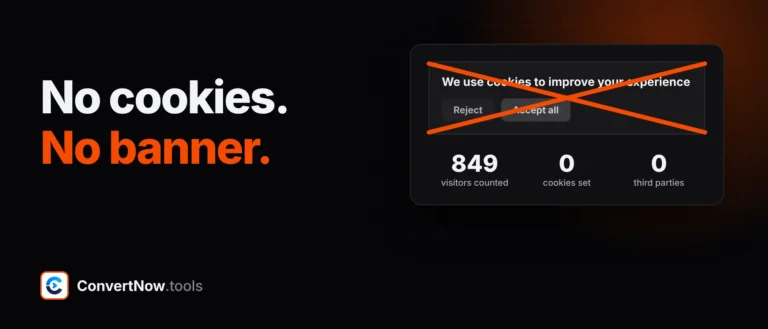
Why I Built Analytics Without Cookies
Why ConvertNow Analytics counts visits without cookies or a consent banner, and the honest trade offs of doing it that way.
-

What AI Crawler Traffic Actually Looks Like on My Sites
Real AI crawler visits from three of my websites: who comes, what they read, when they arrive and what I changed because of it.
-
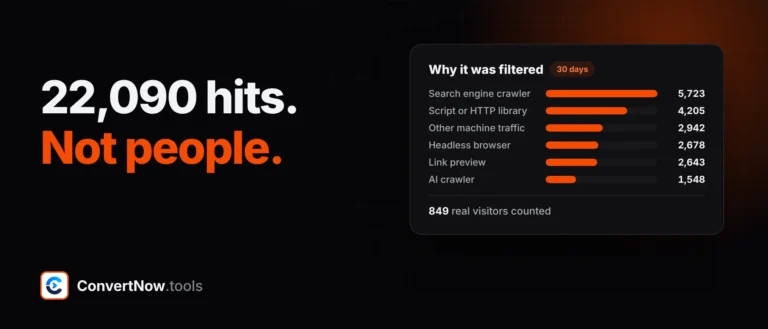
How I Built the Bot Filter in ConvertNow Analytics
Why most analytics overcount, and the three layers I use to separate real people from crawlers, scrapers and AI bots.
-

Why Your Open Graph Image Is Not Showing
Open graph image not showing in link previews? Match your symptom to its cause, then apply the exact fix, from image size to cached…
-
Canonical Tag or 301 Redirect: How to Choose
Not sure whether a canonical tag, a 301 redirect or noindex fits? Compare all three, see a decision table by scenario and learn the…
-

What an XML Sitemap Does for Your Site
An XML sitemap is a file that lists the pages you want found. Learn what it is, how it is built, the 50,000 URL…
-

Checking Your Post Against the Twitter Character Limit
The Twitter character limit is 280, but links, emoji and some scripts count differently. Follow this playbook to check every post and thread in…
-

7 Best Web Analytics Tools in 2026 (Privacy Friendly Picks)
Seven web analytics tools compared on privacy, price and ease of setup.
-

7 Best WordPress Analytics Plugins in 2026 (Free and Paid)
Seven WordPress analytics plugins compared on privacy, cost and what they actually show you.
Other Posts


Browse Blogs by category
The checks that actually change what appears in search
SEO writing is full of confident claims and short on verification. These posts stick to the parts you can check yourself, on your own pages, today.
Start with the mechanical layer, because it is where most damage happens quietly. A canonical tag pointing at the wrong URL can remove a page from search entirely and produces no visible symptom on the page itself. A robots.txt rule blocking a directory can undo months of work in a single deploy. These are the failures worth checking before anything else, and they take minutes.
Then the presentation layer. Google rewrites titles more often than people realise and truncates by pixel width rather than character count, which is why a title full of capital letters gets cut earlier than one in sentence case. Open Graph tags decide what a link looks like when somebody shares it, and a missing image tag turns a shared post into a grey rectangle nobody clicks.
Structured data gets its own attention here, because it is the one area where you can directly earn extra space in a result. The posts cover which schema types genuinely produce rich results, how to validate them and why marking up content that is not visible on the page is a rule you should not break.
What you will find here
- Pre publish checklists for titles, descriptions and canonicals
- Structured data guides that focus on types with visible payoff
- Explanations of why a page is not indexed and how to diagnose it
- Campaign tracking and UTM conventions that survive contact with a team
Questions about seo and marketing blog
Short answers to what readers ask most about this category and the tools behind it.
Roughly 50 to 60 characters for a title and 150 to 160 for a description, but the real limit is pixel width, not characters. Wide capital letters get cut earlier than narrow lowercase ones. The Meta Tag Generator previews the actual truncation point instead of counting characters.
Because it does that on roughly a fifth of results when it judges another string a better match for the query, often pulling from your H1 or your site name. You cannot force it, but you make it less likely by writing a title that clearly matches the page content and by not stuffing it with repeated keywords.
No. Valid markup makes a page eligible, not entitled. Google decides case by case, and eligibility varies by result type and query. Some types such as FAQ and review have had their visibility reduced over time, which is why the guides here say which types are still worth the effort.
Work through it in order: is it blocked in robots.txt, does it carry a noindex tag, does its canonical point at a different URL, and has it actually been crawled. The Canonical Tag Checker covers the third of those, which is the one that silently removes pages most often.
Not if your canonical tags are correct, which is the usual cause when people think they do. UTM tagged URLs can be indexed as duplicates if the canonical is missing or self referential in the wrong way, so set the canonical properly and the problem disappears.
No. The posts stay at the level of HTML, headers and protocol, so they apply on any platform. Where a platform specific setting is the usual culprit, the post names it as an example rather than assuming you use it.

