About This Tool
How this checker reads the certificate a server is really serving
A browser tab cannot open a raw TLS socket to an arbitrary domain on port 443 and inspect the certificate chain the way a command line tool like openssl s_client can. JavaScript in a page has no API for that. So the convertnow.tools server does it for you. It opens a real TLS connection to the domain on port 443, reads the certificate and chain the server presents, and returns the details as JSON. A second request with full certificate verification confirms whether a standard set of trusted roots accepts the chain.
The domain you type is sent to the convertnow.tools server, nothing more. Private and internal addresses are refused. If you also want the issuance history, Show issuance history asks crt.sh, a public search over Certificate Transparency logs. Those logs exist because of the 2011 DigiNotar breach and the push for auditable certificate issuance that followed.
From your domain to a rendered certificate card
Step 1 Clean the input
The domain is lowercased and stripped of any scheme, port and path, so https://Example.com/path and example.com are the same check. Names with accents are converted to punycode. A leading www is kept, because www can have its own certificate.
Step 2 Connect and read the certificate
The server performs a TLS handshake and reports the subject, issuer, validity dates, names (SANs), key type and size, signature algorithm, negotiated TLS version and cipher, chain length, and whether the name matches.
Step 3 Run the checks
Expiry and not-yet-valid dates, hostname coverage including wildcards, self-signed and untrusted chains, missing intermediates, the TLS version, weak keys under 2048 bit RSA, SHA-1 signatures and lifetimes over 398 days are each marked pass, warn or fail.
Step 4 Show and share the result
The headline turns red for any failed check, not just expiry. Copy report puts a plain text summary on your clipboard, and Open on crt.sh links straight to the public log entries.
// the live check, from the tool source
var probe = trustProbe(host);
fetch('/wp-json/convertnow/v1/tls-check?host=' + encodeURIComponent(host))
.then(function(r){ return r.json(); })
.then(function(cert){ renderLive(cert, host); });
What the results card actually shows
| Field | Source |
|---|
| Issued to / by | Subject and issuer common name and organisation |
| Valid from / until | Exact UTC times, days left, and a bar showing how much of the validity period is used |
| Validity period | Days between the two dates, useful for spotting a 90-day Let's Encrypt cert versus a longer commercial one |
| TLS and key | Negotiated TLS version and cipher, key type and size, signature algorithm |
| Subject Alternative Names | Every name the certificate covers |
| Issuance history | On request, the 25 newest certificates logged for the domain in Certificate Transparency |
The tool also tags Let's Encrypt certificates, detected from the issuer organisation or intermediate names like R11 or E6, and wildcard certificates that cover every first-level subdomain.
One connection, from one place. The check connects to port 443 from our server. A site behind a CDN or load balancer can present different certificates to different visitors, and the TLS version shown is the one negotiated, not a list of every version the server allows. For other ports or a full protocol scan, use openssl s_client or a dedicated TLS scanner.
Two things the expiry logic handles
Three-tier urgency banding
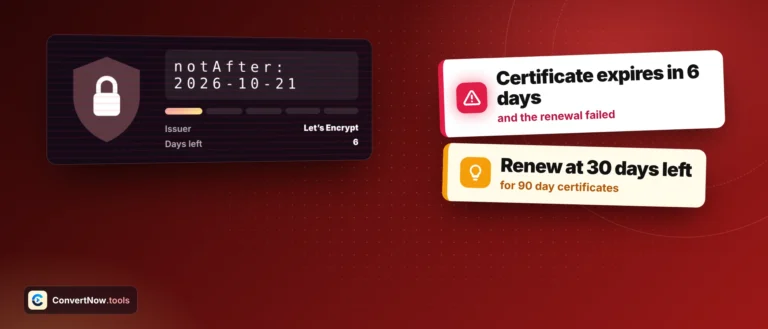
Expired shows red immediately. Fourteen days or fewer remaining triggers a critical red renew-now warning. Thirty days or fewer shows an amber schedule-renewal notice. Anything beyond that is a calm green valid state, matching the rhythm most CAs use for renewal reminder emails.
Let's Encrypt detection
Let's Encrypt certificates are short-lived and renew automatically about 30 days before expiry. So 20 to 30 days left is normal for them, while under 14 days means renewal has probably failed and is flagged red.
Live TLS handshake
Certificate Transparency history via crt.sh
X.509 fields per RFC 5280
Server-side check on convertnow.tools
- RFC 5280 defines the X.509 certificate and CRL profile, the structure behind every field this tool displays.
- RFC 6962 defines Certificate Transparency, the logging system crt.sh indexes.
- crt.sh is the search interface the issuance history comes from, run by Sectigo against multiple public CT logs.
- Let's Encrypt, how it works explains the automated issuance model this tool detects.
Certificate problems this catches
Checking how many days remain before a certificate needs renewal without logging into a hosting panel, confirming a domain's certificate covers the subdomains you expect via its SAN list, verifying which certificate authority a vendor or partner site actually uses, and spotting whether a site is running a wildcard certificate before deciding whether a new subdomain will be automatically covered.