

Random vs Memorable Passwords: Why Random Wins
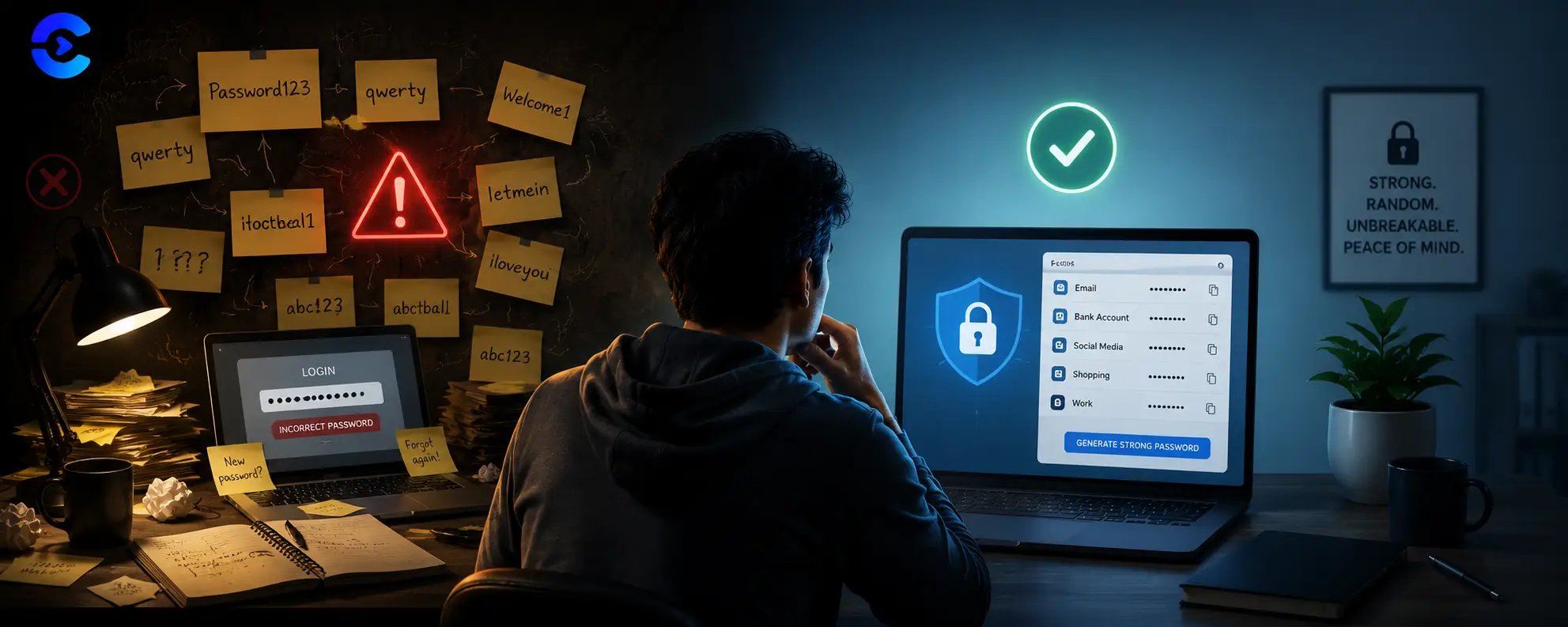
In a real random vs memorable passwords comparison, random wins every time because it carries no pattern for cracking tools to exploit. Clever tricks like swapping letters for symbols feel secure but follow predictable rules that password crackers already know. A fully random string with no personal meaning takes vastly longer to guess, even at a similar length. A password manager lets you use that random string without needing to remember it.
In a real random vs memorable passwords comparison, random wins every time because it carries no pattern for cracking tools to exploit. Clever tricks like swapping letters for symbols feel secure but follow predictable rules that password crackers already know.
FAQ: Random vs Memorable Passwords
Which is stronger, a random password or a memorable one?
A fully random password is stronger in nearly every random vs memorable passwords comparison because it removes any pattern a cracking tool can target.
Are clever substitution passwords actually secure?
Not really. Cracking tools already include rule lists for common substitutions like swapping letters for numbers or symbols, so the underlying word is still exposed.
How fast can hackers crack a password?
Simple or predictable passwords can fall in seconds with modern hardware, while a long fully random password can take centuries under the same attack.
Why should I use a password manager?
A manager lets you use a different random password for every account without needing to memorize any of them, which removes the temptation to reuse weak passwords.
How long should a strong password be?
Twelve characters is a reasonable minimum for random passwords, and sixteen or more offers a much larger safety margin against future cracking speed improvements.
Do password managers store passwords safely?
Reputable password managers encrypt your stored passwords and require a master password or biometric check to access them, keeping them far safer than a memorized reused password.
Why clever substitutions do not fool cracking tools
People assume swapping letters for numbers or symbols creates a strong password. In a random vs memorable passwords test, though, these substitutions barely slow down modern cracking software. Tools like Hashcat ship with rule lists that automatically try every common swap, so a password built from a memorable word plus symbol tricks often falls in seconds rather than years.
The substitution trap
Turning a word like password into a version with symbols and numbers feels clever, but attackers rank that transformation among the very first rules they test. The underlying word is still the weak point, and cracking software targets the word, not the symbols layered on top.
What true randomness changes
A password generated from random characters has no underlying word to target. Every character carries equal weight, so the only real attack is brute force across the full combination space, which grows exponentially with length. That is why a random twelve character string can outlast a much longer memorable phrase.
Cracking time comparison
| Password style | Approximate time to crack |
|---|---|
| Common word with symbol swaps | Seconds to minutes with rule based attacks |
| Memorable phrase, no swaps | Minutes to hours depending on phrase popularity |
| Twelve random characters | Centuries with current hardware |
| Sixteen random characters | Far beyond any practical attack timeline |
A short checklist for stronger passwords
- Avoid basing any password on a real word, even with symbol substitutions.
- Use a generator to create a fully random string for every account.
- Store random passwords in a manager instead of trying to memorize them.
- Turn on multi factor authentication anywhere it is available.
More ways to lock down your accounts
Once you have a random password, check its strength with the Password Strength Checker to see how it holds up. If you build applications, the HMAC Generator helps secure API requests, and the SSL Certificate Checker confirms a site's connection is properly encrypted before you type any password into it. Browse the full set on the security tools page.
The verdict: random wins
Cleverness does not beat randomness for password strength. Generate a truly random password with the Password Generator and let a manager remember it for you.
Random vs Memorable Passwords: The Maths, the Exceptions and a Setup Plan
The main post makes the case. This section puts numbers on random vs memorable passwords, covers the one place memory still wins, and gives you a plan you can finish in an afternoon.
How many guesses separate random vs memorable passwords?
Strength in random vs memorable passwords is measured in bits of entropy. Each bit doubles the guesses needed. A random character from the 94 printable keys adds about 6.55 bits. A random word from a list of 7776 words adds about 12.9 bits. The last column assumes an attacker with a stolen, quickly hashed database who tries 10 billion guesses a second and finds the answer after searching half the space. That is a harsh assumption, so real times are usually longer.
| Password | Entropy | Average time to find |
|---|---|---|
| 8 random characters | 52 bits | about 3.5 days |
| 12 random lowercase letters | 56 bits | about 55 days |
| 6 random words, random vs memorable passwords middle ground | 77 bits | about 340,000 years |
| 12 random characters of every type | 79 bits | about 780,000 years |
Notice the third row of this random vs memorable passwords table. Words picked by dice or a generator, not by you, nearly match 12 random characters. A phrase you invented does not count in random vs memorable passwords maths, because people choose from a tiny set of favourite words.
Where random vs memorable passwords stops being a fair fight
You still must memorize a few secrets: your password manager master password, your device login and your email. For these, a random passphrase of six or more words is the practical answer. It is memorable and random at once, which removes the usual trade off in random vs memorable passwords. Say it aloud ten times over two days and it sticks. Most people manage this within a week, so the memory cost in random vs memorable passwords is small.
- Memorize only the manager master password, the phone passcode and the email password.
- Let the manager create everything else, at 16 characters or more.
- Choose words with real dice or a generator, never by looking around the room.
- Skip the symbol swaps. In the random vs memorable passwords debate, length beats decoration.
- Never reuse any of them, since random vs memorable passwords only matters if each one is unique. One leak then costs you one account.
A 30 minute plan to move from memorable to random
Start with email and banking, since a hijacked inbox resets every other account. Make a new random password for each, which is the easy part of random vs memorable passwords, using the password generator. Then do work, social and shopping accounts over the next week, one or two a day. After each change, delete the old entry in your browser. This is the quickest way to leave the random vs memorable passwords question behind for good.
Do not forget the second factor
An app based code or a hardware key protects you even if a random password leaks from a site. Turn it on for email first.
Questions about random vs memorable passwords
Is a long memorable sentence good enough? Length helps, but song lyrics, quotes and names sit on guess lists. In random vs memorable passwords tests, chosen phrases fall far sooner than the maths for random words suggests.
What if the manager is hacked after I choose random vs memorable passwords? Reputable managers store data encrypted with your master password. A strong passphrase plus a second factor makes a stolen vault very hard to open.
Should a random vs memorable passwords policy allow paper? A written master password in a locked drawer at home is safer than a reused password in your head.
| # | Key takeaway |
|---|---|
| 1 | Avoid basing any password on a real word, even with symbol substitutions. |
| 2 | Use a generator to create a fully random string for every account. |
| 3 | Store random passwords in a manager instead of trying to memorize them. |
| 4 | Turn on multi factor authentication anywhere it is available. |
Generate a truly random password
The Password Generator creates fully random strings instantly, removing the temptation to fall back on a memorable word with a few symbols swapped in.
Open the Password GeneratorSources and further reading
- NIST SP 800-63B: why length beats complexity rules.
- Password strength on Wikipedia: entropy and guessing attacks.