About This Tool
How this checker reads another site's headers despite the browser's own CORS rules
Here is the constraint this tool has to work around. Browsers enforce the Same-Origin Policy, which means a page on convertnow.tools cannot directly fetch response headers from an arbitrary third party domain and read them in JavaScript, the browser blocks that by design to stop sites from snooping on each other. So this tool does not talk to the target site directly. It asks the convertnow.tools server to make the request instead. The server fetches the target URL, follows redirects, and hands back the status code, every response header and the redirect chain as JSON that this page is allowed to read.
Be plain about what that means. The URL you enter is sent to the convertnow.tools server, which makes the real request to the target site. No third party service is involved, and your browser never talks to the target server directly for this check. Private and internal network addresses are refused, so this cannot be used to probe an internal network.
What happens when you click Check Headers
Step 1 Normalise and time the request
A missing scheme gets https:// prepended automatically. Anything other than http or https is rejected.
Step 2 Call the proxy
The request goes to /wp-json/convertnow/v1/headers?url= on this site, with your target URL encoded as a query parameter and a 20 second timeout.
Step 3 Unwrap the metadata
The tool reads the status, the final URL, the redirect chain and the header object, then lowercases every header name so lookups are case-insensitive. Errors such as an unknown domain, an expired certificate or a timeout are shown in plain words.
Step 4 Score against eight known headers
Nine headers are checked for their values, not just their presence. Each one passes, warns or fails and carries a weight, Content-Security-Policy the most. The weighted score becomes a percentage and a letter grade from A+ to F. A page served over plain HTTP is capped at D.
// the request, from the tool source
var api = '/wp-json/convertnow/v1/headers?url=' + encodeURIComponent(url);
fetchWithTimeout(api)
.then(function(r){ return r.json(); })
.then(function(data){
var headers = lower(data.headers);
render(data, grade(headers, { https: data.https }));
});
The nine headers on the checklist
| Header | Severity | What it does |
|---|
| Strict-Transport-Security | High | Forces HTTPS on future visits, blocking protocol downgrade attacks |
| Content-Security-Policy | High | Restricts which sources can load scripts, styles and frames, the main XSS mitigation |
| X-Frame-Options | High | Controls whether the page can be embedded in an iframe, preventing clickjacking |
| X-Content-Type-Options | Medium | Set to nosniff, stops the browser guessing content types in a way scripts can exploit |
| Referrer-Policy | Medium | Controls how much of the referring URL is leaked to the next site |
| Permissions-Policy | Medium | Restricts access to camera, microphone, geolocation and other browser features |
| Cross-Origin-Opener-Policy | Low | Isolates the browsing context from cross-origin windows |
| Cross-Origin-Resource-Policy | Low | Declares which sites may embed your resources, a Spectre-class mitigation |
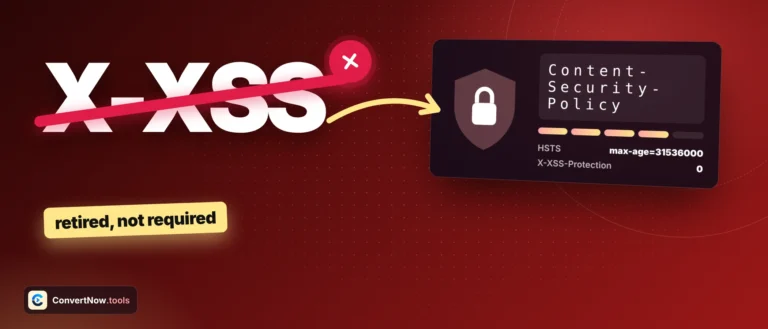
| X-XSS-Protection | Info | Deprecated. Passes when absent or set to 0, the modern recommendation |
A server-side result can differ from what your browser gets. Some servers vary their response based on the requesting IP, user agent, or geography, none of which match when our server is the one connecting. A CDN or WAF might also add or strip headers differently for a server-to-server request than for a real browser. Treat a poor score as a strong signal worth investigating, but confirm anything critical with a direct tool like curl -I from your own terminal.
Two other things the results panel shows
Redirect detection
When the URL redirects, every hop is listed with its status code, ending at the page that was graded. The grade is for that final page.
Full raw header dump
Every header is listed alphabetically in the All Headers tab, with headers that reveal your server stack tagged. The Cookies tab shows each cookie’s Secure, HttpOnly and SameSite flags. Copy report and Copy raw headers put the results on your clipboard.
Server-side fetch on convertnow.tools
No third party proxy
OWASP secure headers list
RFC 9110 header field semantics
Headers worth auditing
Checking your own site's header configuration after deploying a new CDN or reverse proxy, verifying a CSP header actually shipped to production and was not left in a staging only config, auditing a vendor or partner's site before a security review, and spotting a missing HSTS header before a penetration test flags it for you.