About This Tool
How this HMAC generator signs messages using the browser's own crypto engine
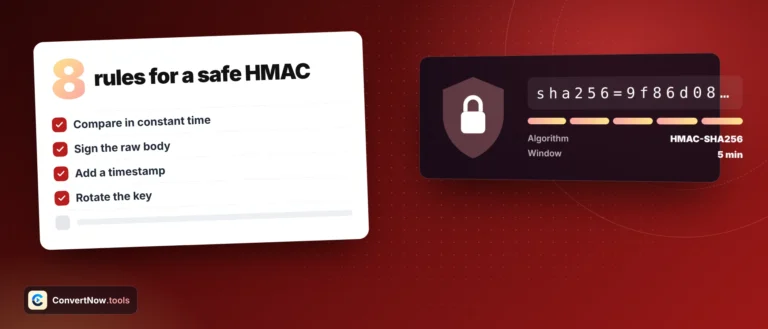
HMAC, keyed hash message authentication code, proves two things at once: that a message has not been altered and that whoever produced it knew the secret key. This tool computes real HMAC signatures using the Web Crypto API's crypto.subtle interface, the same cryptographic engine built into the browser that TLS and WebAuthn rely on. It does not implement its own hash routines in JavaScript, which matters, because a hand-rolled HMAC is exactly the kind of thing that quietly gets the byte handling wrong under edge cases. Everything runs locally. Your key and message never leave the page.
What actually happens on Generate
Step 1 Decode the key into bytes
Your secret key can be entered as UTF-8 text, hex, or Base64. Each encoding has its own decoder, hex through byte-pair parsing that rejects odd-length or non-hex input (spaces and a 0x prefix are allowed), Base64 through atob with strict validation and automatic base64url normalisation. The byte count of the decoded key is shown next to the field.
Step 2 Import the key
crypto.subtle.importKey wraps the raw key bytes into a non-extractable CryptoKey object scoped specifically to HMAC with your chosen hash algorithm, restricted to the sign operation only.
Step 3 Sign the message
The message is UTF-8 encoded with TextEncoder, or decoded from hex or Base64 if you pick that message encoding, then passed to crypto.subtle.sign('HMAC', cryptoKey, msgBytes), which returns the raw signature as an ArrayBuffer.
Step 4 Encode the output three ways
The same signature buffer is rendered as lowercase hex, standard Base64, and URL-safe Base64 without padding, all three computed and cached so switching the output tab is instant with no re-signing.
// the actual signing call, from the tool source
var cryptoKey = await window.crypto.subtle.importKey(
'raw', keyBytes,
{ name: 'HMAC', hash: { name: hmAlgo } },
false, ['sign']
);
var msgBytes = new TextEncoder().encode(message);
var sigBuf = await window.crypto.subtle.sign('HMAC', cryptoKey, msgBytes);
The hash function itself, SHA-256 by default with other SHA-2 family options selectable, is not implemented by this tool at all. That work happens inside the browser's native crypto implementation, which is audited, hardware accelerated where available, and constant time in ways a JavaScript loop cannot reliably guarantee. This is the correct way to do HMAC in a browser: never write your own SHA-256.
Verifying a signature you already have
Paste a candidate signature into the verify field. The tool reads it as hex and as Base64 or Base64URL, ignores a header prefix such as sha256=, and compares the bytes with the signature for the current message and key. It checks again as you type or change the inputs. A match confirms the message, key and algorithm all line up. If the lengths differ, it tells you, since that usually means the wrong algorithm. The comparison does not stop at the first different byte, but in production use your language’s own constant time compare.
| Output format | Character set | Typical use |
|---|
| Hex | 0 to 9, a to f, lowercase | Debugging, API signature headers, log-friendly |
| Base64 | Standard alphabet with padding | Compact transport in JSON bodies |
| Base64URL | URL-safe alphabet, no padding | Query strings, JWT signature segments |
Key encoding changes the signature entirely. Typing the literal text mysecret as UTF-8 produces a completely different signature than entering those same eight characters interpreted as hex, since hex decoding treats every two characters as one byte. If a signature you are trying to reproduce does not match, check the key encoding dropdown before assuming the key itself is wrong. This trips up more people than any other part of HMAC verification.
Two things worth knowing about scope
Key is never marked extractable
The importKey call sets the extractable flag to false, meaning the CryptoKey object cannot be exported back out once created within that call, a minor defensive habit that mirrors how you would build key handling in a real signing service.
Live signing
The signature updates as you type, switch the algorithm or change an encoding. Load example fills in RFC 4231 test case 2 so you can check the output against the published value.
RFC 2104, HMAC definition
Web Crypto API, crypto.subtle
SHA-2 family hashing
Client-side only, no network call
- RFC 2104 is the original HMAC specification, defining the inner and outer padding construction around a hash function.
- FIPS 198-1 is NIST's formal standard for the keyed-hash message authentication code.
- W3C Web Cryptography API specifies the
SubtleCrypto interface this tool calls directly, including the HMAC sign and importKey operations.
- JWT introduction is useful context since HS256 tokens, the most common JWT signing scheme, are exactly an HMAC-SHA256 signature over a Base64URL encoded header and payload.
Where HMAC is used
Verifying a webhook payload from Stripe, GitHub or similar services that sign requests with a shared secret, debugging why a JWT HS256 signature does not validate, hand checking an API request signature before it ships in production code, and teaching or learning how HMAC actually differs from a plain hash, since a plain SHA-256 of a message plus key is not the same construction and is vulnerable to length extension attacks that HMAC's nested padding specifically avoids.