About This Tool
Five color models, one shared RGB core
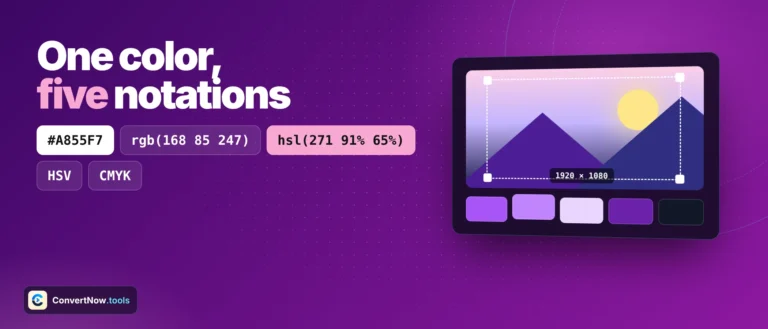
Every color format on this page, HEX, RGB, HSL, HSV, and CMYK, is really just a different way of describing the same three channel red, green, blue value. The converter keeps a single internal RGB object as its source of truth and derives every other format from it on demand with plain floating point math, entirely in your browser. Type a HEX code, adjust an HSL slider, or drop in a CMYK percentage, and everything downstream recalculates instantly.
The conversion math, briefly
HSL and HSV
Both start from the same max and min channel values. Lightness in HSL is the midpoint of max and min; value in HSV is simply max. Saturation is defined differently in each model, which is why the same color reports different saturation numbers depending on which one you're reading.
CMYK
Black (K) is 1 - max(r,g,b) on a 0-1 scale. Cyan, magenta, and yellow are then each computed relative to the remaining brightness headroom after black is subtracted out. This is the standard subtractive-color approximation used for screen-to-print estimates, not a calibrated ICC profile conversion.
Hue rotation
Complementary, triadic, analogous, and split-complementary schemes are all generated by converting to HSL, adding a fixed number of degrees to the hue (180 for complementary, 120 for triadic, and so on), then converting back to RGB.
// HSL to RGB, from the tool source
function hslToRgb(h, s, l) {
h = h/360; s = s/100; l = l/100;
if (s === 0) { return {r:l*255, g:l*255, b:l*255}; }
var q = l < 0.5 ? l*(1+s) : l+s-l*s;
var p = 2*l - q;
function hue(t) {
if (t < 1/6) { return p + (q-p)*6*t; }
if (t < 1/2) { return q; }
if (t < 2/3) { return p + (q-p)*(2/3-t)*6; }
return p;
}
}
This is the exact hue interpolation function defined in the CSS Color Module and used by browsers themselves whenever they resolve an hsl() value to a pixel. There's no shortcut here, it's the same math every browser runs.
Format reference
| Format | Range | Best for |
|---|
| HEX | #000000 to #ffffff | CSS, design tools, quick sharing |
| RGB / RGBA | 0-255 per channel | Canvas, image processing, alpha blending |
| HSL / HSLA | Hue 0-360, S/L 0-100% | Adjusting lightness without shifting hue |
| HSV | Hue 0-360, S/V 0-100% | Color pickers, design software sliders |
| CMYK | 0-100% per channel | Rough print color estimate |
CMYK here is a screen approximation, not a print profile. True print output depends on the ink set, paper stock, and printer calibration captured in an ICC profile. The formula this tool uses assumes idealized inks and will not match a professional print proof exactly, treat the numbers as a starting estimate.
Extras built on the same math
WCAG contrast preview
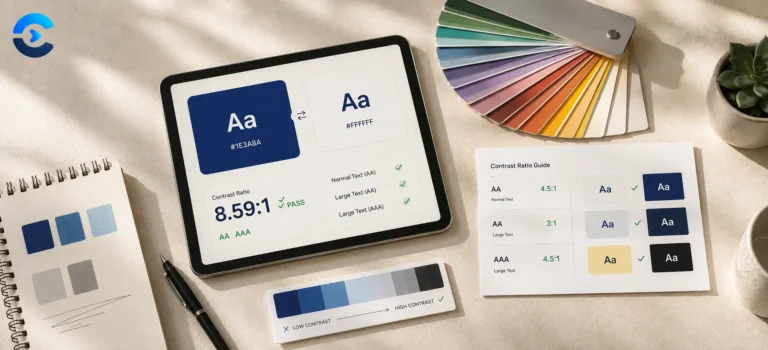
Reuses the same relative luminance formula as the dedicated contrast checker to show your current color's best contrast ratio against pure black and white text.
Tints and shades
Generated by moving HSL lightness up or down in fixed steps of 10, 20, 35, 50, 65, and 80 percent while holding hue and saturation constant, which is why they stay recognizably the same color family.
Dark or light detection
Uses the same relative luminance number against a threshold of 0.179 to decide whether preview text should render in white or black for legibility.
Client-side, instant recalculation
CSS Color Module hue math
Copy-ready CSS variable output
Where each notation belongs
Pulling a HEX value from a designer's HSL spec into CSS, checking what a brand color looks like as a CMYK estimate before sending files to a print shop, generating a matching triadic palette for a chart legend, or converting a color picked from an image into the exact CSS variable syntax needed for a component library. Developers also use it to sanity check that a color picked in one tool renders identically once pasted into code.
HEX, RGB, HSL, HSV and CMYK: which format to use
HEX is the short form that browsers and design tools share. A value like #6366F1 is three pairs of hexadecimal numbers for red, green and blue, so it is ideal for CSS, brand guides and anywhere you paste a single color code.
RGB says the same thing in decimal, from 0 to 255 per channel. Reach for it when a color needs transparency, because rgba() adds an alpha channel that HEX only supports in its longer eight digit form.
HSL describes hue, saturation and lightness. It is the easiest format to adjust by hand: keep the hue, lower the lightness, and you get a darker shade of the same color. That makes it the best choice for hover states and full color scales in a design system.
HSV is close to HSL but models brightness differently. Most color pickers, including the one above, are drawn in HSV, which is why the square fades from white to the pure color along one edge.
CMYK is for print. Screens add light and printers subtract ink, so a bright blue on screen rarely prints the same. Treat the CMYK values as a starting point for your printer, not a promise, and ask for a proof.
Because this color converter shows every format at once, you can pick a color in one model and copy the value another tool needs without converting anything by hand.