About This Tool
How this text diff tool finds the smallest set of changes between two texts
Comparing two blocks of text for what changed is a matching problem: find the largest set of lines that both texts share, in the same order, and treat everything else as added or removed. This tool solves it with the Myers difference algorithm, the method Eugene Myers published in 1986 and the one Git and GNU diff use by default. It runs on lines first, and then, in word or character mode, again inside each changed line.
The comparison runs entirely in your browser. Neither text is uploaded or logged.
The Myers algorithm, step by step
Myers finds a shortest edit script, the fewest line insertions and deletions that turn text A into text B. Its running time grows with the size of the texts times the number of differences, not with the size of A times the size of B, so two long files that differ in a few places compare almost instantly.
Step 1 Turn lines into ids
Every distinct line gets a number, after applying ignore case and ignore whitespace, so the algorithm compares small integers instead of long strings. Windows and Unix line endings are treated the same.
Step 2 Trim the shared start and end
Lines that match at the top and bottom of both texts are set aside first, which is often most of a document.
Step 3 Find the middle snake
The algorithm searches from both ends at once for the longest run of matching lines in the middle of the remaining block, splits the problem there and repeats on each half. This linear space version keeps memory small even for files with hundreds of thousands of lines.
Step 4 Go inside changed lines
A removed line and the added line that replaces it are paired up. In word mode the same algorithm runs on their words, in char mode on their characters, where an emoji or an accented letter counts as one character. Only the parts that really changed are highlighted.
// the core loop: extend each diagonal k as far as lines match
x = (k == -d || (k != d && v[k-1] < v[k+1])) ? v[k+1] : v[k-1] + 1;
y = x - k;
while (x < n && y < m && a[x] === b[y]) { x++; y++; }
v[k] = x;
A worked diff
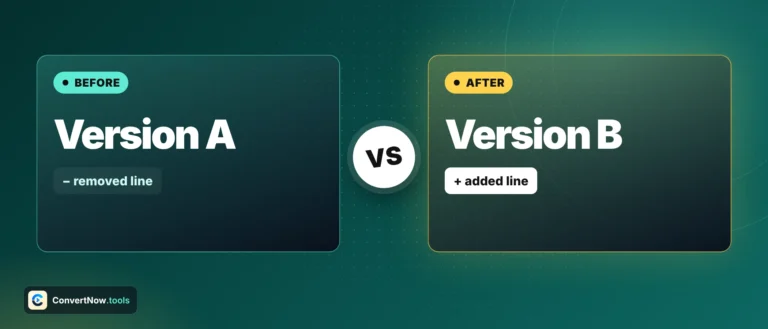
Text A: "The quick fox" / "jumps over the dog" Text B: "The quick fox" / "leaps over the dog"
The quick fox
- jumps over the dog
+ leaps over the dog
The first line matches exactly and is marked equal. The second line differs by one word, so at the line level it is a full removal plus a full addition. Switch to word level and the tool compares the words inside that pair of lines, so only jumps and leaps are highlighted rather than the entire line.
| Setting | Effect |
|---|
| Ignore case | Both texts are lowercased before comparison, though the original casing still displays in the output |
| Ignore whitespace | Runs of spaces and tabs collapse to one space and the line is trimmed before comparison |
| Unified view | One column, additions and removals shown inline in original document order |
| Side by side view | Two columns, with blank filler rows keeping both panes aligned |
Built for big inputs. Two 50,000 line files with a few hundred edits compare in well under a second. When the result is very long, unchanged stretches are folded to three lines of context around each change, and you can unfold any of them. If two huge texts have almost nothing in common, the tool stops searching after a few seconds and shows the remaining region as replaced instead of freezing your browser.
What gets counted and shown
Stats row
Added, removed and unchanged line counts are shown above the result. The tool also tells you when the texts are identical, when they only differ in ignored case or spacing, and when their line endings differ.
Copy or download as a patch
Copy diff and Download .diff produce a standard unified diff, with @@ hunk headers and three lines of context, the same format as diff -u and Git. It pastes cleanly into a code review comment or ticket and can be applied with patch.
Line level Myers diff
Word and character highlights
Unified and side by side views
Case and whitespace ignoring
Comparisons this makes easy
Comparing two drafts of a contract to spot exactly which clauses changed, reviewing an edited blog post against the original before publishing, checking two versions of a config file line by line, catching what an editor changed in a manuscript, and verifying that a translated document still matches the structure of its source. Word level is the one to reach for when a single word swap inside a long paragraph is what you need to see, and char level for typos and code.