

Remove Duplicate Lines: Quick Cheat Sheet With 13 Fixes
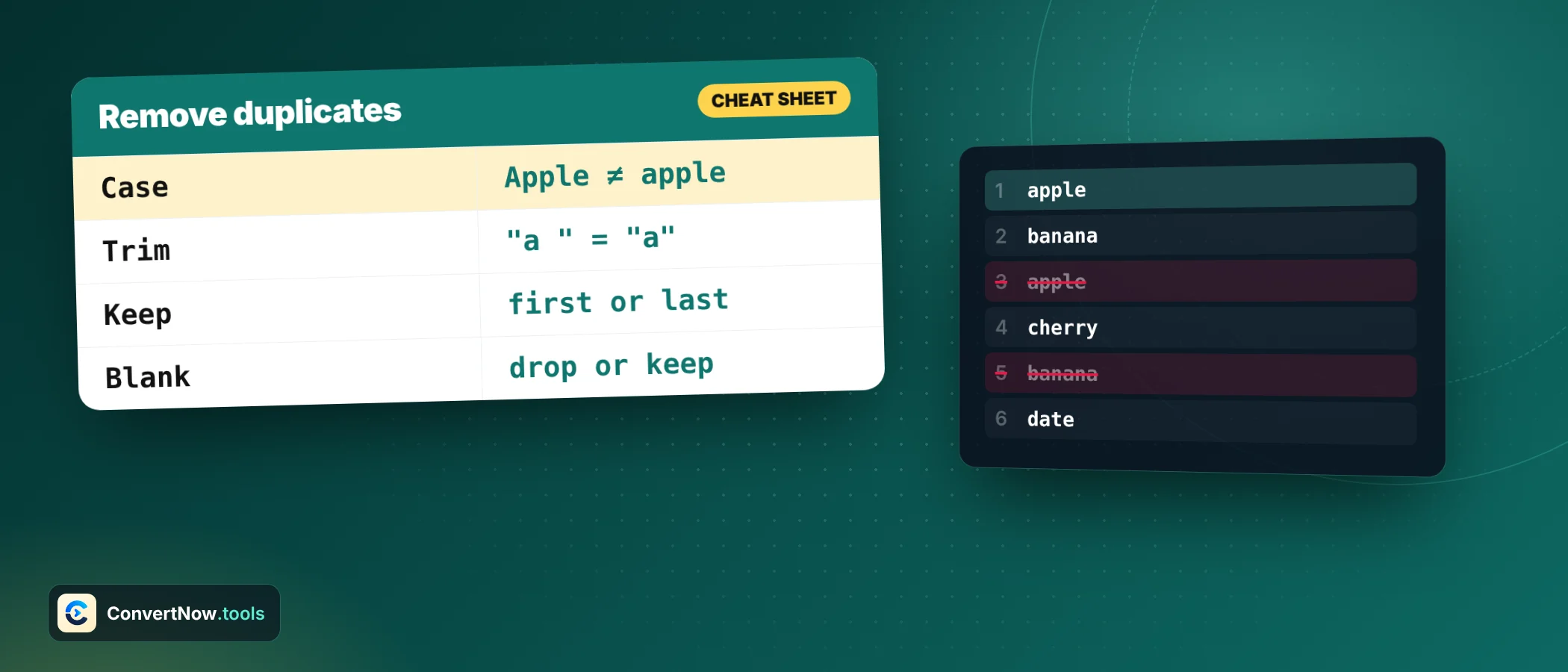
To remove duplicate lines you only need to decide four things: whether case matters, whether spaces count, which copy survives, and whether order must stay. Get those right and any tool that can remove duplicate lines gives the same answer. Get one wrong and duplicates seem to survive or good lines vanish.
This is a reference page on how to remove duplicate lines. Skim the tables, copy the command you need, and come back when something looks off.
The four settings that decide how you remove duplicate lines
| Setting | Typical choice | Turn it on when | Turn it off when |
|---|---|---|---|
| Case sensitive | Off | IDs, SKUs, code names where NYC and nyc differ | Names, words, general text |
| Trim whitespace | On | Data came from spreadsheets or forms | Leading spaces carry meaning, as in indented code |
| Ignore empty lines | Optional | You want one block with no gaps | Blank lines separate sections you need |
| Sort result | Off | Order does not matter and you want a tidy list | A sequence, ranking or steps must stay in order |
When you remove duplicate lines there is a fifth choice that gets less attention: which copy survives. Keep first is right for most lists. Keep last is right for logs and updates, where a later line corrects an earlier one.
Paste your text, set the four options, and get the cleaned list with counts of what was removed. Nothing leaves your browser.
Open the Duplicate Line RemoverOne worked example, every option
Take five lines: apple, Banana, apple, cherry, banana. The result depends on the settings, so here is each combination.
| Case sensitive | Keep | Lines that survive | Count |
|---|---|---|---|
| Off | First | apple, Banana, cherry | 3 |
| Off | Last | apple (line 3), cherry, banana (line 5) | 3 |
| On | First | apple, Banana, cherry, banana | 4 |
| On | Last | apple (line 3), Banana, cherry, banana | 4 |
Notice that when you remove duplicate lines, turning case on adds a line, because Banana and banana become different values. With case off, keep first retains the capital B and keep last retains the lowercase b. Which spelling you want to keep decides which option to use.
Cheat sheet: deduplicate anywhere
Use the filter buttons to narrow the table to the place where you remove duplicate lines. Every command here was run on the five line sample above.
| Task | How | Keeps order? |
|---|---|---|
| Remove duplicates, first copy wins | Paste text, press Remove Duplicates | Yes |
| Ignore capitalisation | Leave Case sensitive off | Yes |
| See what was removed | Read the duplicate list with counts | Not applicable |
| Remove duplicates, keep first | awk '!seen[$0]++' file.txt | Yes |
| Same, ignoring case | awk '!seen[tolower($0)]++' file.txt | Yes |
| Keep the last copy | tac file.txt | awk '!seen[$0]++' | tac | Yes |
| Sorted unique list | sort -u file.txt | No, sorted |
| Show only repeated lines | sort file.txt | uniq -d | No, sorted |
| Count each line | sort file.txt | uniq -c | No, sorted |
| Excel or Google Sheets, new list | =UNIQUE(A1:A100) | Yes |
| Excel, in place | Data tab, Remove Duplicates | Yes |
| Python, keep first | list(dict.fromkeys(lines)) | Yes |
| JavaScript, keep first | [...new Set(lines)] | Yes |
The uniq command only collapses lines that sit next to each other. An unsorted file with apple on line 1 and line 3 keeps both. Sort first, or use the awk form, which tracks every line it has seen.
Why spaces make duplicates survive
Two lines that look identical can differ by one invisible character. The usual culprits are a trailing space, a tab, and a Windows line ending. The tool splits on both Windows and Unix line endings, but trimming is what removes stray spaces.
| Line A | Line B | Same with trim off? | Same with trim on? |
|---|---|---|---|
| apple | apple followed by a space | No | Yes |
| apple | Apple | Only with case off | Only with case off |
| apple | apple followed by a tab | No | Yes |
| apple | apple with a non breaking space | No | Check the result |
The last row is a known trap when you remove duplicate lines. A non breaking space copied from a web page or a document is a different character from a normal space, and some trim routines leave it alone. If a duplicate survives with trim on, search the line for odd spacing.
Quick shortcuts
- Trim first, then compare. Most surviving duplicates are a trailing space.
- Case off for people and words, case on for codes.
- Keep first for lists, keep last for logs.
- Sort only if order is not meaningful. Sorting uses locale aware order, so it can differ from a raw character sort.
- Check the count pills. Original lines minus unique lines should equal lines removed.
- Keep the original file. Dedupe a copy so you can undo.
Why a hash based method is so fast
The simple idea is to compare every line with every other line. That is slow. A faster idea is to remember what you have seen in a lookup table, so each new line needs one check. JavaScript objects and sets both give near instant lookups. MDN notes that a Set holds each value only once and iterates in insertion order, which is why the set based one liners keep your original order.
| Lines | Compare every pair | Lookup table |
|---|---|---|
| 1,000 | 499,500 | 1,000 lookups |
| 10,000 | 49,995,000 | 10,000 lookups |
| 100,000 | 4,999,950,000 | 100,000 lookups |
The pair count to remove duplicate lines by brute force is n times n minus 1, divided by 2. That growth is why a browser tool handles thousands of lines instantly and a naive script can hang.
When the duplicate is only part of a line
A tool that removes duplicate lines compares the whole line. That is what you want for a list of words or emails. It is not what you want for a CSV file where two rows share an ID but differ in a date column. For that, compare one field only.
Remove duplicate lines by column one of a CSV, keeping the first row
awk -F, '!seen[$1]++' contacts.csvThe same way to remove duplicate lines scales to any key. Pick the part of the line that defines identity, store it in the lookup table, and keep a line only when its key is new. If the data is more complex than comma separated text, convert it first, for example with the CSV to JSON Converter, and dedupe on the field you care about.
Browser tool or command line
Both work. The command line is best when the file is huge, when the job repeats every night, or when it sits inside a script. A browser tool is better when you are on a machine without those commands, when you want to see counts and the removed items at a glance, or when you need to flip case and trim settings and compare results.
Privacy is a fair concern with lists of emails or internal names. This tool runs in your browser and sends nothing out, so it is fine for that kind of list. Still, remove duplicate lines from a copy, keep the source file, and delete the copy when you are done.
Cleanup jobs that need to remove duplicate lines
| Job | Case | Trim | Keep | Sort |
|---|---|---|---|---|
| Merge two email lists | Off | On | First | Optional |
| Tidy a keyword list for an ad platform | Off | On | First | On |
| Collapse a repeated error log | On | On | Last | Off |
| Combine tag columns from two CSV files | Off | On | First | Optional |
| Clean exported URLs before an import | On | On | First | Off |
On email lists, case off is the practical choice. In theory the part before the at sign can be case sensitive, but virtually all providers treat it as case insensitive. For merged lists, check the result against a second pass of the Text Diff Tool to see exactly what changed.
Related jobs live nearby. Reorder what is left with the Text Sorter, count what remains with the Word Counter, and read the list of keywords after cleanup with the Keyword Density Checker.
Trimming turns the third line into red, and with case off all four share the key red. One line remains, and keep first leaves the original red.
Frequently asked questions
How do I remove duplicate lines but keep the original order?
Use a tool that keeps first occurrences without sorting, such as the Duplicate Line Remover with sorting off. On the command line, awk with a seen array does the same.
What is the difference between keeping the first and the last occurrence?
Keep first retains the earliest copy of each line. Keep last retains the latest, which suits logs and updates where newer lines replace older ones.
Why can I not remove duplicate lines completely?
Usually a hidden difference such as a trailing space, a tab, a different capital letter or an unusual space character. Turn on trim, check the case setting, and look for odd spacing.
Can I remove duplicate lines in Excel?
Yes. Use the Remove Duplicates command on the Data tab, or the UNIQUE function in current versions, to build a de duplicated list from a range.
Does uniq remove all duplicates?
No. It collapses only adjacent repeats. Sort the file first with sort and then use uniq, or use sort with the unique flag.
Is my text sent to a server?
No. The Duplicate Line Remover processes your text in the browser, so lists of emails or internal data stay on your device.
Sources: MDN: Set, a collection of unique values · GNU Coreutils: uniq invocation