About This Tool
How this text sorter handles five sort methods, including two that understand numbers
Sorting lines alphabetically is a one line call to Array.prototype.sort. The interesting engineering in a line sorter is everything wrapped around that call: a natural sort mode that stops item10 from landing before item2, a numeric mode that orders lines by the value of their first number, a Fisher-Yates shuffle for genuine randomization, and a set of pre and post processing options that decide what counts as a line worth sorting in the first place.
Every sort runs client side in your browser and updates as you type or change an option. Your list is never uploaded.
The sort methods
Alphabetical
Uses Intl.Collator, which sorts by linguistic rules for the user's locale rather than raw character codes. That means accented letters and mixed case sort the way a human expects, not by their underlying Unicode code point value.
Length
Compares the number of characters you see in each line, so an emoji or accented letter counts once, shortest lines first with no consideration of content.
Natural
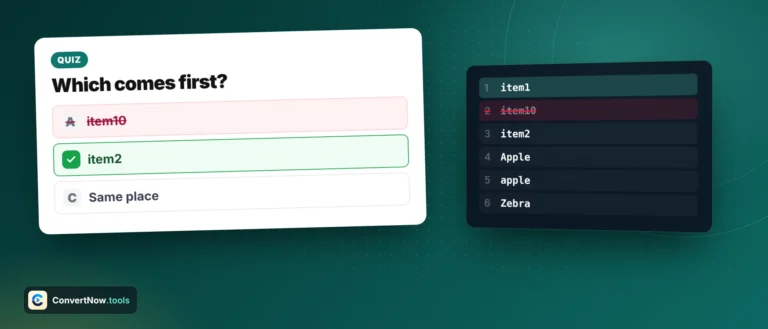
Uses Intl.Collator with its numeric option, so runs of digits compare as whole numbers wherever they appear in the line. This is what correctly orders item2 before item10, where plain alphabetical sorting would put item10 first because the character 1 sorts before 2. Leading zeros and numbers too large for JavaScript are handled correctly.
Random
Implements a Fisher-Yates shuffle fed by crypto.getRandomValues: walk the array backward from the last index, and at each position swap the current element with a randomly chosen element at or before it. This produces a uniformly random permutation, unlike naive shuffles built on sort(() => Math.random() - 0.5), which are known to be biased.
Numeric (by value) reads the first number in each line, including minus signs, decimals and thousands separators like 1,200, and sorts by its value, so -5.5, 3, 10 and 1,200 come out in that order. A dash glued to a word, as in file-10, is not treated as a minus sign. Lines without any number are listed last.
// alphabetical and natural comparators
var col = new Intl.Collator(undefined, {
numeric: isNatural,
sensitivity: caseInsensitive ? 'accent' : 'variant',
caseFirst: caseInsensitive ? undefined : 'upper'
});
lines.sort(function(a, b){ return dir * col.compare(a.s, b.s) || a.i - b.i; });
A worked sort
Input lines: item10, item2, item1
| Method | Result order |
|---|
| Alphabetical | item1, item10, item2 |
| Natural | item1, item2, item10 |
| Length | item1, item2, item10 (ties broken by original array order, since the comparator returns 0 for equal length) |
Length sort is not stable across engines by contract, but it is in practice. When two lines tie in length, the comparator returns 0, and modern JavaScript engines including V8 guarantee a stable sort as of the ECMAScript 2019 specification, meaning tied elements keep their original relative order. Older engines were not required to guarantee this, so if you are running this logic somewhere with an ancient JavaScript engine, tie order was technically undefined.
Pre-processing options that run before any sort
Trim and keep empty lines
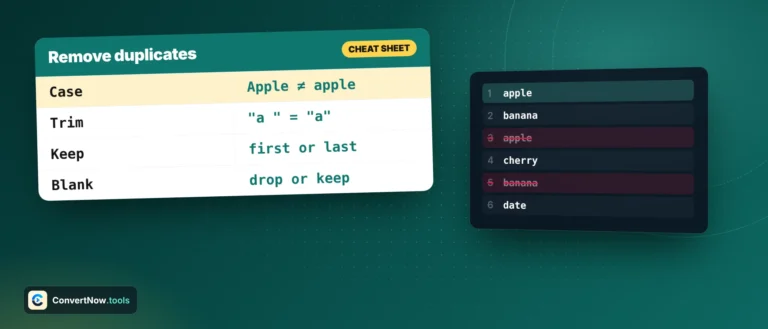
Trim strips leading and trailing whitespace from every line before sorting. Keep empty lines, if turned off, filters out any line that is empty after trimming, which changes both the sort input and the final line count.
Deduplicate and case insensitive
Dedupe runs a first-seen-wins pass using a Map before sorting starts, so even lines like constructor are handled. The case insensitive toggle affects two things: whether dedupe treats Apple and apple as the same key, and whether the sort treats them as equal. With it off, uppercase sorts before lowercase when the letters are the same.
Ascending or descending direction is applied inside the comparison, so lines that tie keep their original order in both directions. It is ignored for random order, and in numeric mode lines without a number stay at the end either way.
Alphabetical via Intl.Collator
Natural and numeric sorts
Length sort
Fisher-Yates random shuffle
Sorting jobs in practice
Alphabetizing a guest list or works cited page, ordering file names like chapter2.txt and chapter10.txt the way a human would expect with natural sort, sorting survey responses by length to skim the shortest first, deduplicating and alphabetizing a mailing list before an export, and randomizing a list of raffle entries or quiz questions with the shuffle mode so nobody can claim the order was rigged.