Broken Link Checker
Enter any page and get every link, image and script on it checked from our server, sorted into working, redirected, blocked and broken. Crawl up to 25 pages. No account, no signup.
Crawling checks linked pages too, up to 25 pages.
Why some links show as blocked rather than broken. A lot of large sites reject automated requests outright, returning 403 to anything that is not a real browser. The link works perfectly when a person clicks it. Those are listed separately so you do not go removing links that are fine.
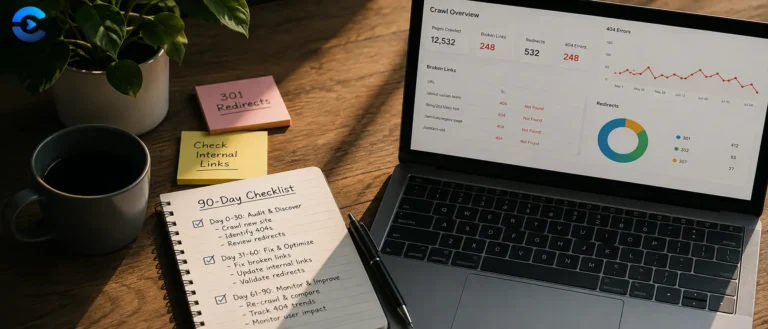
Redirects are not errors, but they are worth reviewing. Each one adds a round trip, and a redirect that has been in place for years usually means an internal link somewhere is still pointing at an old URL. Update the source rather than relying on the redirect forever.
On crawling. Depth 1 checks the page you entered plus everything it links to internally. Depth 2 goes one level further. Runs are capped at 25 pages and 500 URLs so a check finishes in a reasonable time and does not hammer the sites being tested.
How the broken link checker actually reaches hundreds of other servers from your browser
A browser cannot loop through two hundred links on a page and quietly ask each destination server whether it is still alive. Cross origin restrictions block JavaScript running on convertnow.tools from reading the response of a request sent to, say, a news site or a government archive, unless that site explicitly opts in with permissive headers. Almost none do. So this tool does not try to check links from inside your browser at all. It hands the job to our own server.
That distinction matters for what actually leaves your machine. When you run a check, the page URL you typed is sent to our WordPress backend at /wp-json/convertnow/v1/. Our server fetches the page, and later fetches each extracted link, and your browser only ever talks to us. We are not a client side tool pretending otherwise, and every URL you submit passes through our infrastructure to do the work a browser sandbox cannot.
The four stage pipeline
Here is the exact sequence, matching what the script does on click.
/wp-json/convertnow/v1/fetch?url=... pulls the target page's raw HTML server to server. Server to server requests are not subject to CORS at all, since the same origin policy is a browser enforcement mechanism, not a network level rule.
DOMParser. Every <a href> is pulled out, anchors and mailto or tel links are skipped, and each href is resolved to an absolute URL against the page's final address, meaning the address after any redirects. Images, scripts, stylesheets, iframes and media files are collected too when that option is on. Duplicates are merged, Cloudflare's internal email protection links are skipped, and a run is capped at 500 URLs.
/wp-json/convertnow/v1/check-batch, two batches at a time. On the server, PHP's curl_multi functions check every link in a batch concurrently. Redirected links, server errors and timeouts are then checked again one at a time, which weeds out false alarms from a busy server.
The batching detail is not cosmetic. Checking 200 links one by one, one request after another, would mean 200 round trips at whatever latency each destination server has, which realistically stacks up to minutes. Running them concurrently in groups of 20 turns that into roughly ten short bursts.
What counts as broken
The classification follows the HTTP status code definitions in RFC 9110, the current HTTP semantics specification. A link is not broken just because the code is not 200.
| Result | What triggered it | Typical cause |
|---|---|---|
| Working | 2xx response, no redirect hop | Page loads normally |
| Redirected | 3xx response followed to a final 2xx | Moved permanently or temporarily, URL restructuring |
| Blocked | 401, 403, 405, 429 or 999 | The site refuses automated requests, the link usually works in a browser |
| Broken | Other 4xx or 5xx, timeout, or DNS failure | Deleted page, expired domain, server error, typo in the href |
Where this can mislead you
Bot blocking
Some sites return a 403 or serve a CAPTCHA to requests that do not look like a real browser, including automated checkers. A false broken result on a site you know is up is often this, not an actual dead link.
Login walled pages
A link into content that requires authentication will report a redirect to a sign in page or a 401, even though the link itself is technically correct.
Rate limits
Checking many links on the same destination domain in one batch can trip that domain's own rate limiting, producing 429 responses that look like breakage but resolve if you check again later.
Practical checks worth automating separately
For sites with thousands of pages, this tool is a spot check rather than a full crawl. It checks the page you give it and, if you choose, follows internal links one or two levels deep, up to 25 pages. Recurring audits of large sites still call for a dedicated crawler.
- RFC 9110 defines the HTTP status codes this tool reads to decide working versus broken.
- RFC 7231's redirect status section (superseded by 9110 above but still widely cited) explains the difference between a 301, 302, 307, and 308.
- MDN's CORS reference covers exactly why a browser cannot do this check unassisted.
- W3C's own link checker documentation is a good comparison point for a more exhaustive, crawl based tool.
Why dead links cost you
Pre publish checks on a blog post before it goes live, quarterly link audits on an old resource page that has quietly rotted, checking a client site handover for dead outbound links, verifying a migrated site's internal navigation after a redesign, and catching affiliate or partner links that expired without anyone noticing. Run it after any content migration, since that is when internal links break most often.
FAQ: Broken Link Checker
Broken links create a poor experience for visitors and waste the limited time search engine crawlers spend on your site, called crawl budget. Too many broken internal links can also prevent search engines from discovering and indexing other pages properly, since crawlers follow links to find new content. Regularly checking for and fixing broken links is considered basic technical SEO hygiene.
This can happen because the tool checks links through a proxy server rather than your own browser, and some websites block requests that look automated or that come from a data center IP address rather than a residential browser, which is common bot protection. This will sometimes show as an error even though the link is perfectly fine for a normal visitor. Always spot check flagged links directly in your browser before making any changes based on this report.
Yes. One run checks up to 500 unique URLs and crawls up to 25 pages. That keeps a check fast and stops it from hammering the sites being tested. Most single pages have far fewer links. For a bigger site, check its most important sections one at a time.
Not the entire site, but it can go beyond one page. Choose a crawl depth of 1 or 2 and it follows internal links from the page you enter, up to 25 pages, and checks every link it finds on them. To audit a very large site, run it on each important section, or use a dedicated full site crawler.
Internal links point to another page on the same domain as the page you scanned, these are usually fully within your control to fix. External links point to a different domain entirely, these may break due to changes on someone else's website that you cannot control directly, though you can still update or remove the link on your end.
It's good practice, though not urgent. A redirect still gets visitors to the right place, but it adds a small delay and, for internal links, an unnecessary extra hop for search engine crawlers. Updating internal links to point directly at the final destination URL is a minor performance and SEO improvement, worth doing during routine maintenance rather than as an emergency fix.
For actively maintained pages with many outbound links, such as resource lists or blog posts citing external sources, checking every few months is a reasonable cadence, since external sites change or disappear over time without any notice to you. For static pages that rarely change, an annual check is usually sufficient.
No, this site does not log or store the URLs you scan or the results. Our own server fetches the page and checks each link live, and the results exist only in your browser for the current session unless you export them as a CSV file yourself.
From the blog
How the web actually moves
DNS, TLS, headers and the hops between a click and a page.