
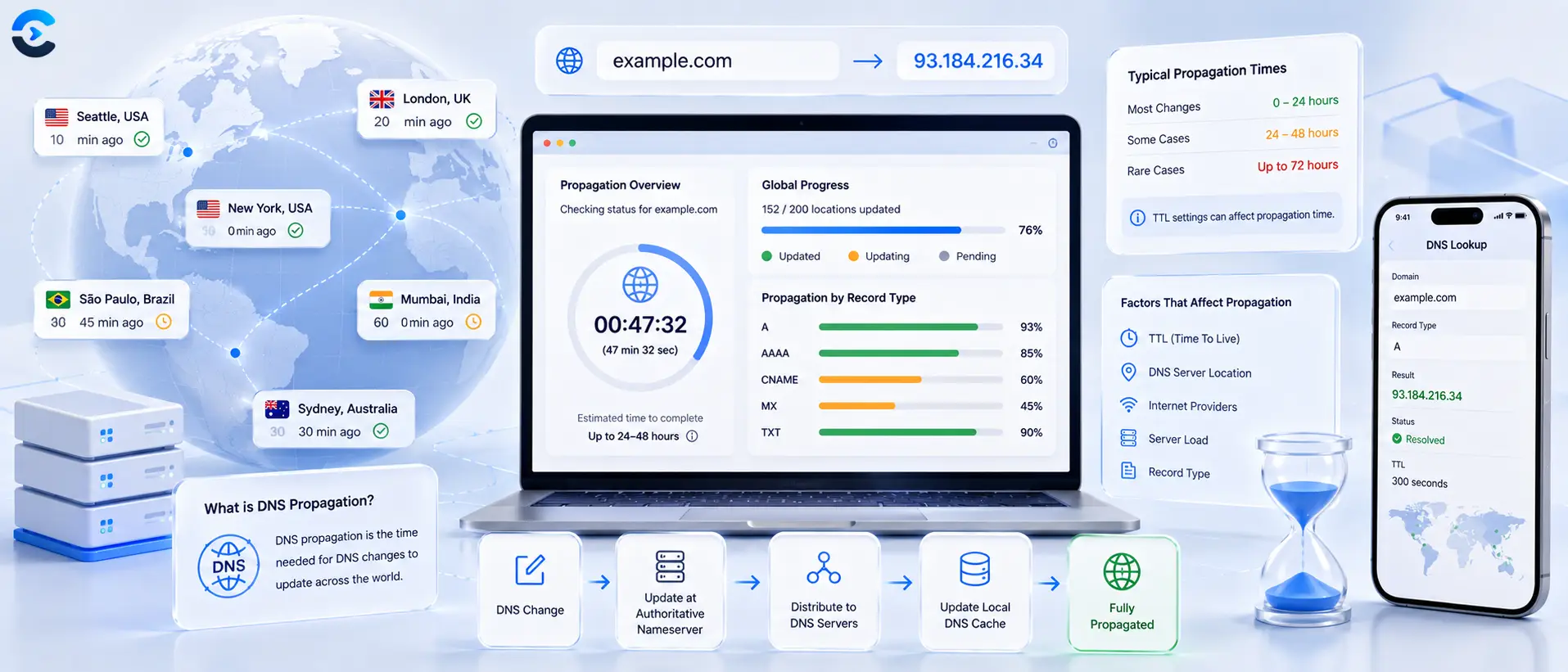

How Long Does DNS Propagation Take to Finish?
DNS propagation usually takes anywhere from a few minutes to 48 hours, and the real driver is not some global broadcast delay but TTL caching. Every DNS record carries a time to live value that tells resolvers around the world how long to keep serving the old answer before they check for a new one. Until each resolver's cached copy expires, it keeps handing out the old record, which is why your updated domain might resolve instantly on one network and stay stale on another for a day or two. If you plan ahead and lower your TTL before making a change, you can shrink that wait to minutes.
DNS propagation usually takes anywhere from a few minutes to 48 hours, and the real driver is not some global broadcast delay but TTL caching. Every DNS record carries a time to live value that tells resolvers around the world how long to keep serving the old answer before they check for a new one.
FAQ: How long does dns propagation take?
How long does DNS propagation take?
Most DNS changes are visible within a few minutes to a few hours. The outer bound is usually 48 hours, and that upper limit is set by the TTL value that was in effect on the record before you changed it.
Why does DNS propagation take so long sometimes?
It is not one delay but many separate resolver caches each holding the old record until their own TTL timer expires. A resolver that cached your record under a 24 hour TTL right before you made a change will not check again for up to a day.
What is TTL in DNS?
TTL, or time to live, is a value in seconds attached to every DNS record that tells resolvers how long they are allowed to reuse a cached answer before asking your nameserver again. Shorter TTLs mean more frequent checks and faster updates.
How do I speed up DNS propagation?
Lower the TTL on the record 24 to 48 hours before you plan to change it. Once the shorter TTL has spread through existing caches, your actual change will be picked up much faster since resolvers are already rechecking more often.
How can I check if my DNS has propagated?
Query the record directly with a lookup tool rather than relying on your browser, since browsers often cache separately from DNS itself. Comparing results across a couple of different networks gives you a clearer picture than checking from a single device.
Does clearing my browser cache fix DNS propagation delays?
It only fixes what your own browser or device has cached locally. It has no effect on the caches held by your internet provider's resolver or by resolvers on other networks, which is why a site can still look outdated to other people after you clear your own cache.
What TTL should I use before a migration?
A TTL of around 300 seconds, or five minutes, works well in the day or two before a planned change. It is short enough to make the actual cutover fast without generating excessive query load on your nameservers.
Should I keep TTL low permanently after a migration?
No. Once the change is confirmed stable, raise the TTL back to a normal value such as one hour or higher. A permanently low TTL increases the number of queries your nameservers have to answer without providing any ongoing benefit.
Why do different people see different results for the same domain?
Each internet provider, VPN, or public resolver keeps its own independent cache with its own expiration clock. One resolver may have already rechecked and picked up your new record while another is still working from a copy it cached hours earlier.
What DNS propagation actually is
DNS propagation is not a single event, and nothing is technically being pushed out to the internet. There is no central switch that flips everyone over to your new IP address at once. Instead, thousands of independent DNS resolvers around the world each hold their own cached copy of your domain's records. When you update a record, those caches do not know yet. They keep answering with the old value until their local copy expires and they are forced to ask again. That staggered expiration across many separate caches is what people call propagation.
TTL caching is the real mechanism
TTL stands for time to live, and it is a number attached to every DNS record, usually expressed in seconds. A TTL of 3600 means a resolver that fetches your record will hold onto it and reuse it for up to one hour before asking your nameserver again. A TTL of 86400 means a full day. When you change a record, any resolver that already cached the old value under a long TTL has no way of knowing the change happened. It will keep serving stale data until that TTL timer runs out on its own.
This explains the classic symptom of a fresh domain change: your own computer shows the new site immediately after you flush your local cache, a friend on a different internet provider still sees the old one, and a visitor on mobile data somewhere else sees something different again. Each of those is a separate resolver with its own cached copy and its own countdown clock, not a single global process moving at different speeds.
Why different resolvers show different results
Every internet provider, corporate network, VPN, and public resolver like Google or Cloudflare runs its own DNS cache. They do not share state with each other. A resolver in one country might query your nameserver for the first time an hour after you made your change and get the new record immediately, while a resolver in another region might have cached the old record twelve hours earlier under a long TTL and will not check again until that window closes. There is also a secondary layer of caching inside individual devices and browsers, which is why clearing your own local cache sometimes shows a different result than what everyone else sees.
| TTL Setting | Typical Wait After a Change | Best Used For |
|---|---|---|
| 300 seconds (5 minutes) | Minutes to about an hour | Right before and during a planned migration |
| 3600 seconds (1 hour) | Up to a few hours | Normal day to day operation |
| 86400 seconds (24 hours) | Up to a full day, sometimes longer with resolver quirks | Stable records you rarely change |
Lower your TTL before a planned DNS change
If you know a migration is coming, the single most useful thing you can do is lower the TTL on the record you plan to change 24 to 48 hours in advance. Here is why that works. Once the new, lower TTL propagates through existing caches, those caches start expiring and rechecking far more often. By the time you actually make your real change, most resolvers are already working off a short cache window, often five minutes, so they pick up the new record almost immediately instead of holding the old one for a day.
A simple sequence looks like this. Two days before the migration, drop the TTL to 300 seconds and leave the record otherwise unchanged. Wait out the old TTL so the short value has time to spread. On migration day, update the record to point at the new server or IP address. Once things are confirmed stable, raise the TTL back to a normal value like 3600 or higher, since very short TTLs increase query load on your nameservers and are not meant to be permanent.
How to check if your DNS has propagated
Rather than guessing or repeatedly refreshing a browser, work through it methodically.
- Confirm the record was actually saved correctly at your DNS provider, including the exact hostname and value.
- Check the TTL that was in effect before your change, since that sets your realistic upper bound for the wait.
- Query the record directly rather than relying on your browser, which may be caching more aggressively than DNS itself.
- Compare results from a few different resolvers or regions, since one clean answer does not mean every network has caught up.
- Flush your local device or browser cache before testing again, so you are not looking at your own stale copy.
This is exactly the situation a dedicated lookup tool solves, since it queries records directly instead of relying on whatever your browser or operating system already has cached.
Other DNS checks worth running
DNS propagation rarely happens in isolation. If you are pointing a domain somewhere new, it is worth confirming the domain's registration details have not changed unexpectedly with a WHOIS lookup, especially if you inherited the domain or are troubleshooting on behalf of a client. If the domain is older and you want context on its history before making changes, a domain age checker can help. And since a DNS migration often coincides with a hosting or certificate change, running an SSL certificate checker afterward confirms your new server is serving a valid certificate for the domain. For more networking utilities beyond DNS, the full network and web tools collection covers related tasks in one place.
How long to wait
DNS propagation is really just TTL caches expiring at different times across thousands of independent resolvers, not a single global delay you have to wait out helplessly. Most changes settle within a few hours, and the outer edge is about 48 hours if a long TTL was in place beforehand. Lower your TTL a day or two before any planned migration and the wait shrinks dramatically. When you want to confirm a change has actually taken hold, query it directly with the DNS Lookup Tool instead of guessing from your browser.
How Long Does DNS Propagation Take? Worked Timelines for Four Common Changes
The short answer is that the wait equals the TTL that was cached, not some global delay. But different record types behave differently, and how long does DNS propagation take depends on which one you edit. So how long does DNS propagation take for the change you are about to make? The answer depends on the record type. Here are timelines you can plan around.
How long does DNS propagation take for each type of change?
When you wonder how long does DNS propagation take for a plain edit, the worst case is the old TTL, counted from the moment each resolver last cached it. A resolver that fetched the record a second before your change waits the full TTL. One that fetched it long ago waits less. That spread is the real reason how long does DNS propagation take looks so uneven.
| Change and how long does DNS propagation take | What controls the wait | Planning estimate |
|---|---|---|
| A or CNAME record edit: how long does DNS propagation take here | Old TTL of that record | Up to the old TTL, so 5 minutes at 300 seconds and 24 hours at 86400 |
| MX record edit: how long does DNS propagation take for mail | Old TTL of the MX record | Same rule, so ask before you cut over |
| TXT record added: how long does DNS propagation take for it | Negative cache of the old empty answer | Usually short, but a cached missing answer can linger for the SOA negative TTL |
| Nameserver change: how long does DNS propagation take at the registrar | Delegation TTL at the registry | Often many hours, so plan for 24 to 48 hours |
Notice that nameserver moves are the slow ones, and they dominate how long does DNS propagation take in migrations. When people ask how long does DNS propagation take and hear 48 hours, they are often thinking about this row.
How long does DNS propagation take if you lower the TTL first?
You control the number, and that changes how long does DNS propagation take in practice. If the TTL is 86400 today, drop it to 300 and then wait one full day, so every cache holding the old long value expires. After that, your real change needs only about 5 minutes to settle. Here is the same plan for different starting values.
| Current TTL | Lower it to 300 at least, then how long does DNS propagation take | Wait after the real change |
|---|---|---|
| 3600 (1 hour) | 1 hour before | How long does DNS propagation take after? About 5 minutes |
| 86400 (24 hours) | 24 hours before | How long does DNS propagation take now? About 5 minutes |
This is why how long does DNS propagation take has two honest answers: a day if you do nothing, and minutes if you prepare. Whenever someone asks how long does DNS propagation take, add a small safety margin, say 2 extra hours, in case a resolver stretches the TTL.
How long does DNS propagation take when a missing record is cached?
This one surprises people who thought they knew how long does DNS propagation take. If you query a name before the record exists, how long does DNS propagation take can grow. The resolver can cache the empty answer. That is called negative caching, and its length comes from the SOA record of the zone. You then add the record, and some networks still report that it does not exist until the negative TTL runs out.
So how long does DNS propagation take in that case? Usually minutes to a few hours, depending on the zone, and how long does DNS propagation take then equals the negative TTL. Avoid testing a new name on public resolvers before you publish it.
What checks confirm how long does DNS propagation take for you?
Keep the old server alive for at least the old TTL, then measure instead of guessing. Your own log is the best answer to how long does DNS propagation take. Write down when the first outside resolver and the last one switch. Next time how long does DNS propagation take will be a known number.
- Note the old TTL before you edit anything, since it caps how long does DNS propagation take.
- Record the exact time you saved the change.
- Query two public resolvers at 5, 30 and 60 minutes to see how long does DNS propagation take live.
- Check the zone SOA value if a new record seems missing, since negative caching changes how long does DNS propagation take.
- Keep the old target alive until the old TTL has passed twice, because how long does DNS propagation take varies by resolver.
With these notes, how long does DNS propagation take becomes a number in your runbook. Ask how long does DNS propagation take before every move, and answer it from your log. Plan the TTL drop, make the change, and verify by direct query. That is the full answer to how long does DNS propagation take.
| # | Key takeaway |
|---|---|
| 1 | Confirm the record was actually saved correctly at your DNS provider, including the exact hostname and value. |
| 2 | Check the TTL that was in effect before your change, since that sets your realistic upper bound for the wait. |
| 3 | Query the record directly rather than relying on your browser, which may be caching more aggressively than DNS itself. |
| 4 | Compare results from a few different resolvers or regions, since one clean answer does not mean every network has caught up. |
Check propagation status directly
The fastest way to confirm whether your DNS change has taken effect is to query the record itself rather than trusting your browser cache. The DNS Lookup Tool queries A, CNAME, MX, TXT, and other record types directly, so you can see exactly what value is currently being returned and compare it against what you expect after your change.
Open the DNS Lookup ToolSources and further reading
- Cloudflare: What is DNS?: how resolvers and caching fit together.
- MDN: TTL: what time to live means for cached records.