Timezone Converter Online Free
Convert time between any two time zones with live DST support. Pick a popular city or any IANA time zone and get the result instantly.
Converting time between zones, with daylight saving handled properly
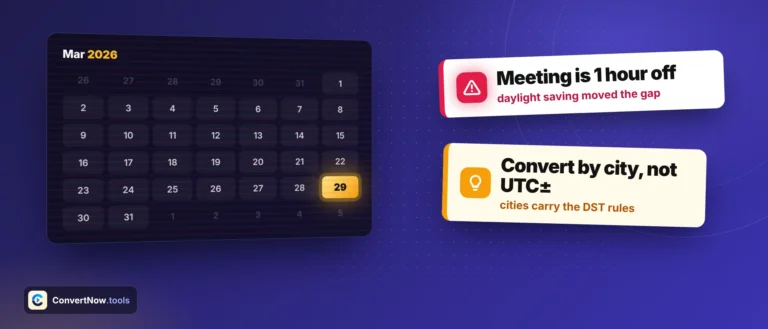
Time zone conversion is not subtraction. The offset between London and New York is five hours for most of the year, but for two short windows each spring and autumn it is four, because the two regions change their clocks on different dates. Any tool that hardcodes offsets gets those windows wrong.
This converter never hardcodes anything. It asks your browser, which carries a full copy of the IANA Time Zone Database, for the real offset that applied on the specific date you entered. Change the date to January and the answer changes with it. Pick from the popular cities at the top of each list, or from every IANA zone your browser knows below them.
Winter offsets shown. Half of these shift by an hour in summer, and the southern hemisphere shifts in the opposite direction to the northern one.
Names versus offsets, and why the distinction matters
Europe/London
An IANA identifier. It encodes the full history and future rules of a region, so the database can resolve the correct offset for any date, past or future.
GMT+0 or BST
A fixed offset or abbreviation. It describes a moment, not a place. Store this and you have permanently lost the information needed to handle the next clock change.
Abbreviations are worse than they look because they are not unique. CST means Central Standard Time in North America at UTC-6, China Standard Time at UTC+8, and Cuba Standard Time at UTC-5. IST covers India, Ireland and Israel. There are roughly 400 abbreviations in circulation and many collide.
How the conversion is calculated
The tool avoids manual offset arithmetic entirely. It uses the browser Intl API to derive the offset empirically, by formatting the same instant in two zones and measuring the gap.
This works because Intl.DateTimeFormat consults the same tzdata rules the operating system uses. No lookup table to maintain, no rules to update when a country changes its mind, which happens several times a year.
Detecting daylight saving
There is no direct API for whether a zone is currently observing daylight saving. The tool infers it by sampling.
Taking the maximum rather than assuming summer is northern summer is what makes this correct for Sydney and Santiago, where daylight saving runs from October to April.
Offsets that are not whole hours
A surprising number of zones sit on a fraction of an hour, and the tool renders these correctly rather than rounding.
| Zone | Offset | Region |
|---|---|---|
| Asia/Kolkata | UTC+5:30 | All of India, a single zone across 3,000 km |
| Asia/Kathmandu | UTC+5:45 | Nepal, set 15 minutes ahead of India deliberately |
| Asia/Tehran | UTC+3:30 | Iran, which dropped daylight saving in 2022 |
| Australia/Adelaide | UTC+9:30 | South Australia, plus 10:30 in summer |
| Pacific/Chatham | UTC+12:45 | Chatham Islands, the only quarter hour zone with DST |
| Asia/Kabul | UTC+4:30 | Afghanistan |
| Pacific/Kiritimati | UTC+14 | The furthest ahead zone on Earth |
| Pacific/Niue | UTC-11 | Among the furthest behind, a full day apart from Kiritimati |
The two hours that do not behave
Clock changes create two genuinely awkward cases every year, and they are worth understanding because they cause real bugs.
| Case | What happens | Consequence |
|---|---|---|
| Spring forward | Clocks jump from 01:59 to 03:00. The 2am hour does not exist. | A meeting scheduled at 02:30 that day has no valid time. Most systems roll it forward to 03:30. |
| Autumn back | Clocks fall from 01:59 to 01:00. The 1am hour happens twice. | 01:30 is ambiguous. Two different instants share the same wall clock reading. Log ordering can appear to go backwards. |
The converter warns you about both cases. Enter a time that falls in the skipped hour and it tells you the time does not exist and shows it moved forward. Enter a time that happens twice and it shows the first one and tells you what the second one would be.
Practical rules for handling time zones in software
Store instants in UTC. Store the IANA identifier alongside anything the user picked a wall clock time for. Convert to local only at the point of display. Never store an offset as a substitute for a zone, and never do offset arithmetic by hand when the platform will do it for you. If you are scheduling something recurring, store the local time and zone, not the resolved UTC instant, otherwise a 9am standup drifts to 8am when the clocks change.
References and tooling
- IANA Time Zone Database, the canonical source. Every operating system, browser and language runtime ships a copy.
- Intl.DateTimeFormat is the browser API this tool is built on. Supported everywhere current.
- Luxon zones gives you first class zone support in JavaScript with a clean API.
- Temporal.ZonedDateTime is the standard replacement, with explicit handling for ambiguous and skipped times.
- Python zoneinfo has read tzdata directly since Python 3.9, replacing pytz.
- Daylight saving by country for current transition dates and which countries have abandoned the practice.
- Zone naming convention explains why identifiers use Area/City rather than country names.
Who needs this
Anyone booking a call across continents, running a distributed team, scheduling a webinar, catching a flight with an overnight connection, watching a live sports fixture or product launch, coordinating a deployment window, filing something before a deadline set in another country's local time, or debugging why a report ran an hour early last Sunday.
Questions About the Timezone Converter
Yes. The tool detects DST automatically for every conversion. When either the source or target zone is on DST, a yellow warning banner appears to make it clear. The offset shown reflects the actual DST-adjusted offset for that specific date, not the standard offset.
A UTC offset (e.g. UTC+5:30) is the fixed number of hours and minutes a timezone is ahead of or behind UTC. An abbreviation (e.g. IST, EST, PDT) is a short name for a timezone, which can change when DST kicks in. IST stays IST year-round, but US Eastern switches between EST (UTC-5) in winter and EDT (UTC-4) in summer.
Yes. Use the date-time picker to enter any date in the past or future. The DST detection is date-aware, so the result accounts for whether DST was or will be in effect on that specific date.
Select "New York (EST/EDT)" as the source timezone and "Mumbai / Delhi (IST)" as the target. Enter the time you want to convert, and the IST equivalent appears instantly. IST is UTC+5:30, EST is UTC-5, so the difference is 10 hours 30 minutes (or 9h 30m when New York is on EDT).
It reverses the source and target zones in one click and keeps the same moment, so the converted time becomes the new input. Useful when you receive a meeting invite in another timezone and want to know what that time is in your local zone, then quickly check the reverse for a reply.
From the blog
Date and time, explained properly
Longer write ups on the calendar problems these tools solve, from ISO week numbering to scheduling across time zones.