World Clock, See Time in Multiple Cities at Once
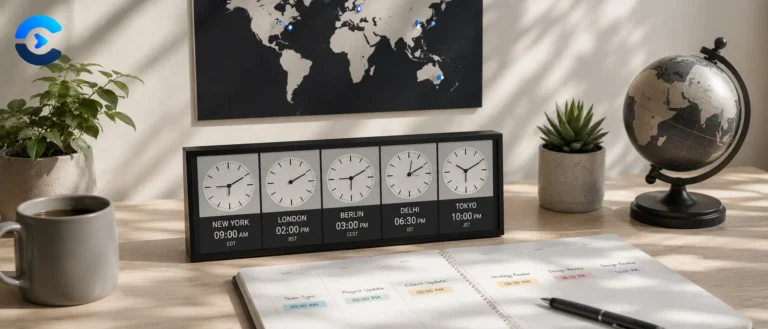
This world clock shows the current time in as many cities as you add, updating live every second, with a built in meeting time converter so you can find a time that works across every timezone. Add and remove cities freely, no sign up needed.
| City | Offset | Difference | Business hours? |
|---|
Live clocks for hundreds of cities, running entirely in your browser
Search from a database of major cities across every inhabited continent, pin the ones you care about, and watch them tick in real time. Toggle between 12 and 24 hour display. Each clock shows its UTC offset, the local date, and whether that city is currently on daylight saving.
No API calls, no network requests, no location permission. Your device already knows what time it is and your browser already carries the world’s time zone rules. The tool just reads them.
Reading a city at a glance
Local time on its own does not tell you whether it is reasonable to call someone. This is roughly how a 24 hour day breaks down for the person on the other end.
The genuinely difficult pairings are the ones with no overlap at all. London and Sydney share almost no working hours. San Francisco and Mumbai overlap for about ninety minutes if one side stretches. Knowing that before you propose a recurring meeting saves someone a permanent 6am alarm.
How the clocks stay accurate
Every tick formats a single moment, new Date(), into each pinned zone using the browser’s internationalisation engine. There is no per city offset stored anywhere in the tool.
The Intl engine consults the IANA Time Zone Database that ships with your operating system or browser. When Lebanon abruptly delayed its daylight saving change in 2023, or when the UAE moved its weekend in 2022, tzdata was updated and every device that took the update got the correct answer without any application needing to change. That is why identifiers like Asia/Tokyo are used throughout rather than offsets like UTC+9.
Time zone facts that trip people up
Daylight saving detection
There is no direct browser API for whether a zone is currently on daylight saving, so it is inferred by comparison.
A quick reference for the busiest zones
| Identifier | Winter | Summer | Covers |
|---|---|---|---|
| America/Los_Angeles | UTC-8 | UTC-7 | US West Coast, Vancouver on a matching schedule |
| America/New_York | UTC-5 | UTC-4 | US East Coast, Toronto |
| America/Sao_Paulo | UTC-3 | UTC-3 | Brazil, which dropped DST in 2019 |
| Europe/London | UTC+0 | UTC+1 | UK, Ireland on a matching schedule |
| Europe/Paris | UTC+1 | UTC+2 | Most of continental western Europe |
| Africa/Lagos | UTC+1 | UTC+1 | West Africa, no DST |
| Asia/Dubai | UTC+4 | UTC+4 | Gulf states, no DST |
| Asia/Kolkata | UTC+5:30 | UTC+5:30 | All of India and Sri Lanka |
| Asia/Singapore | UTC+8 | UTC+8 | Singapore, Malaysia, Perth on the same offset |
| Asia/Tokyo | UTC+9 | UTC+9 | Japan and Korea, neither observes DST |
| Australia/Sydney | UTC+11 | UTC+10 | Southern hemisphere, so the seasons invert |
Standards and further reading
- IANA Time Zone Database, updated several times a year and shipped with every major platform.
- Intl.DateTimeFormat is the browser API doing the formatting work here.
- Coordinated Universal Time is maintained by the BIPM from a weighted average of roughly 450 atomic clocks worldwide.
- International Date Line for why the line zigzags and which islands moved across it.
- Daylight saving worldwide for current transition dates by country.
- Network Time Protocol is what keeps your device clock accurate, typically to within a few milliseconds of UTC.
Who this is for
Remote teams spread across continents, freelancers working with overseas clients, anyone with family abroad who does not want to call at 3am, traders tracking market open and close, support and on call rotas following the sun, travellers planning connections, and event organisers picking a start time that does not exclude an entire hemisphere.
FAQ: World Clock
It is as accurate as your device’s own system clock, since the tool reads the time directly from your computer or phone and applies the correct time zone offset using your browser’s built in time zone database. As long as your device’s clock is set correctly, typically via automatic network time sync, every city shown here will be accurate to the second.
Yes. Every city’s time is calculated using the IANA time zone database, which is maintained to reflect exactly when each region shifts its clocks forward or back, including regions that don’t observe daylight saving at all. You never need to manually adjust for it, the clock updates automatically on the correct date each year.
There is no fixed limit, add as many cities as you need for your team, family, or clients. Each one runs an independent, live updating clock in your browser. For very large lists, more cities will naturally take up more screen space, but there is no technical restriction on the count.
Yes, your list of added cities is saved locally in your browser’s storage, so it will still be there the next time you open this page on the same browser and device. Clearing your browser data, or switching to a different browser or device, will reset the list back to the default suggestions.
Pick a reference city from your added list, enter a date and time, and the converter instantly shows what that exact moment looks like in local time for every other city you’ve added. This is useful for scheduling a call and immediately seeing whether, say, 9am in New York falls at a reasonable hour for colleagues in London and Tokyo, without doing time zone math manually.
Many cities share the exact same time zone even though they are geographically far apart, for example most of the eastern United States and Canada share Eastern Time, and much of Western Europe shares Central European Time. This is expected and reflects how time zones are drawn around regions and countries rather than individual cities.
Each clock card switches to a lighter background with a sun icon between 6am and 6pm local time in that city, and a darker background with a moon icon outside those hours. It’s a quick visual cue for whether it’s a reasonable time to call or message someone in that location, without having to read the exact hour first.
No. The tool reads your device’s local time zone setting only to suggest a default “Your Location” clock, it does not request GPS location, IP based location, or any other tracking data. Your saved city list stays in your browser’s local storage and is never transmitted anywhere.
From the blog
Date and time, explained properly
Longer write ups on the calendar problems these tools solve, from ISO week numbering to scheduling across time zones.