About This Tool
A countdown that counts more than days
Pick a date and get the gap in every unit that matters: total days, hours, minutes, business days, and a proper year month week day breakdown. Set a start date as well and you get a progress bar showing how far through the interval you already are, which is usually the more useful number when you are managing a deadline rather than waiting for a birthday.
Project kickoff62 percent elapsedLaunch day
1 Martoday30 Jun
47Days
1,128Hours
67,680Minutes
34Business days
6.7Weeks
Two calculations running in parallel
Countdowns need both an absolute measure and a calendar measure, and the tool computes them separately because neither can be derived from the other.
// days: calendar days for a date, full days for a time
totalDays = targetTime ? floor(abs(target - now) / 86400000)
: dayNumber(target) - dayNumber(today)
totalHrs = floor(abs(target - from) / 3600000)
totalMins = floor(abs(target - from) / 60000)
// calendar: how a person would say it
months = whole months from the earlier date that fit
before the later one
rest = days left over, split into weeks and days
With no time set, the tool counts calendar days from today, so tomorrow is always 1 day away, even late in the evening. Set a time and it counts full days to that exact moment, rounded down. A countdown showing 47 days then means 47 full days remain, not 46.6 rounded up. Below the big number a live clock ticks down the hours, minutes and seconds.
The sign, and counting backwards
If the target has already passed, the millisecond gap goes negative. Rather than showing a minus sign, the tool flips the wording to days since and switches the styling. The arithmetic is identical, just mirrored. That makes it equally usable as an anniversary counter or a days sober tracker as it is as a deadline countdown.
Business day counting
The business day figure counts only Monday through Friday. It starts from the day after the start date and includes the target date, which matches how lead times are normally quoted. Tick Business days only to make it the headline number, or Count the target day too for an inclusive count.
bizDays(from, to) {
var count = 0, cur = from;
cur.setDate(cur.getDate() + 1); // exclude the start
while (cur <= to) {
var d = cur.getDay();
if (d !== 0 && d !== 6) count++; // 0=Sun 6=Sat
cur.setDate(cur.getDate() + 1);
}
return count;
}
This does not subtract public holidays, because holidays vary by country and region and there is no defensible default. If your deadline is regulatory, subtract them manually or use a working days calculator with a holiday list.
Time of day precision
Leave the time field empty and the target resolves to midnight at the start of the day. Set a time and the countdown becomes precise to the minute. That distinction matters more than it sounds. A submission deadline of 5pm on Friday is nine hours earlier than the same deadline treated as end of day, and countdowns that ignore time routinely mislead people by exactly that margin.
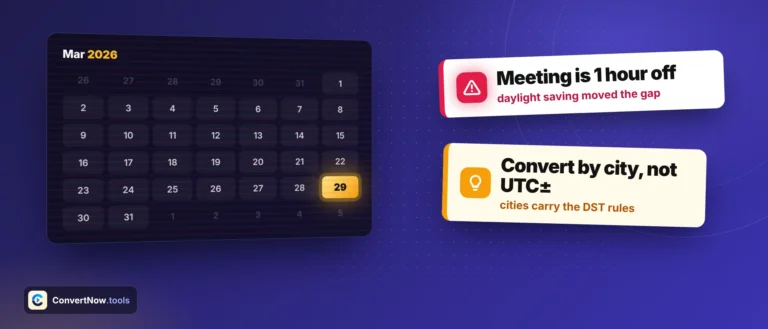
All calculation happens in your browser's local time zone. If your deadline is set in another country's local time, convert it first. A midnight deadline in Anywhere on Earth time, which many academic conferences use, is UTC-12 and lands nearly a full day after midnight in most of Europe. Getting this wrong is the single most common way people miss a submission they thought they had made in time.
The progress bar
Set a start date and the tool computes elapsed proportion as a straightforward ratio of milliseconds.
pct = (now - start) / (target - start) * 100
pct = clamp(pct, 0, 100)
Clamping matters. Before the start date the raw value is negative, after the target it exceeds 100, and neither renders sensibly in a progress bar. This is the same calculation behind burndown charts and fundraising thermometers, which is worth knowing if you want to reproduce it in a spreadsheet.
Saved countdowns
Saved entries live in the page's memory for the current session only. Nothing is written to disk, nothing goes to a server, and refreshing the page clears the list. That is a privacy choice rather than a limitation. Countdown labels tend to be personal, and a tool that quietly persists them is holding data it has no reason to hold.
Reproducing this elsewhere
| Environment | Approach |
|---|
| Excel | =A1-TODAY() for days. =NETWORKDAYS(TODAY(),A1) for business days. Format the result cell as a number, not a date, or you get 1900 dates. |
| Google Sheets | Same functions. =DAYS(A1,TODAY()) is more explicit and less prone to formatting surprises. |
| JavaScript | Math.floor((target - Date.now()) / 86400000), or differenceInCalendarDays if you want calendar days rather than 24 hour periods. These differ across daylight saving boundaries. |
| Python | (target - date.today()).days returns an integer directly from the timedelta. |
| SQL | Postgres target - CURRENT_DATE. MySQL DATEDIFF(target, CURDATE()). |
Further reading
Common uses
Project and product launch countdowns, exam and coursework deadlines, visa and passport expiry, contract renewal windows, notice periods, wedding and holiday planning, retirement dates, sobriety and habit streaks, warranty expiry, tax filing deadlines, and tracking how long until a subscription auto renews so you can cancel it in time.