About This Tool
Why this port checker runs on our server, not in your browser
A real port scanner opens a raw TCP socket and attempts the three way handshake described in RFC 9293, the current TCP specification: a SYN packet out, a SYN-ACK back if the port is listening, or a RST if it is closed, or nothing at all if a firewall is silently dropping the traffic. Browsers have no API for raw sockets. JavaScript running on a web page cannot open one, cannot send a bare SYN, and cannot read the resulting flags, and browsers refuse ports such as 22, 25 and 3389 outright. So this tool does not guess from your browser. It asks our server to make a real TCP connection and report what happened.
How the check actually works
Step 1 Address check
The host name or IPv4 address is cleaned up and sent to our server with the port numbers. The server resolves the name and refuses private and reserved ranges, so it cannot be used to probe anyone's internal network.
Step 2 TCP connect
For each port the server attempts a normal TCP connection, the same three way handshake any client makes, and waits up to about 3 seconds for an answer.
Step 3 Reading the outcome
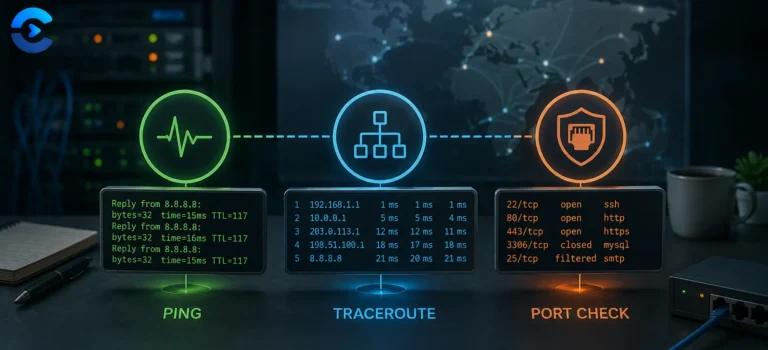
If the handshake completes, the port is open. If the host answers with a reset, the port is closed. If nothing comes back before the timeout, the port is filtered, which usually means a firewall dropped the packet.
Step 4 Common ports scan
Scan common ports checks 19 well known ports, five at a time: FTP, SSH, SMTP, DNS, HTTP, POP3, IMAP, HTTPS, SMTPS, mail submission, IMAPS, POP3S, MySQL, RDP, PostgreSQL, Redis, 8080, 8443 and MongoDB. Results can be copied or downloaded as CSV.
Open means the port accepts connections, not that the service is healthy. The check stops after the handshake. It does not log in, send data or identify the software that is listening. It tests TCP only, so UDP services such as WireGuard or most game servers cannot be checked this way.
Reading the result honestly
| Reported state | What it actually confirms |
|---|
| Open | Our server completed a TCP handshake with that host and port |
| Closed | The host answered and refused the connection, so nothing is listening there |
| Filtered | No answer within about 3 seconds, usually a firewall silently dropping the packet |
| Needs review | Open, on a port such as a database, RDP or Redis that rarely belongs on the public internet |
Checked from our server
The connection attempt comes from our server, so the target sees our server's address, not yours. That is also what makes it useful: it shows what the outside internet sees, which is the point of checking a firewall or router rule.
Why this cannot replace nmap
A dedicated scanner like nmap can test thousands of ports, probe UDP, and identify the software behind a port with protocol specific handshakes. This tool checks one port or a short list of common ones, which is enough for most firewall and hosting questions.
Real TCP connect, not a browser guess
About 3 second timeout per port
19 common ports on batch scan
When a port matters
A quick sanity check that a web server is actually reachable on 80 and 443 before digging further, confirming a firewall change took effect from outside your own network, checking whether a self hosted service is exposed to the internet when it should only be reachable locally, and spotting an obviously misconfigured server before running a heavier, more precise scan with dedicated tooling.