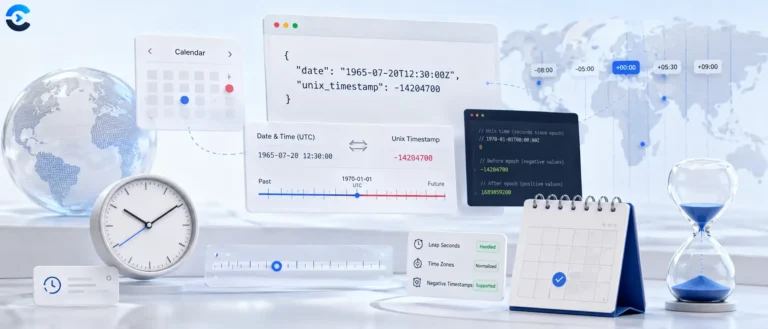
Unix Timestamp Converter Online Free
Convert any Unix timestamp to a human-readable date, or convert any date back to a Unix timestamp. Supports seconds, milliseconds, microseconds and nanoseconds, negative values for dates before 1970, and a live current timestamp.
Unix time explained, and a converter that goes both ways
A Unix timestamp is a single integer: the number of seconds since midnight UTC on 1 January 1970. No time zone, no format, no locale. That is the entire point. Every server, database and log file can agree on one number, and the messy business of turning it into something a human reads happens at the last possible moment.
This tool converts a timestamp into eight readable forms, converts a date back into a timestamp in local time or UTC, and shows a live clock ticking the current epoch second so you can copy or convert it with one click.
Reading a timestamp by its length
Different systems emit different precisions. Digit count tells you which one you are holding, and getting it wrong throws your date off by roughly fifty years.
On Auto, the tool reads the digit count for you: up to 11 digits as seconds, 12 to 14 as milliseconds, 15 to 17 as microseconds and 18 or more as nanoseconds. A 12 digit value up to 253402300799 can be read either way, so the tool also shows the other reading. 253402300799 itself, the last second of the year 9999, is read as seconds. It tells you what it detected, and the unit buttons override it. Negative values and decimals such as 1718409600.25 work too.
What the epoch actually is
The 1 January 1970 zero point was chosen by the team building Unix at Bell Labs in the early 1970s. It was recent, round, and left plenty of headroom in a 32 bit signed integer. Timestamps before it are negative, which is legal and works fine in most modern languages.
time_t on 32 bit architectures with kernel 5.6. Check your own stack rather than assuming, particularly anything storing future dates such as mortgage terms or pension maturity dates, which already cross the boundary today.Leap seconds, and why Unix time ignores them
Unix time defines every day as exactly 86,400 seconds. Actual astronomical time does not cooperate, because the Earth's rotation is slowly and unevenly slowing down. The International Earth Rotation Service has inserted 27 leap seconds since 1972 to keep UTC aligned with solar time.
Unix time simply skips them. When a leap second happens, the timestamp repeats a value or the clock is smeared across a window. Google and Amazon both use leap smearing, spreading the extra second across 24 hours so no clock ever jumps. What this means practically: Unix time is not a true count of elapsed SI seconds since 1970. It is off by 27 seconds and always will be. For anything short of precision astronomy or high frequency trading, that is irrelevant. In 2022 the international bodies agreed to stop adding leap seconds by 2035.
Generating timestamps in code
Output formats this tool produces
| Format | Example | Where you use it |
|---|---|---|
| UTC string | Sat, 15 Jun 2024 00:00:00 GMT | HTTP headers, email dates, RFC 7231 |
| ISO 8601 | 2024-06-15T00:00:00.000Z | JSON APIs, logs, database columns |
| Local time | 15/06/2024, 01:00:00 | Rendered in your browser time zone |
| DD/MM/YYYY | 15/06/2024 | Reports and spreadsheets |
| Time UTC | 00:00:00 | Isolating the clock component |
| Unix seconds | 1718409600 | Canonical storage |
| Unix milliseconds | 1718409600000 | JavaScript and Java interop |
| Relative | 3 days ago | Human readable recency |
Local time and relative time are computed against your device clock and time zone, which the browser reports through Intl.DateTimeFormat().resolvedOptions().timeZone. Everything else is time zone independent by definition.
A note on storing timestamps
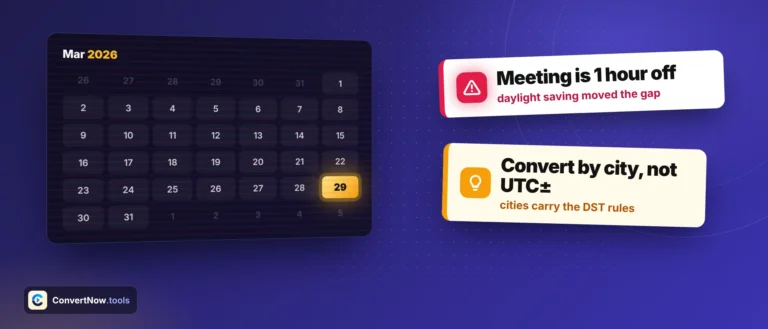
Store the integer, not the formatted string. Formatted dates carry a locale assumption, sort incorrectly as text, and lose information about the time zone they were rendered in. If you need to preserve the user's intended wall clock time, which matters for calendar events and scheduled jobs, store the local date, the local time and the IANA time zone identifier separately. A timestamp alone cannot represent that a meeting is at 9am in Berlin, because the offset changes twice a year.
Specifications and further reading
- POSIX seconds since the Epoch is the formal definition, including the explicit statement that leap seconds are excluded.
- RFC 3339 defines the timestamp string format used across internet protocols.
- IANA Time Zone Database is the source of truth for every offset and daylight saving rule on Earth. Updated several times a year as governments change their minds.
- MDN Date reference covers the JavaScript API and its many sharp edges.
- Temporal.Instant is the modern JavaScript replacement, with nanosecond precision and no ambiguity.
- Year 2038 problem for the full history of the 32 bit overflow and current mitigation status.
Everyday uses
Reading a raw log line, debugging a JWT expiry claim, checking when a cache entry was written, setting a cookie or token lifetime, decoding a database column that came back as a bare integer, comparing event ordering across servers in different regions, and sanity checking that a scheduled job fired when you thought it did.
Questions About the Unix Timestamp Converter
A Unix timestamp is the number of seconds that have passed since January 1, 1970 at 00:00:00 UTC, which is called the Unix epoch. It is timezone-neutral, always increasing, and represented as a single integer, which makes it the standard way to store and compare dates in programming, databases, APIs, and server logs. For example, the timestamp 1718438400 represents June 15, 2024 at 08:00:00 UTC.
10-digit timestamps are in seconds and are the Unix standard used by most systems, including Linux, Python, PHP, and databases. 13-digit timestamps are in milliseconds and are used primarily by JavaScript, which represents time with Date.now() returning milliseconds. The tool auto-detects which unit you have based on digit count, including microseconds and nanoseconds, and you can override it with the unit buttons.
In JavaScript, pass milliseconds to the Date constructor: new Date(timestamp * 1000) if you have seconds, or new Date(timestamp) if you already have milliseconds. Then call .toISOString(), .toUTCString(), or .toLocaleString() to format it. This tool does exactly that conversion in your browser, so you can verify the output before using it in code.
Epoch time zero is the value 0 in Unix time, which corresponds to Thursday, January 1, 1970 at 00:00:00 UTC. This date was chosen when Unix was being developed in the early 1970s as a practical starting point. You can enter 0 in the timestamp field of this tool to confirm it converts correctly to that date and time.
Yes. Negative Unix timestamps represent dates before January 1, 1970. For example, -86400 is December 31, 1969 at 00:00:00 UTC. Most modern systems and programming languages support negative timestamps correctly. Enter a negative value in the timestamp field to convert any pre-1970 date. Note that very old dates (before 1901) may not be reliably supported in all browsers.
From the blog
Date and time, explained properly
Longer write ups on the calendar problems these tools solve, from ISO week numbering to scheduling across time zones.