
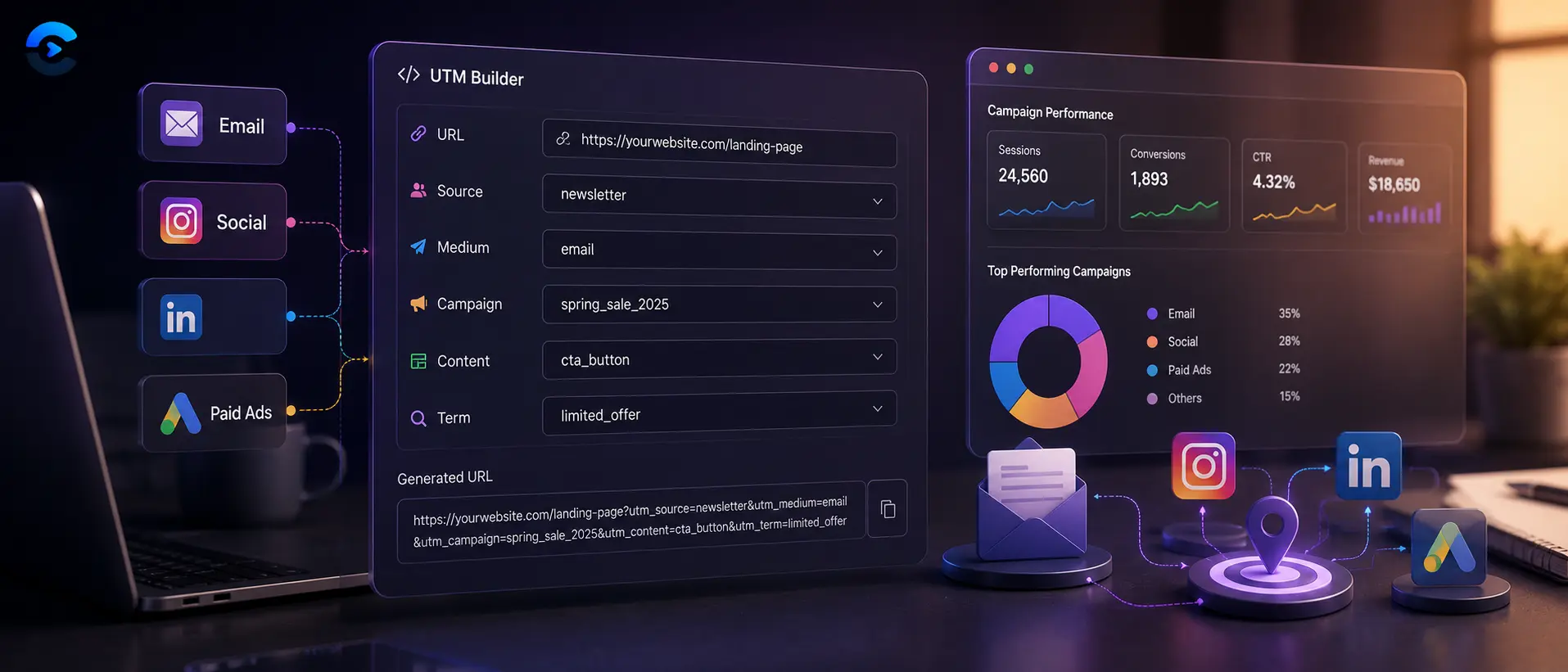

UTM Builder: How to Track Campaigns With UTM by Channel
SEO and MarketingTo track campaigns with UTM, add utm_source, utm_medium, and utm_campaign parameters to a link, and optionally utm_term and utm_content, using a distinct combination for each channel. An email link might use source=newsletter and medium=email, a social post might use source=facebook and medium=social, and a paid search ad might use source=google and medium=cpc. Because each combination is unique, every click reports back to your analytics under its own label instead of blending into one generic bucket labeled direct or referral. Once that pattern is in place across email, social, and paid, you can finally see which channel actually drove the signup, not just that a signup happened.
To track campaigns with UTM, add utm_source, utm_medium, and utm_campaign parameters to a link, and optionally utm_term and utm_content, using a distinct combination for each channel.
The five parameters, and what each one actually does
Every UTM tag is just a small set of query parameters appended to a URL. Analytics tools read them and file the visit under the values you chose, so the naming is entirely up to you. Consistency matters far more than cleverness.
utm_source identifies where the traffic came from, such as newsletter, facebook, or google. utm_medium identifies the type of traffic, such as email, social, or cpc. utm_campaign names the specific promotion, such as summer_sale or product_launch. utm_term is mostly used for paid search to record the keyword that triggered an ad. utm_content is useful when you are running two versions of the same ad or two links inside the same email and want to tell them apart.
Structuring UTM sets so channels never overlap
The most common mistake is reusing the same utm_source for two different channels, which quietly merges data that should stay separate. The fix is to plan one combination per channel before you build a single link, then reuse that same pattern every time you launch something in that channel.
For email newsletters, a reasonable pattern looks like utm_source=newsletter, utm_medium=email, utm_campaign=july_promo. For a transactional or automated drip email, you might instead use utm_source=lifecycle, utm_medium=email, utm_campaign=welcome_series, keeping it distinct from your regular newsletter sends even though both use medium=email.
For organic social posts, a Facebook post could use utm_source=facebook, utm_medium=social, utm_campaign=july_promo, while the same promotion on Instagram uses utm_source=instagram, utm_medium=social, utm_campaign=july_promo. Keeping the campaign name identical across platforms lets you roll up totals for july_promo while still splitting results by utm_source when you want platform level detail.
For paid campaigns, the medium usually changes to reflect spend, for example utm_source=google, utm_medium=cpc, utm_campaign=july_promo, utm_term=running_shoes for a specific keyword group. A paid Facebook ad, as opposed to an organic post, should use utm_source=facebook, utm_medium=paid_social, utm_campaign=july_promo, so it never mixes with the free organic post traffic that shares the same source name.
Why this is the real answer to how to track campaigns with UTM at scale
A handful of links is easy to manage by memory. Fifty links across six channels and three campaigns is not. That is when a shared naming convention stops being a nice habit and becomes the only thing standing between clean reports and a pile of unlabeled traffic.
Write your convention down somewhere the whole team can see it, ideally as a short table, channel by channel, listing the exact source and medium values allowed for each. Anyone building a new link then copies the pattern instead of inventing a new one, which is usually how source values like FB, facebook, and Facebook.com end up splintering a single channel into three rows in your report.
It also helps to lowercase everything and avoid spaces, since some analytics platforms treat capitalization as a separate value entirely. summer_sale and Summer_Sale can end up as two different campaigns in your dashboard even though a human reading the report assumes they are the same thing.
Building the links without breaking your own rules
Typing UTM strings by hand invites typos, and a single misspelled medium value quietly fragments your data for the life of that campaign. A dedicated UTM Parameter Builder keeps the parameter names correct and the formatting consistent, which matters more the larger your team gets.
It also pairs naturally with the rest of a launch checklist. Before a link goes into a social post, it is worth running the destination page through an Open Graph tag tester to confirm the preview card looks right, and checking the post copy length with a character counter so the tagged link does not get cut off. If the same page needs updated titles or descriptions for search results, a meta generator handles that separately from the tracking work.
Reading the results once tags are live
Once tagged links are out in the world, most analytics platforms let you filter or segment traffic by source and medium, sometimes both together as a combined channel view. This is where separate UTM sets pay off. You can compare the newsletter against the lifecycle emails, compare organic social against paid social on the same platform, and compare google cpc against a second paid channel, all without one number quietly absorbing another. If two reports ever look identical when they should not, the usual cause is a duplicated source and medium pair, not a measurement problem.
Related tools for the rest of the launch
UTM tags are only one piece of getting a campaign link ready. Before publishing, it is worth confirming the destination page shows the right preview with an Open Graph tag tester, trimming social copy with the character counter so a long tagged URL does not push you over the limit, and refreshing page titles and descriptions with the meta generator if the landing page has changed since it was last indexed. You can browse the rest of the tools or read more marketing explainers on the ConvertNow blog.
UTM tagging in short
Give every channel its own source and medium combination, keep campaign names consistent across channels, and write the pattern down so the whole team follows it. That single habit is what separates a report where email, social, and paid each show their true numbers from one where everything blurs into an unlabeled pile of traffic. Build the next link with the UTM Parameter Builder above and the pattern stays consistent from day one.
How to Track Campaigns With UTM: A Naming Sheet You Can Copy
The post above explains the parameters. Here is how to track campaigns with UTM in daily practice, with a naming sheet, a finished link and a short audit routine.
A channel sheet for how to track campaigns with UTM
Teams that get clean reports share one sheet, and that habit defines how to track campaigns with UTM at scale. Every row below is a rule. Copy it, edit the campaign name, and nobody has to guess.
| Channel | utm_source | utm_medium | Note on how to track campaigns with UTM |
|---|---|---|---|
| Newsletter row | newsletter | How to track campaigns with UTM for your main send, lowercase | |
| Automated emails | lifecycle | Keep apart from newsletters, a basic rule of how to track campaigns with UTM | |
| Organic social | facebook or instagram | social | Same campaign name across platforms, per how to track campaigns with UTM |
| Paid social | facebook or instagram | paid_social | How to track campaigns with UTM when budget is involved |
| Paid search | cpc | Add utm_term for the keyword group when you plan how to track campaigns with UTM in search | |
| Partner post for how to track campaigns with UTM | partnername | referral | A good fit for how to track campaigns with UTM on guest content |
Google Analytics 4 groups traffic by medium, which shapes how to track campaigns with UTM by channel. A medium of email lands in Email, cpc in Paid Search, and social in Organic Social. So the medium value decides which bucket each click lands in. A made up medium usually lands in Unassigned.
A finished link that shows how to track campaigns with UTM
Here is a complete example for a July newsletter. The destination is example.com/offer, and the full link reads example.com/offer?utm_source=newsletter&utm_medium=email&utm_campaign=july_promo&utm_content=top_button. That one line is how to track campaigns with UTM at link level: source, medium, campaign, and a content tag for the button.
Now add a second button lower in the email with utm_content=footer_link. In the report you will see which placement earned clicks. That is the cheapest test of how to track campaigns with UTM, since it needs no extra tools. You can build both links in the UTM Parameter Builder in under a minute.
Where how to track campaigns with UTM goes wrong
- Tagging internal links. A UTM on a link between your own pages can overwrite the original source, so keep how to track campaigns with UTM for links that arrive from outside.
- Mixed case. A capital N in Newsletter can create a second row, so how to track campaigns with UTM means lowercase only.
- Spaces and symbols. Use underscores, not spaces, so the link does not need encoding. Clean values make how to track campaigns with UTM easier to read.
- Renaming mid campaign. Changing july_promo to July Promo halfway splits one campaign into two, which defeats how to track campaigns with UTM.
- Tagging links that people share offline. Printed QR codes can carry UTM tags too, so how to track campaigns with UTM also covers a distinct medium such as print.
- Skipping a record. If nobody logs the links, nobody knows how to track campaigns with UTM six months later.
Monthly audit for how to track campaigns with UTM
Open your source and medium report once a month. Any value you did not create is a typo or a stray tag. Fix the sheet, then the link, because how to track campaigns with UTM is a habit more than a tool.
Questions about how to track campaigns with UTM
Do UTM tags hurt SEO when you use how to track campaigns with UTM? Not when used on links you control. Keep them off internal links, and let the canonical tag on the page point to the clean address. Otherwise, how to track campaigns with UTM stays safe for search.
How many tags are enough? Three required ones cover most needs: source, medium and campaign. Add utm_content for tests and utm_term for paid keywords. More than that makes how to track campaigns with UTM harder to keep consistent.
Can I change a link after it goes out? The tags in sent emails stay as they are. Plan the sheet first, because how to track campaigns with UTM works only if the values are decided before launch. For a refresher on the basics, read what UTM parameters are.
| In this guide |
|---|
| The five parameters, and what each one actually does |
| Why this is the real answer to how to track campaigns with UTM at scale |
| Reading the results once tags are live |
| UTM tagging in short |
Build every UTM set in one place
Keeping source, medium, and campaign values consistent across email, social, and paid gets harder the more people are creating links. Our free UTM Parameter Builder fills in each field correctly, formats the finished URL, and lets you save your naming pattern so the next link matches the last one.
Open the UTM Parameter BuilderFAQ: How to Track Campaigns With UTM by Channel
How to track campaigns with UTM across multiple channels at once?
Assign each channel its own utm_source and utm_medium combination, such as source=newsletter and medium=email for email, source=facebook and medium=social for organic social, and source=google and medium=cpc for paid search, while keeping utm_campaign consistent for the same promotion across all of them.
What is the difference between utm_source and utm_medium?
utm_source identifies where the traffic originated, like google or newsletter, while utm_medium describes the type of channel, like cpc or email. Two links can share a source but use different mediums, such as facebook with medium=social for an organic post and facebook with medium=paid_social for an ad.
Do I need utm_term and utm_content on every link?
No. utm_term and utm_content are optional. utm_term is mainly useful for paid search keywords, and utm_content helps distinguish two versions of the same ad or two links placed in the same email or page.
Why do my email and social numbers look mixed together in analytics?
This usually happens when two channels accidentally share the same utm_source and utm_medium pair. Give each channel a distinct combination, for example source=newsletter medium=email versus source=facebook medium=social, and the totals will separate correctly going forward.
Should UTM values be lowercase?
Yes, in most cases. Many analytics platforms treat capitalization as a separate value, so Facebook and facebook can appear as two different sources in a report even though they mean the same channel. Lowercase, underscore separated values avoid that split.
Can the same campaign name be reused across email, social, and paid?
Yes, and it is usually a good idea. Keeping utm_campaign identical across channels, such as july_promo for every channel promoting the same offer, lets you roll up total campaign performance while utm_source and utm_medium still separate the channel level detail.
What happens if a UTM link gets shared or forwarded?
The tags travel with the link wherever it goes, so a forwarded email link still reports under its original source and medium. This is useful for tracking virality but means you should not assume every click came directly from the channel you originally posted it in.
Is there a real risk to using too many UTM parameters on one link?
The main risk is a longer URL, which can matter in character limited spaces like social posts or SMS. Stick to the parameters you actually plan to analyze, since unused parameters just add length without adding insight.
What is the easiest way to build consistent UTM links without typos?
Use a dedicated builder rather than typing the string by hand each time. The UTM Parameter Builder linked above fills in each field, formats the URL correctly, and helps you repeat the same naming pattern across every channel.
Sources and further reading
- Google Analytics: URL builders: UTM best practices from Google.
- UTM parameters on Wikipedia: what each tag stands for.