
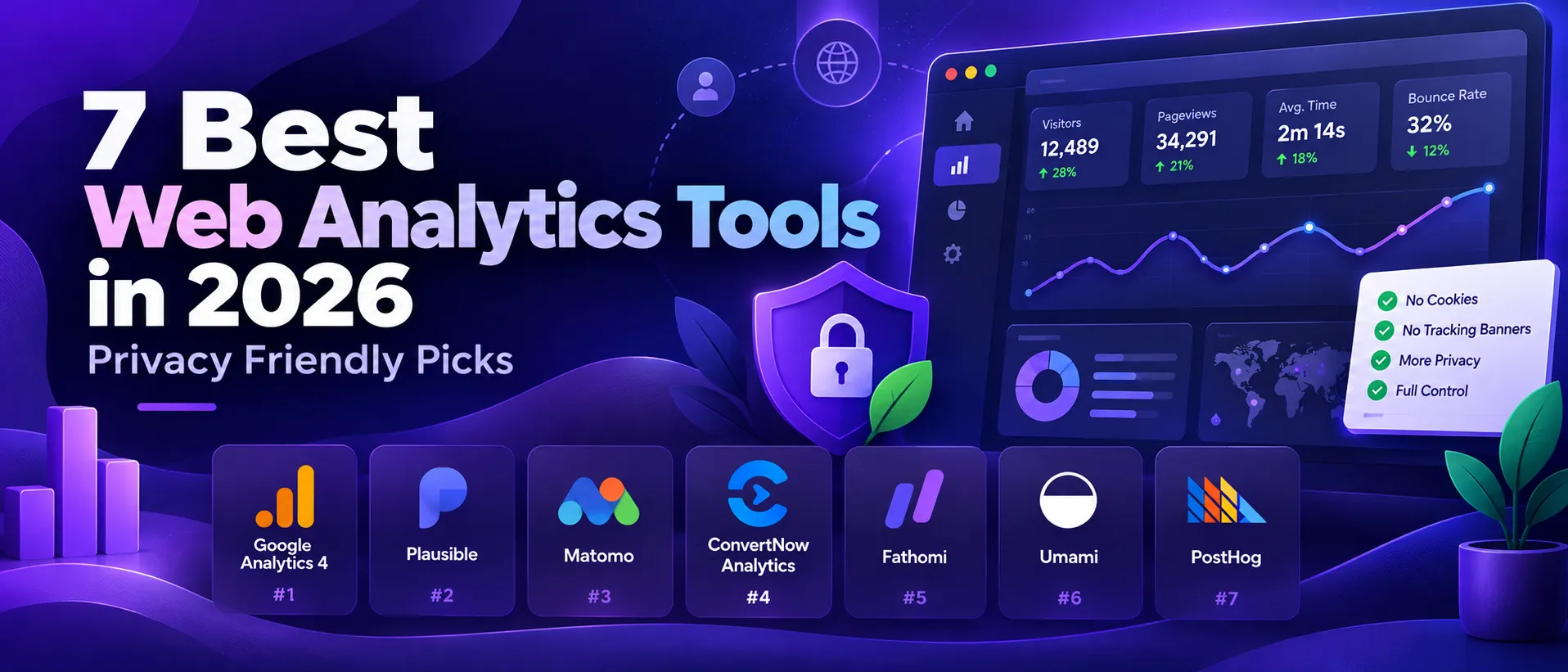

7 Best Web Analytics Tools in 2026 (Privacy Friendly Picks)
Seven web analytics tools compared on privacy, price, setup and the questions each one answers best.
The best web analytics tools in 2026 fall into three groups. There are privacy first tools that count visitors without cookies, there is Google Analytics 4 with its ad integration, and there are product analytics suites that go far beyond page views. Which group you need decides the shortlist, not a ranking.
This guide compares seven tools on cookies, where your data lives, price and setup effort. It also says who each one is for, and who should look elsewhere.
Disclosure. We make ConvertDash, tool number four on this list. We also make a free WordPress analytics plugin. We kept the facts to what each vendor publishes, and we say where ConvertDash is not the right pick. Facts were checked on 12 October 2026. Prices change, so confirm on the vendor page before you buy.
Seven web analytics tools compared on privacy, price, setup and the questions each one answers best.
The short answer
- You buy ads or live in the Google stack: Google Analytics 4.
- You want the simplest paid dashboard: Plausible or Fathom.
- You want open source and data on your own server: Matomo or Umami.
- You want a bot free count and AI traffic reports: ConvertDash.
- You build a product and need funnels, replays and flags: PostHog.
Try ConvertDash free
Seven days of everything, no card. Paste one tag and see which of your visitors are real.
Start free for 7 daysSee plans and pricesHow we compared the best web analytics tools
We looked at five things. First, cookies and consent: does the tool set cookies by default, and does it normally need a banner? Second, where the data lives. Third, price and free options. Fourth, setup effort. Fifth, depth: what questions it answers once the numbers are in.
Our sources are each vendor's pricing page and documentation, plus public listings. We did not run lab tests for this guide. Where a tool can be configured two ways, we say which setting we describe.
Web analytics tools comparison table
| Tool | Cookies | Where it runs | Starting price | Best for |
|---|---|---|---|---|
| Google Analytics 4 | First party cookies, consent normally needed in the EU and UK | Free | Ads and the Google stack | |
| Plausible | None | Hosted, or self hosted | $9 a month | A simple dashboard |
| Matomo | On by default, cookieless mode available | Self hosted or Matomo Cloud | Free self hosted | Closest to GA features |
| ConvertDash | None | Hosted, or self hosted | Free plan | Bot free counts, AI traffic |
| Fathom | None | Hosted | $15 a month | Agencies with many sites |
| Umami | None | Self hosted or Umami Cloud | Free | Developers who self host |
| PostHog | Configurable | Cloud, or self hosted | Free to 1M events a month | Product teams |
The seven best web analytics tools
Best for ads
1. Google Analytics 4
Google Analytics 4 is the default choice and it is free to use. It is the deepest tool here for ad attribution and audiences, and it plugs straight into Google Ads.
Where it wins
Native Google Ads integration and audiences.
Free, with a paid 360 tier for large teams.
Very deep reporting for people who learn it.
Where it falls short
Uses first party cookies, so a consent banner is normally required in the EU and UK.
Event data is kept for 14 months by default.
Reports can be sampled on large queries, and the interface has a learning curve.
Best for simplicity
2. Plausible
Plausible gives you one clean page with the numbers most sites need. It sets no cookies, the script is under 1 KB and it is open source. You can self host the community edition.
Where it wins
Starts at $9 a month for up to 10,000 pageviews.
Goals, custom events and a Google Analytics import on every plan.
30 day free trial with no card.
Where it falls short
No free plan on the hosted service.
Funnels, ecommerce revenue and the stats API need the Business plan.
Less depth than a full suite by design.
Best for GA style depth
3. Matomo
Matomo is the open source heavyweight. You can run it on your own server for free, or use Matomo Cloud. It is the closest match to Google Analytics in feature depth.
Where it wins
Free to self host under the GPL.
Heatmaps, session recordings and A/B tests through paid plugins or Cloud.
Can run without cookies when configured that way.
Where it falls short
Cookies are on by default, so a banner is needed until you switch to cookieless mode.
Self hosting costs server time and upkeep.
Cloud pricing has moved over time, so check the current plan page.
Best for bot free counts
4. ConvertDash
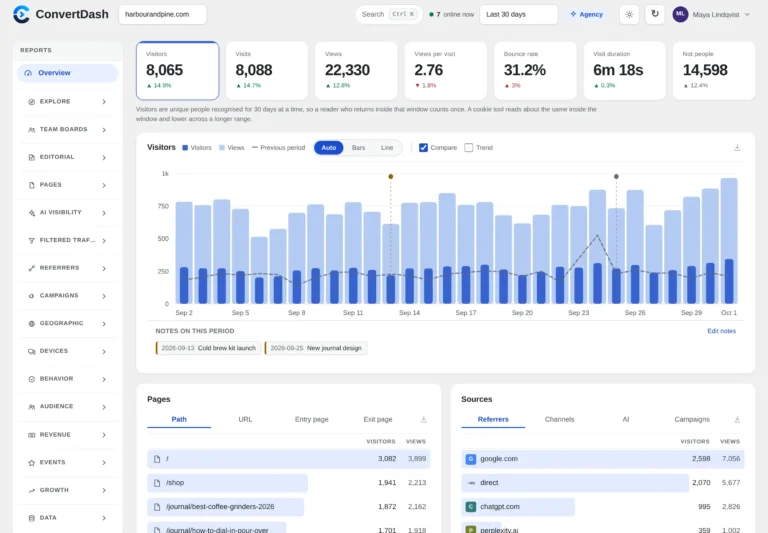
ConvertDash is our own cookieless web analytics service. It refuses bots, AI crawlers and headless browsers, lists every refusal by name, and gives 60+ reports from one script tag. Read the full ConvertDash guide.
Where it wins
Free plan for one site, plus a 7 day trial of everything with no card.
Filtered Traffic names every machine it leaves out, and AI Visibility reports track assistants.
Runs hosted or on your own server, with no pageview limit when self hosted.
Where it falls short
Licensed software, not open source.
Newer than Plausible, Matomo and Fathom, with a shorter track record.
Unique visitors are counted per day because the identifier rotates daily.
Best for agencies
5. Fathom
Fathom is a paid, cookieless tool with one dashboard. Its plan includes up to 50 sites, which suits agencies and anyone with many small projects.
Where it wins
Starts at $15 a month, with up to 50 sites included.
Forever data retention and unlimited email reports and exports.
7 day free trial.
Where it falls short
No free plan.
Hosted only.
No product analytics or experiments.
Best for developers
6. Umami
Umami is open source under the MIT licence. You can self host it for free, or use Umami Cloud, which has a free Hobby plan for one website.
Where it wins
Free self hosted, with no plan based event cap.
Cloud Hobby plan: 1 website, 100K events a month, 6 months of data.
Cookieless and light.
Where it falls short
Self hosting needs a database, updates and backups from you.
Email reports are not part of the self hosted version.
The free Cloud plan covers one website only.
Best for product teams
7. PostHog
PostHog is a product analytics suite with web analytics added. It also offers session replay, feature flags, experiments and surveys. The first 1 million events each month are free.
Where it wins
One tool for web and product analytics.
Free tier, then usage based pricing that falls as volume grows.
Funnels, retention and SQL access.
Where it falls short
Not cookieless by default. Check your configuration before you remove a banner.
Cost scales with events, so busy sites should model it first.
More to learn than a simple traffic dashboard.
How to choose the best web analytics tool
- Start with consent. If you want to run without a banner, pick a tool that sets no cookies by default, or one you will configure that way. A banner is generally needed when a tool stores or reads information on a visitor's device for a non essential purpose. Your duties depend on your country, so ask a legal adviser. This is not legal advice.
- Count your sites. Fathom includes up to 50 sites. Plausible Growth covers 3 and Business 10. ConvertDash Pro Power covers 5.
- Decide where data lives. Open source and self hosted tools give you full control. Hosted tools save you the upkeep.
- Check the free option. Umami, ConvertDash and PostHog have free tiers. Plausible and Fathom use trials.
- Run two if you need ads. Many sites keep GA4 for ad attribution and a cookieless tool for daily numbers.
See ConvertDash in action
How to pick from the best web analytics tools for your own site
A ranked list only goes so far. What suits a recipe blog does not suit a software startup. This section turns the comparison into a decision you can make in an afternoon, with a few cases the main guide does not cover.
Which of the best web analytics tools fits which kind of site?
Start with the job, then the tool. This table matches common sites to a shortlist from the best web analytics tools above.
| Site type | Shortlist | Reason |
|---|---|---|
| Small blog or portfolio | Plausible, Umami | Among the best web analytics tools for a one page view of traffic, with no cookies |
| Online shop running Google Ads | Google Analytics 4 | Ad attribution is why it stays on the best web analytics tools list for shops |
| Agency with many client sites | Fathom, Plausible | Simple dashboards from the best web analytics tools are easy to hand to clients |
| Developer with a spare server | Umami, Matomo | Self hosting keeps the best web analytics tools free and the data local |
| Product team shipping features | PostHog | Funnels and flags sit beyond what the best web analytics tools for content sites offer |
| Publisher worried about bots | ConvertDash | Refused traffic is listed by name, a rare trait among the best web analytics tools |
Tag your links with the free UTM parameter builder first, so every report shows campaigns.
What should you test before you commit to one of the best web analytics tools?
Run a two week trial on a real site. Do not judge the best web analytics tools on screenshots. Nearly all of them offer a free plan, a self hosted build or a trial, so this costs you an hour of setup and nothing else.
- Install the script and open your own site from a phone and a laptop. Does the visit show up within a minute in the best web analytics tools you are testing?
- Check the script size. Lighter is better, and the best web analytics tools publish it.
- Look for your top five pages. Do the counts match your server logs within a sensible margin?
- Export your data once. A tool that locks it in is not among the best web analytics tools for long term use.
- Read the consent notes. Cookieless tools normally need no banner, but the law of your country decides.
Why do the best web analytics tools show different numbers?
Two tools on the same page will never agree. Imagine one day with 1,000 raw requests on a site that uses one of the best web analytics tools. If 300 come from crawlers and 100 from visitors who declined consent, a cookie based tool may report about 600 and a cookieless bot filtering tool about 700. Both are fine. Disagreement is normal because tools define a visitor differently.
With the best web analytics tools, the fix is not to hunt for the true number. Pick one of the best web analytics tools as your reference and watch its trend. A change from 700 to 840 is a 20 percent rise in whichever tool you chose. Run the sum yourself: 840 minus 700 is 140, and 140 divided by 700 is 0.2.
Can you run two of the best web analytics tools together?
Yes, and many teams do. Keep Google Analytics 4 for ad reporting and add a light cookieless tool for daily reading. Two small scripts cost less than one slow page, which is why pairing the best web analytics tools is common. Just make sure your page weight stays reasonable when you combine the best web analytics tools and that your privacy notice names both.
What mistakes do people make when choosing the best web analytics tools?
- Picking the best web analytics tools by feature count instead of the questions you ask each Monday.
- Trusting one week of data from the best web analytics tools on a site with seasonal traffic.
- Forgetting that the best web analytics tools differ on bot filtering, so totals shift on day one.
- Skipping the export test, then finding the best web analytics tools hold your history hostage.
- Installing three of the best web analytics tools at once and trusting none of them.
Is there a quick scoring sheet for the best web analytics tools?
Score each candidate from 1 to 5 on privacy, price, setup, depth and export. Multiply privacy by two if you serve visitors in the EU. Add the five numbers for each of the best web analytics tools on your list. A tool scoring 20 or more out of 30 earns a place on your shortlist, and anything under 15 can wait, even if it appears on lists of the best web analytics tools. Treat the shortlist as options, not verdicts, and revisit the score once a year. For plugin level choices on WordPress, see our guide to the best WordPress analytics plugins.
| In this guide |
|---|
| The short answer |
| How we compared the best web analytics tools |
| Comparison table |
| 1. Google Analytics 4 |
Keep reading
7 best WordPress analytics pluginsIf you run WordPress, start here.ConvertDash guideCookieless analytics for any website.ConvertDash pagePlans, pricing and self hosting.
Frequently asked questions
What is the best web analytics tool in 2026?
It depends on the job. Google Analytics 4 is best for ads. Plausible and Fathom are best for simple dashboards. Matomo and Umami are best for open source and self hosting. ConvertDash is best for bot free counts and AI traffic. PostHog is best for product teams.
Which web analytics tools do not need a cookie banner?
Tools that set no cookies by default, such as Plausible, Fathom, Umami and ConvertDash, are generally used without a banner for the analytics itself. Matomo and PostHog depend on configuration. Other scripts on your site can still need consent. Ask a legal adviser if you are unsure.
Is Google Analytics 4 free?
Yes. Google Analytics 4 is free to use, with a paid 360 tier for large teams. It uses first party cookies, so a consent banner is normally required in the EU and UK.
Which web analytics tools are free?
Google Analytics 4 is free. Matomo and Umami are free to self host. Umami Cloud has a free Hobby plan, ConvertDash has a free plan for one site, and PostHog is free up to 1 million events a month. Plausible and Fathom are paid, with free trials.
Can I self host a web analytics tool?
Yes. Matomo, Umami and ConvertDash can run on your own server. Plausible offers a self hosted community edition, and PostHog can be self hosted too. Self hosting means you handle updates and backups.
What is cookieless analytics?
Cookieless analytics counts visitors without storing a cookie or other identifier on the visitor device. Most tools use a daily changing hash instead, so a visitor cannot be followed from one day to the next.