

Ping vs Traceroute vs Port Scan: Fixing Network Issues
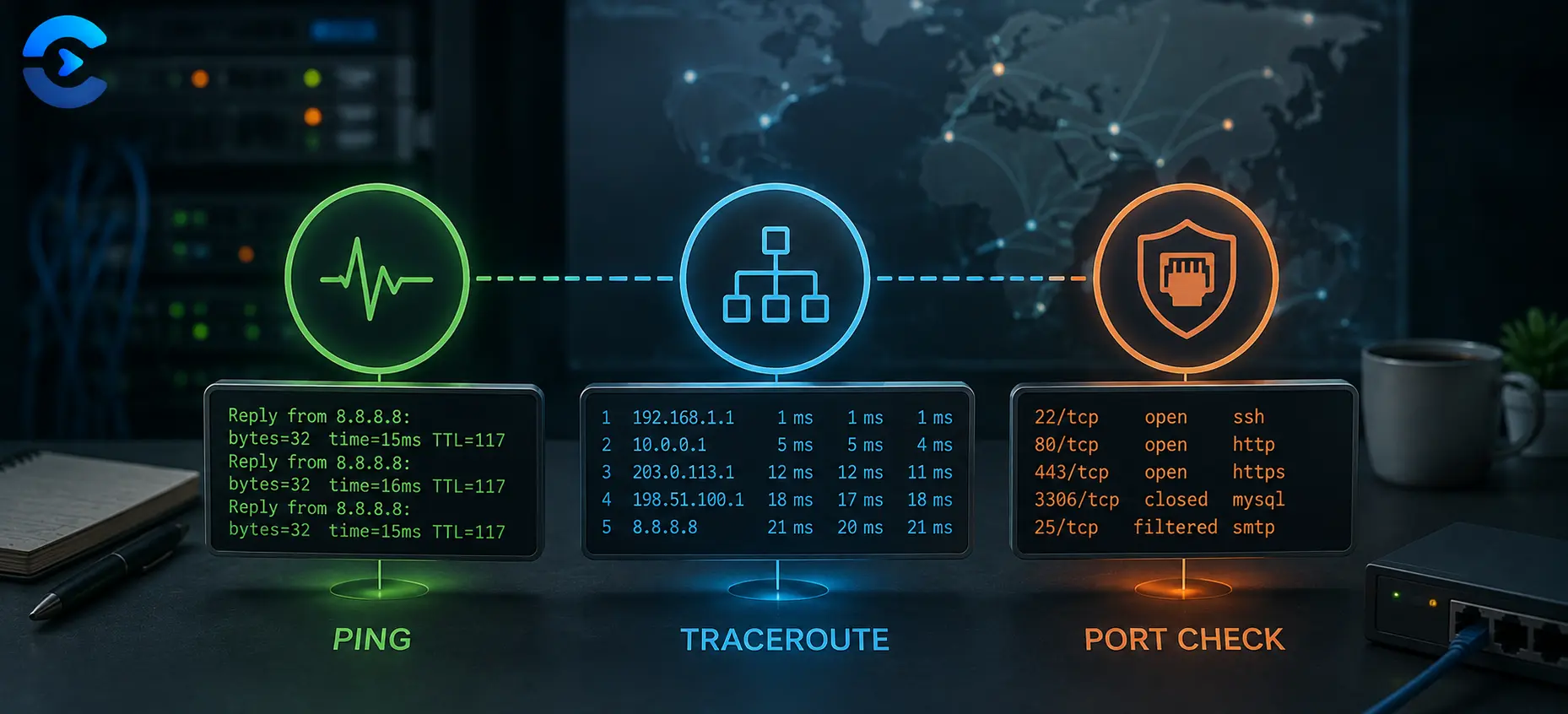
When a connection fails, run three checks in order: ping first to confirm the host is reachable, traceroute second to see where along the path things break down, and a port scan third to confirm the exact service you need is actually listening. Comparing ping vs traceroute vs port scan is less about picking one tool and more about knowing which question each one answers. Follow that order and most connection problems reveal themselves within a few minutes instead of an hour of guessing.
A decision tree for diagnosing network problems
Most people reach for whichever network tool they remember first, which wastes time. A better approach treats network troubleshooting as a funnel: start broad, then narrow down until you find the exact point of failure. Reachability comes before routing, and routing comes before the specific service. That funnel is exactly what ping, traceroute, and a port check give you when used in sequence rather than in isolation. Skipping a step is the most common mistake, since jumping straight to a port check without confirming the host is even reachable often produces confusing results that point you in the wrong direction entirely.
Step one: use ping to confirm the host is reachable
Ping sends a small packet to a target and waits for a reply, so it answers a single yes or no question: is anything at that address responding right now. If ping succeeds with low, steady response times, the basic path to the host is fine and the problem almost certainly lives somewhere above the network layer, such as a misconfigured application or an expired certificate. If ping fails outright, or replies arrive with wildly inconsistent timing, you have your answer that something between you and the host is broken, and it is time to move to the next step rather than staring at the same result twice.
Step two: use traceroute to find where the path breaks
Traceroute lists every router, or hop, that a packet passes through on its way to the destination, along with the time each hop takes to respond. When ping fails or feels slow, traceroute shows you whether the delay is happening near your own network, somewhere in the middle of the internet, or right at the destination. A hop that suddenly times out, followed by hops that never respond again, usually marks the exact point of failure. A hop that just gets slower and slower without ever fully dying often points to congestion rather than an outage.
Ping vs traceroute vs port scan: when the host replies but the app still fails
This is the scenario that trips up most people. Ping succeeds, traceroute completes cleanly, and yet the website, game server, or remote database still refuses to connect. That gap is exactly what a port check exists to close. A host can be fully reachable at the network level while the specific service you care about is not running, is blocked by a firewall, or is simply listening on a different port than you expect. Checking the port tells you whether the door you are knocking on is even open, separate from whether the building itself is standing.
Practical reference table
| Symptom | Tool to run first | What a bad result means |
|---|---|---|
| Site or server will not load at all | Ping | Host may be offline or unreachable from your network |
| Connection is slow but eventually works | Traceroute | Congestion or a routing problem partway along the path |
| Host responds to ping but the app times out | Port check | Service is down, blocked by a firewall, or on the wrong port |
| Works on one network but not another | Traceroute on both | A regional routing or ISP level block |
A short checklist before you escalate
- Run a ping test and note whether replies are consistent or missing.
- If ping fails or looks unstable, run a traceroute and find the last hop that answered.
- If ping and traceroute both look healthy, run a port check against the exact port the service uses.
- Repeat the same three checks from a second network to rule out a local firewall or ISP issue.
- Write down the results before contacting support, since most tickets move faster with this data attached.
Run the reachability check first
The Ping Tool lets you test whether a host or server responds directly from your browser, with no software to install and no command line needed.
Open the Ping ToolThen confirm the service is listening
Once the host answers, use the Port Checker to see whether the specific port your service needs is actually open and reachable from the outside.
Open the Port CheckerRelated tools for finishing the job
Once you know a host is reachable and the right port is open, the next common failure point is a dead or redirected link rather than the network itself, which is where the Broken Link Checker becomes useful for scanning a whole page or site at once. If you manage several servers or domains, it helps to keep every diagnostic tool you rely on in one place, so browse the full network and web toolset to see what else can save you a support ticket. For deeper explanations of how these checks fit into a wider troubleshooting workflow, the ConvertNow blog covers related topics in plain language aimed at people who are not full time network engineers. Bookmarking these tools together also means you spend less time switching between separate command line utilities and browser extensions the next time a client or teammate reports that something is down.
Key takeaway
Stop treating these three checks as competing options and start treating them as steps. Reachability, routing, then the specific port, in that order, will surface the true cause of nearly any connection problem far faster than guessing. Start your next troubleshooting session with the Ping Tool and work down the funnel from there.
FAQ: Ping vs Traceroute vs Port Scan
What is the difference between ping and traceroute?
Ping tells you whether a host responds at all and how long the round trip takes. Traceroute shows every hop the packet passes through on the way there, which helps you find where a slow or broken connection actually breaks down.
When should I use a port check instead of ping?
Use a port check when ping succeeds but a specific application, such as a website or database, still fails to connect. That pattern usually means the host is reachable but the service itself is down, blocked, or listening on a different port.
Why does ping work but my website still will not load?
Ping only confirms that the server itself answers network requests. It says nothing about whether the web server software is running or whether port 80 or 443 is open, which is why a port check is the correct next step.
Can a firewall block ping but still allow the website to work?
Yes. Many servers are configured to ignore ping requests for security reasons while still accepting normal web traffic on their open ports, so a failed ping does not always mean the service is down.
How do I know if the problem is on my end or the server’s end?
Run the same ping and traceroute tests from a second network, such as your phone on mobile data. If the problem disappears, the issue is local to your original network rather than the remote server.
What does a timeout in traceroute actually mean?
A timeout means a particular hop did not respond within the expected time. Some hops are configured to never reply and that is normal, but a timeout followed by total silence on every hop after it usually marks the real point of failure.
Is a port scan the same thing as a security vulnerability scan?
No. A basic port check simply confirms whether a specific port is open or closed for legitimate troubleshooting purposes. A security vulnerability scan is a much broader, more invasive process typically reserved for authorized security testing.
Do I need to install software to run ping, traceroute, or a port check?
No. All three checks are available as free browser based tools, which means you can run them from any device without installing command line utilities or granting extra permissions.