
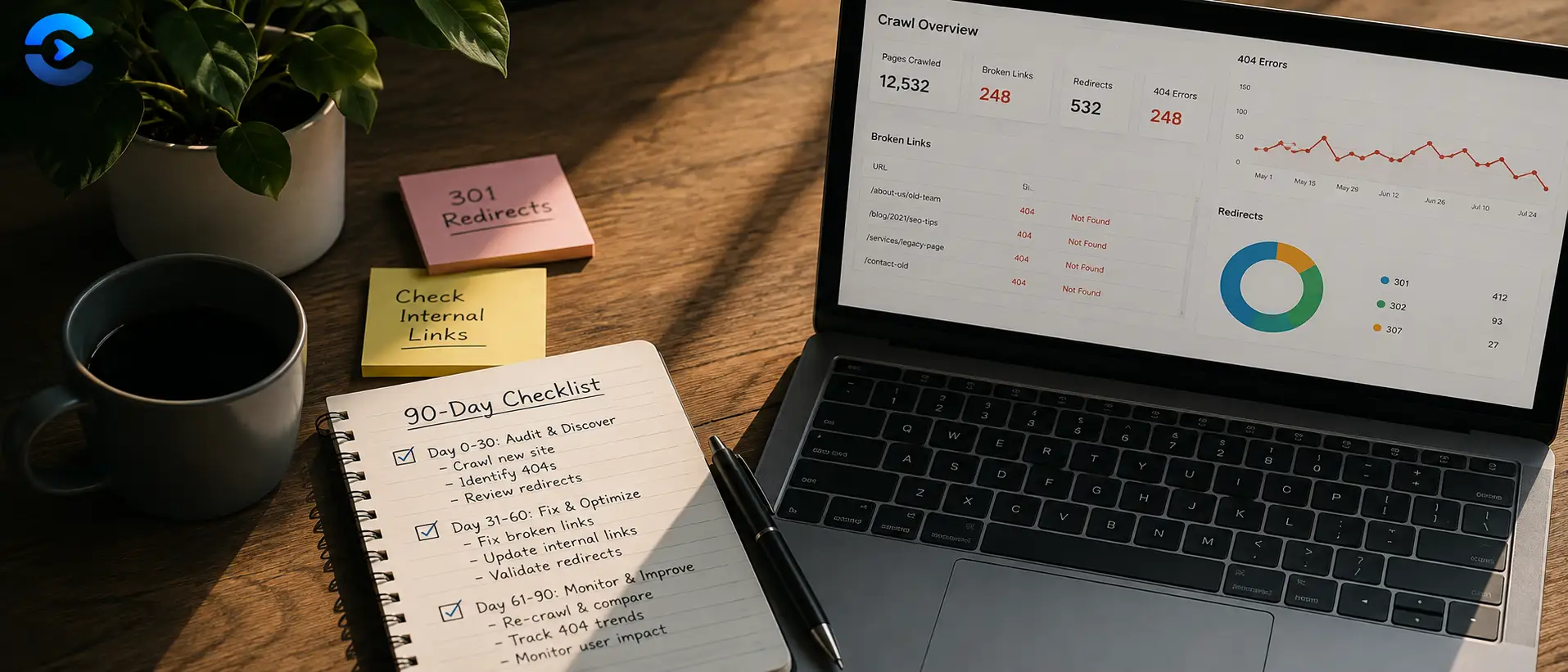

Broken Link Checklist After Site Migration: 90 Day Plan
A broken link checklist after site migration should not stop on launch day. Check again at day 1, week 1, day 30, and day 90, since old bookmarks, external backlinks, cached search results, and slow moving crawlers all surface broken paths at different speeds. Spreading checks across ninety days catches problems a single launch day scan will always miss.
A broken link checklist after site migration should not stop on launch day. Check again at day 1, week 1, day 30, and day 90, since old bookmarks, external backlinks, cached search results, and slow moving crawlers all surface broken paths at different speeds.
Why broken links appear gradually, not all at once
A migration touches every URL on a site at the same time, but the consequences of that change do not surface all at once. Search engines recrawl pages on their own schedule. Visitors following old bookmarks or saved links show up over weeks, not hours. That is why a proper broken link checklist after site migration spreads checks across months instead of treating launch day as the finish line.
What breaks immediately
Internal navigation, main menus, and anything linked from the homepage should be checked the moment the new site goes live. These are high visibility paths, and a broken link here is noticed fast by real visitors.
What breaks slowly
Old blog posts linking to now moved pages, external sites linking to your old URL structure, and search engine cached snapshots all reveal problems on their own timeline. Some of these will not surface until a crawler revisits a page weeks after launch.
The ninety day monitoring schedule
| Checkpoint | What to check |
|---|---|
| Day 1 | Main navigation, homepage links, top landing pages, checkout or signup flows |
| Week 1 | Full site crawl for internal 404s, redirect chains, and orphaned pages |
| Day 30 | External backlinks from other sites, old bookmarked URLs, search console crawl errors |
| Day 90 | Long tail pages, seasonal content, and any links search engines only recently reindexed |
Checklist for each checkpoint
- Run a full site crawl and compare the broken link count against the previous checkpoint.
- Check search engine crawl error reports for new 404s that were not flagged manually.
- Verify old URLs redirect to their correct new destination, not just to the homepage.
- Spot check external sites that historically linked to your old URL structure.
- Log every fix so you can tell whether the problem count is trending down over time.
Other checks to run after a migration
Broken links are only one migration risk. If pages feel slower after the move, the Page Speed Analyzer can confirm whether load times actually changed. Visual regressions are easy to miss too, so the Website Screenshot Tool is useful for comparing how key pages render before and after. Once the site is stable, resubmitting an updated XML Sitemap Generator file helps search engines recrawl the new structure faster. More monitoring tips live on the ConvertNow blog.
The 90 day rule of thumb
Checking once on launch day is not enough. Spread checks across day 1, week 1, day 30, and day 90, and lean on the Broken Link Checker at each stage to catch what slipped through.
Using a broken link checklist after site migration: triage and redirects
The schedule in the post tells you when to look. This section covers what to do with the results. A broken link checklist after site migration should end in decisions, not just a list of errors.
How should a broken link checklist after site migration rank problems?
A crawl may return 1,200 broken URLs. You cannot fix them all in a day, and you do not need to. Rank them as your broken link checklist after site migration suggests. A broken link checklist after site migration works best when the top of the list holds pages with traffic or backlinks.
| Priority | Type of broken link | Action from your broken link checklist after site migration |
|---|---|---|
| 1 | Pages with backlinks or steady traffic, first in any broken link checklist after site migration | Add a 301 redirect to the closest new page |
| 2 | Links in main menus and templates | Fix the link itself |
| 3 | Old blog posts linking to moved pages | Update the link text and target |
| 4 | Pages with no traffic and no links | Let them return 404, or use 410 if gone for good |
| 5 | Redirect chains of 3 or more hops | Point the first URL straight at the final one |
Which redirect rules belong on a broken link checklist after site migration?
- Use 301 for permanent moves. Use 302 only for true temporary ones.
- Send each old URL to its closest match. A broken link checklist after site migration rejects homepage dumps.
- Keep chains short. Every extra hop slows the visitor and wastes crawl effort.
- Test a sample of 50 old URLs by hand at every checkpoint of the broken link checklist after site migration.
- Keep the redirect map in a sheet, so the next broken link checklist after site migration starts ahead.
What does a broken link checklist after site migration look like over 90 days?
Count the checkpoints. Day 1, week 1, day 30 and day 90 make four scans over 90 days. If day 1 finds 200 broken links, week 1 finds 140, day 30 finds 60 and day 90 finds 15, the trend is healthy. Each figure is a drop from the one before. From 200 to 15 is a fall of 92.5 percent. Your broken link checklist after site migration should record those numbers every time.
If a count rises instead, something upstream changed. A plugin update, a new template or a bulk import can reintroduce old paths. Check what shipped between the two scans, and note it in the broken link checklist after site migration.
What goes into the log of a broken link checklist after site migration?
Keep one row per fix. Write the old URL, the new target, the date and the person. After 90 days that sheet is the proof that your broken link checklist after site migration worked, and a template for the next move.
| Log column | Example | Why keep it in the broken link checklist after site migration |
|---|---|---|
| Old URL | /shop/oldname | Shows what visitors and bots still request |
| New target | /products/newname | Confirms the redirect is not a homepage dump |
| Status code | 301 | Catches wrong codes early |
| Date fixed | Day 7 | Tracks the trend |
| Source | Crawl or search report | Shows which check found it |
Who owns the broken link checklist after site migration?
Name one person. Shared ownership means nobody opens the report. Put the four dates in a calendar, attach the redirect map and run the broken link checker at each stop. A calm, repeated routine beats a heroic launch day push.
| # | Key takeaway |
|---|---|
| 1 | Run a full site crawl and compare the broken link count against the previous checkpoint. |
| 2 | Check search engine crawl error reports for new 404s that were not flagged manually. |
| 3 | Verify old URLs redirect to their correct new destination, not just to the homepage. |
| 4 | Spot check external sites that historically linked to your old URL structure. |
Run a full scan at every checkpoint
Catch broken paths before visitors or search engines do with the Broken Link Checker.
Open the Broken Link CheckerFAQ: Broken Link Checklist After Site Migration
When should I check for broken links after a site migration?
Check on day 1, again at week 1, then at day 30, and once more at day 90. Broken links surface at different speeds depending on how visitors and search engines find them.
Why do broken links appear weeks after launch instead of immediately?
Search engines recrawl pages on their own schedule, and visitors following old bookmarks or external links arrive gradually over time, not all at once on launch day.
What should I check on launch day?
Focus on main navigation, homepage links, top landing pages, and any checkout or signup flows, since these are the highest visibility paths on the site.
What should I check at the day 30 mark?
Review external backlinks from other sites, old bookmarked URLs, and crawl error reports from search console to catch problems that took time to surface.
What should I check at the day 90 mark?
Check long tail pages, seasonal content, and any links search engines only recently reindexed, since these are often the last to reveal migration issues.
Do redirects need to be checked separately from broken links?
Yes. A redirect that points to the wrong page or creates a chain is a different problem than a page returning a 404, so both should be verified at each checkpoint.
How do I know if my broken link count is improving over time?
Log the results from each checkpoint and compare them. A steadily declining count across day 1, week 1, day 30, and day 90 shows the migration is stabilizing.
Sources and further reading
- Google: Site moves with URL changes: the official migration checklist.
- Google: Redirects and Google Search: which redirect types pass signals.