

What Does JS Minification Do to Your Code?
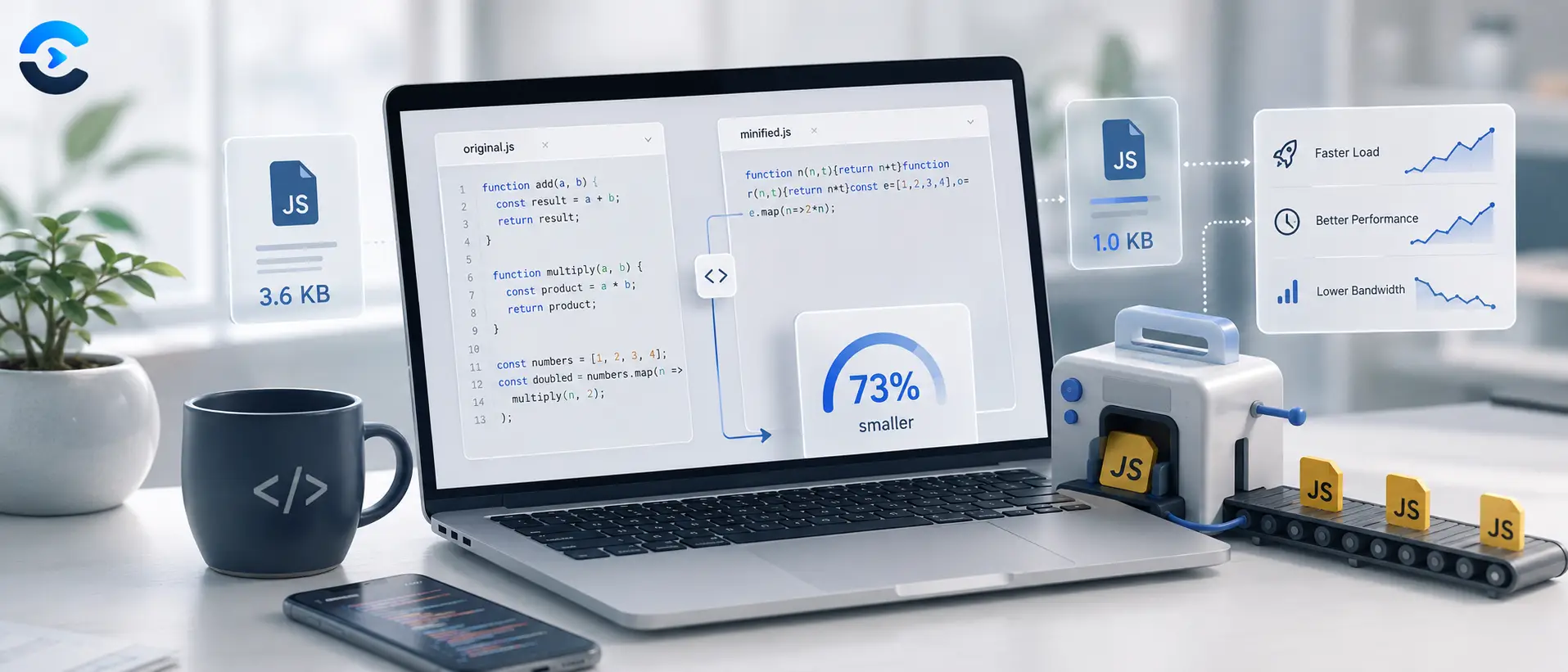
So what does JS minification do? It takes your JavaScript file and strips out everything a browser does not need to run it, extra whitespace, line breaks, comments, and long variable names, then often shortens those names to single letters. The result is a smaller file that downloads and parses faster, but the logic, the order of operations, and the actual behavior of your program stay exactly the same. Minification changes how your code looks, not what it does.
Why developers minify JavaScript
Every character in a file is bytes the browser has to download before it can start running your code. Comments explaining what a function does, indentation that makes code readable in an editor, and descriptive variable names like userAccountBalance are all valuable to a human reading the source, but completely useless to the JavaScript engine executing it. Minification removes that human-readable overhead so the file arrives faster and parses quicker, which matters most on mobile connections and for sites judged on load speed metrics.
What does JS minification do, exactly
A minifier works through your code and applies a handful of transformations. None of them touch the logic.
- Whitespace and line breaks removed. Every space, tab, and newline that exists purely for readability gets stripped, since the parser does not need them.
- Comments deleted. Anything after // or inside /* */ is documentation for people, so it is cut entirely.
- Variable and function names shortened. Local variable names get renamed to short identifiers like a, b, or n, as long as doing so cannot break scope or references elsewhere.
- Redundant syntax trimmed. Some minifiers also drop unnecessary semicolons, collapse braces, and simplify expressions where the output behaves identically.
What a minifier never does is change control flow, alter a calculation, skip a conditional, or reorder operations in a way that produces a different result. If minified code behaves differently than the original, that is a bug in the minifier or a sign the original code relied on something fragile, like variable names read via eval or with, not expected behavior.
Before and after: a real example
Here is a small function before minification, written the way a developer would leave it in source control, and after, the way a minifier would output it for production.
// Calculates the total price
// including tax for a cart
function calculateTotal(cartItems, taxRate) {
  let subtotal = 0;

  for (let i = 0; i < cartItems.length; i++) {
    subtotal += cartItems[i].price * cartItems[i].quantity;
  }

  const total = subtotal + (subtotal * taxRate);
  return total;
}function calculateTotal(t,e){let n=0;for(let r=0;r<t.length;r++)n+=t[r].price*t[r].quantity;return n+n*e}Notice what changed. The comments are gone. The line breaks and indentation are gone. cartItems became t, taxRate became e, and subtotal became n. But the loop still runs the same number of times, the multiplication still happens in the same order, and the function still returns the same value for the same input. That is the whole point. Minification is a size reduction technique, not a logic change.
Minification versus other build steps
It helps to know where minification fits next to related terms. Bundling combines multiple files into one so the browser makes fewer requests. Transpiling, done by tools like Babel, converts newer JavaScript syntax into older syntax so more browsers can run it. Compression, usually gzip or brotli applied at the server level, shrinks the file further for transfer over the network. Minification is typically the last code transformation step before a file goes out the door, after bundling and transpiling, before server compression takes over.
| Step | What it does | When it runs |
|---|---|---|
| Transpiling | Converts modern syntax to older syntax | Before bundling |
| Bundling | Combines multiple files into one | After transpiling |
| Minification | Strips whitespace, comments, shortens names | After bundling, before deploy |
| Compression | Shrinks the file for network transfer | At the server or CDN level |
Does minifying JavaScript break anything
In most cases, no. Modern minifiers are conservative and well tested, and they only rename variables when they can prove doing so is safe within that scope. Problems tend to show up in older or poorly written code that depends on function names for debugging output, relies on the exact text of toString() output from a function, or uses dynamic property access with string names that a minifier cannot safely predict. Testing your minified build before shipping it catches these edge cases early.
How much smaller does minified code get
The reduction depends heavily on how verbose the original code was. Files with long variable names, heavy comments, and generous whitespace can shrink by 30 to 60 percent. Code that was already terse sees smaller gains. On top of minification, gzip or brotli compression on the server typically cuts the file size again, since minified code still compresses well due to repeated patterns like short variable names and common keywords.
If you also work with other file types in your build pipeline, the same idea applies elsewhere. A CSS minifier strips the same kind of overhead from stylesheets, and if your HTML needs cleaning up for readability rather than shrinking, an HTML formatter does the opposite job, making minified or compact markup readable again. Once your assets are minified, it is worth checking the real world impact with a page speed analyzer to confirm load times actually improved.
Minify your JavaScript in seconds
Paste your JavaScript into the JS Minifier and get back a compressed, production ready file instantly, with the whitespace, comments, and long variable names removed and your logic completely untouched. It runs in your browser, so nothing you paste ever leaves your device.
Open the JS MinifierWhat does JS minification do, in short. It strips out the parts of your code that only exist for human readability, whitespace, comments, and descriptive names, and leaves the actual logic exactly as you wrote it. The file gets smaller, it loads faster, and your program runs the same way every time. If you have not minified your production JavaScript yet, run it through the JS Minifier before your next deploy, and check the rest of the developer tools collection while you are there.
FAQ: What does js minification do?
What does JS minification do to variable names
It renames local variables and function parameters to short identifiers, often single letters, whenever doing so cannot break scope or break references from other parts of the code. Global names that outside code depends on are usually left alone.
Does minifying JavaScript change how it runs
No. Minification only removes formatting, comments, and shortens names. The order of operations, the conditionals, and the return values stay identical to the original source.
Is minified JavaScript still readable
Technically yes, but practically no. The code still executes as valid JavaScript, but with whitespace and meaningful names stripped, it is extremely hard for a person to follow without a formatter or a source map.
What is the difference between minification and compression
Minification rewrites the source code itself to remove unnecessary characters. Compression, like gzip or brotli, encodes the already minified file into a smaller binary format for transfer, then the browser decompresses it back to the minified text before running it.
How much does minification reduce file size
It varies by how verbose the original file was, but a reduction of 30 to 60 percent is common for typical, comment heavy source code. Combined with server side compression, the total savings are usually much larger.
Should I minify JavaScript during development
No. Keep your development builds unminified so error messages, stack traces, and debugging tools point to readable variable and function names. Minify only the production build you actually deploy.
Can minification break my code
It is rare with modern, well tested minifiers, but it can happen with code that relies on function name strings, dynamic property lookups by name, or unusual patterns like eval. Testing the minified output before deploying catches these cases.
Do I still need minification if I already use gzip
Yes. Minification and compression solve different problems and stack together. A minified file compresses better than an unminified one, and some requests, like those served without compression enabled, benefit from minification alone.