
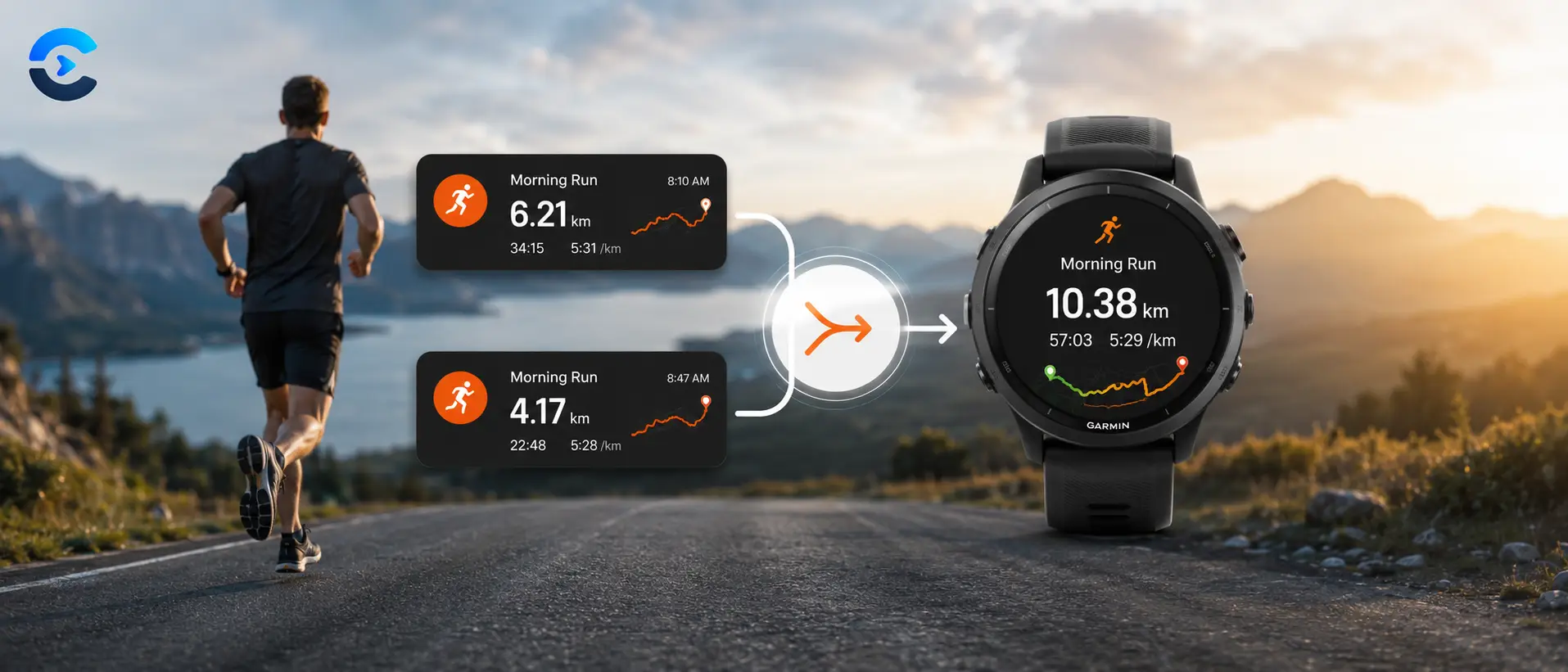

How to Combine Two Strava Activities Into One Ride or Run
Your watch got paused mid-workout, or the auto-pause glitched, and now Strava shows two activities instead of the one long ride or run you actually did. Here’s why that happens and exactly how to fix it, for free, in under a minute.
You stopped your Garmin mid-ride to grab water, or your phone buried the pause button somewhere in your pocket, and now Strava shows two separate activities instead of the one long ride you actually did. It happens more often than people admit. The good news is you don’t need to accept two broken entries in your training log. You can combine Strava activities back into a single file, with the correct combined distance, moving time, and heart rate, and re-upload it like nothing ever went wrong.
Why Strava Splits One Workout Into Two Activities
Garmin, Wahoo, and most GPS devices save every recording as a FIT file, a compact binary format that stores your GPS points, heart rate, cadence, and a session summary all in one package. When you stop and restart a recording, the device doesn’t know it’s the same workout, so it just writes a brand new file. Once both files land in Strava, each one is treated as its own independent activity, complete with its own distance total, its own moving time, and its own spot on your weekly mileage chart.
If you leave it that way, your longest ride of the month quietly turns into two mediocre ones, and your training log stops reflecting reality. This is especially annoying for anyone tracking weekly volume for a race block, since a split activity throws off pace zones, training load, and personal records that platforms calculate per activity rather than per day. In fact, Strava’s own help documentation confirms the app has no built-in way to merge two activities together, according to the Strava Help Center, which is exactly the gap tools like this one exist to close.
What Happens Behind the Scenes When You Combine Strava Activities
Manually editing a FIT file isn’t realistic for most people either. It’s a binary format built around a defined message structure, not something you can open in a text editor and fix by hand, you can read more about how it’s structured in Garmin’s own FIT Protocol documentation. A proper merge tool has to parse both files, recalculate the session totals (distance, timer time, calories, elevation gain, and a time-weighted average heart rate), and rebuild a valid FIT file the platform will actually accept on re-upload. Get any of that wrong and Strava either rejects the file outright or imports it with broken stats, which defeats the whole point.
How to Combine Strava Activities Step by Step
Free Tool
Strava Activity Combiner
Upload the two (or more) FIT files from your split workout, set which one comes first if needed, and the tool merges them into a single valid FIT file with correctly recalculated distance, timer time, calories, elevation gain, and heart rate. Everything runs right in your browser, nothing gets uploaded to a server.
Summary: Combining Strava Activities in Under a Minute
Splitting an activity by accident is a small mistake with an outsized effect on your data, but it’s also a genuinely easy fix once you know the tool exists. Export the FIT files for both pieces, run them through the combiner, download the merged file, and upload it back to Strava or Garmin Connect as one clean activity. Delete the two originals afterward so you’re not double-counting distance or calories, and your training log goes right back to matching what actually happened out on the road or trail.
FAQ: How to Combine Strava Activities
No. Strava doesn’t offer a built-in way to merge two separate activities into one, as confirmed in Strava’s own Help Center. You need to export the FIT files and combine them with a dedicated tool first, then re-upload the result as a new activity.
No, every GPS point, heart rate reading, and cadence value from both files is preserved and stitched together in the correct chronological order, so your map and graphs stay intact in the combined file.
It’s kept as a real pause rather than deleted. Total elapsed time spans from the start of the first activity to the end of the last one, while moving time only counts the minutes you were actually recording, which matches how Garmin’s own auto-pause feature represents stopped time.
Yes. The tool works on the underlying FIT file format, the same standard used by Garmin, Wahoo, Suunto, COROS, and most other GPS sports devices (see Garmin’s FIT Protocol reference for the technical spec), so it works regardless of which platform you’re uploading to afterward.
Yes, it’s worth removing both original activities once the combined file is uploaded, otherwise your weekly distance and calorie totals on Strava or Garmin Connect will count that workout twice.